

- Updated: February 1, 2026
- 6 min read
Introducing xdgctl: A Terminal UI for Managing Linux XDG Default Applications
xdgctl is an open‑source terminal UI (TUI) that lets Linux power users and developers view, browse, and set XDG default applications directly from the command line, eliminating the need to manually edit mimeapps.list or invoke xdg‑mime for each file type.
xdgctl: The Terminal UI Revolutionizing Linux Default Application Management
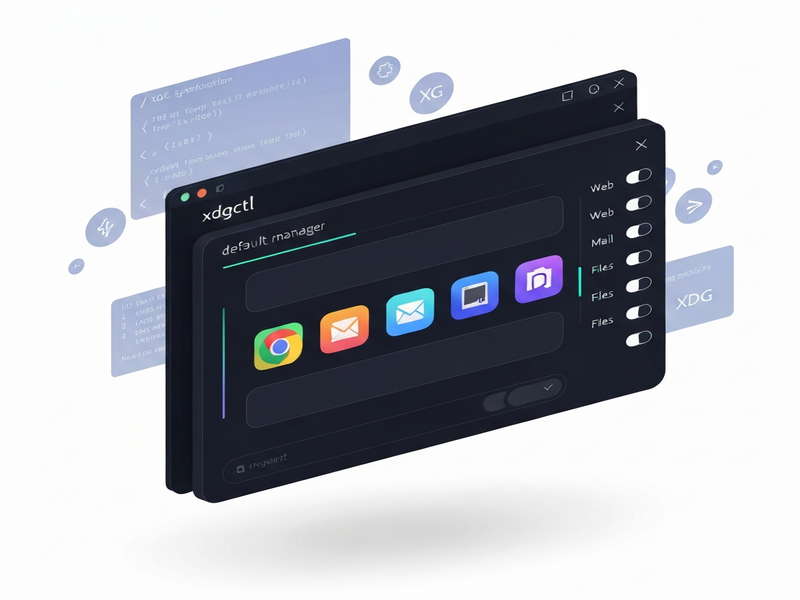
What Is xdgctl?
Developed by the open‑source community, xdgctl provides a clean, keyboard‑driven interface for managing Linux default applications across all XDG categories (browsers, editors, media players, etc.). It is written in C, leverages GLib/GIO for desktop integration, and uses termbox2 to render a responsive TUI.
For anyone who has ever typed xdg-mime query default text/plain or edited ~/.config/mimeapps.list by hand, xdgctl offers a faster, less error‑prone workflow. The tool automatically discovers .desktop files in /usr/share/applications and ~/.local/share/applications, then highlights the current default with an asterisk (*).
Key Features of xdgctl
- Category Browsing: Navigate through logical groups such as Web Browsers, Text Editors, Image Viewers, and more.
- Live Default Highlight: The active default for each category is marked with
*, giving instant visual feedback. - Keyboard‑Centric Controls: Arrow keys, Enter, Esc, and Tab let you move, select, and quit without leaving the terminal.
- Zero‑Dependency Runtime: After compilation, the binary runs on any modern Linux distro with GLib installed.
- Open‑Source BSD‑2‑Clause License: Free to modify, redistribute, and integrate into custom workflows.
These capabilities make xdgctl a perfect companion for developers building command line utilities or for sysadmins automating desktop provisioning.
How to Install xdgctl
Installation is straightforward on any distro that provides the required development libraries (glib‑2.0, gio‑2.0, and a C compiler). Follow the steps below:
# Clone the repository
git clone https://github.com/mitjafelicijan/xdgctl.git
cd xdgctl

# Build the binary (make works with both clang and gcc)
make

# Install system‑wide (requires sudo)
sudo make install

# Or install to a user directory
make PREFIX=$HOME/.local install
If you add new .desktop entries to ~/.local/share/applications, refresh the desktop database:
update-desktop-database ~/.local/share/applicationsFor Void Linux users, the prerequisite packages can be installed with:
sudo xbps-install glibc-devel pkg-configOnce installed, launch the tool simply by typing xdgctl in your terminal.
Practical Usage Examples
Browsing Categories
Start xdgctl and you’ll see a split view: the left pane lists categories, the right pane lists applications belonging to the selected category.
Setting a New Default
Navigate to the Web Browser category, select firefox.desktop, and press Enter. The asterisk moves to the newly selected entry, confirming the change.
Querying the Current Default via CLI
Even though xdgctl handles the UI, you can still verify the result with the classic xdg-mime command:
xdg-mime query default x-scheme-handler/http
# Output: firefox.desktop
Integrating with Automation Scripts
Because xdgctl is a command‑line binary, you can call it from scripts to enforce a corporate default set across many workstations:
# Example Bash snippet
if ! xdg-mime query default x-scheme-handler/http | grep -q "firefox.desktop"; then
    echo "Setting Firefox as default browser..."
    echo -e "1\nEnter\n" | xdgctl  # Simulate navigation to Firefox and press Enter
fi
Why Linux Power Users Love xdgctl
- Speed: No more opening multiple terminal windows to run
xdg-mimefor each MIME type. - Clarity: Visual grouping of applications reduces the cognitive load of remembering exact desktop file names.
- Safety: The tool writes to
mimeapps.listonly after user confirmation, preventing accidental overwrites. - Automation‑Ready: Its non‑interactive mode can be scripted, making it ideal for large‑scale deployments.
- Community‑Driven: As an open‑source project, contributions are welcomed, and bugs are addressed quickly on GitHub.
In environments where consistency matters—such as development teams, educational labs, or corporate desktops—xdgctl provides a single source of truth for default application settings.
Extending xdgctl with UBOS Solutions
While xdgctl excels at managing defaults, the UBOS homepage offers a broader AI‑driven platform that can automate the entire lifecycle of Linux workstations.
For instance, you can combine xdgctl with the AI marketing agents to personalize browser defaults based on user roles, or use the Workflow automation studio to schedule default‑application updates across a fleet of machines.
Developers building custom SaaS tools can leverage the UBOS platform overview to embed xdgctl‑style functionality into web‑based control panels, delivering a seamless experience from the browser to the terminal.
Startups looking for rapid prototyping can use UBOS for startups together with the UBOS templates for quick start to spin up a managed Linux environment where xdgctl is pre‑installed and configured.
SMBs benefit from UBOS solutions for SMBs, which include centralized policy enforcement—perfect for keeping default applications consistent across all employee workstations.
Enterprises can adopt the Enterprise AI platform by UBOS to integrate xdgctl into larger AI‑driven asset management pipelines, ensuring that every new VM or container inherits the correct defaults automatically.
UBOS Template Marketplace Picks
UBOS’s marketplace hosts ready‑made AI applications that can be paired with xdgctl for richer workflows. Here are a few that illustrate the synergy:
- Talk with Claude AI app – Use natural language to query which default application is set for a given MIME type.
- AI SEO Analyzer – Run SEO checks on your locally hosted web apps, then automatically set the preferred browser via xdgctl.
- AI Article Copywriter – Generate documentation for your custom xdgctl extensions.
- AI Video Generator – Create tutorial videos that demonstrate xdgctl usage, then embed them in your internal knowledge base.
- AI Chatbot template – Provide an interactive help bot that answers questions like “Which editor is set for
text/plain?” by invoking xdgctl under the hood. - GPT-Powered Telegram Bot – Receive push notifications when a default application changes on any managed workstation.
Cost, Support, and Getting Involved
xdgctl itself is free under the BSD‑2‑Clause license. For organizations that need professional support, the UBOS pricing plans include tiered options for consulting, custom integration, and SLA‑backed assistance.
Explore real‑world implementations in the UBOS portfolio examples to see how other companies have streamlined their Linux desktop management.
Want to contribute to xdgctl? Fork the repository, submit a pull request, and join the discussion on the GitHub project page. Your enhancements could become part of the next release.
Take Control of Your Linux Defaults Today
Whether you are a solo developer, a sysadmin, or part of a large enterprise, xdgctl offers a fast, reliable, and scriptable way to manage XDG default applications without leaving the terminal. Pair it with UBOS’s AI‑driven automation tools for a truly modern Linux workflow.
Ready to try it? Clone the repo, build the binary, and start customizing your desktop environment in seconds. For deeper integration, explore UBOS’s ecosystem and discover how AI can further simplify your Linux operations.