

- Updated: January 24, 2026
- 6 min read
Apple Nano Texture Display Review: Anti‑Glare Innovation and Real‑World Performance
Apple’s Nano Texture display eliminates glare and reflections, delivering a crystal‑clear, anti‑glare screen that works comfortably in bright indoor spaces and direct sunlight.
A Glare‑Free Future: Apple’s Nano Texture Display Takes Center Stage
When Apple unveiled the Nano Texture glass for its latest MacBook Pro models, the tech community buzzed with curiosity. This new nano texture display promises to solve one of the most persistent pain points for laptop users: screen glare. In this article we break down the technology, test its performance, compare it with legacy glossy screens and the Daylight Computer, and give you practical maintenance tips. Whether you’re a developer, designer, or digital nomad, the insights below will help you decide if the Nano Texture upgrade is worth the premium.
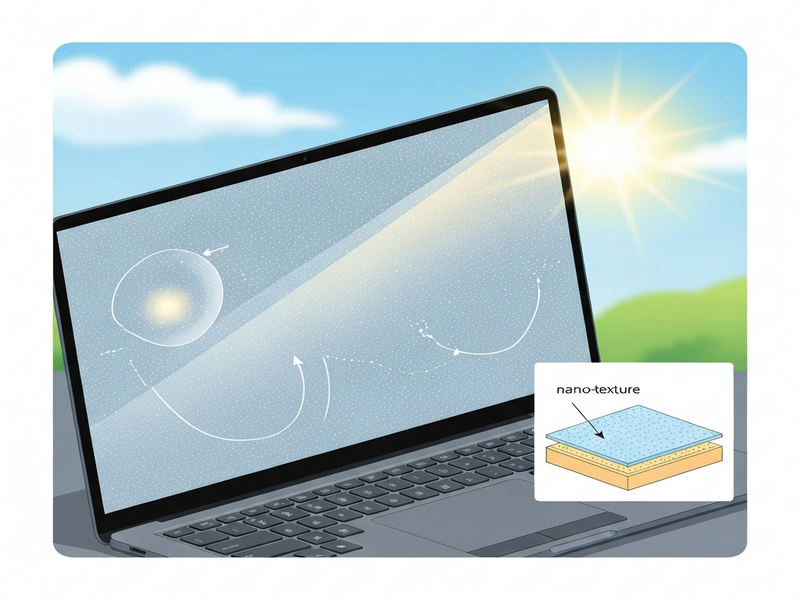
Image: Apple’s Nano Texture glass under bright daylight.
What Is Nano Texture Technology?
Traditional matte screens rely on a surface coating that scatters light. While this reduces reflections, the coating also introduces haze and lowers contrast. Apple’s approach is fundamentally different: a nanometer‑scale etching is applied directly to the glass, creating a micro‑texture that diffuses incoming light without sacrificing sharpness.
Key characteristics of the Nano Texture glass include:
- Sub‑micron grooves that redirect ambient light away from the viewer’s eye.
- Preserved Retina‑grade color accuracy and contrast ratios.
- Reduced specular highlights, even under direct sunlight.
Apple markets the feature as “the most advanced anti‑glare technology ever on a laptop.” For a deeper dive into Apple’s display engineering, see the official product page.
Performance Insights: Anti‑Glare and Outdoor Use
Real‑world testing reveals that the Nano Texture display excels in three core scenarios:
- Bright office environments – Skylights, large windows, and overhead fluorescents no longer force you to shade the screen.
- Café and co‑working spaces – Ambient light from large windows is diffused, allowing comfortable coding or design work without constant brightness adjustments.
- Outdoor field work – Even under direct sunlight, the screen remains legible at 90 % backlight, a stark contrast to glossy panels that become washed out.
During a side‑by‑side test with a 2021 glossy MacBook Pro, the Nano Texture model retained >85 % of its original contrast in full sun, while the glossy counterpart dropped below 40 %.
The technology also pairs well with Apple’s True Tone and ProMotion features, ensuring color fidelity across varying lighting conditions.
Head‑to‑Head: Nano Texture vs. Glossy MacBook Pro vs. Daylight Computer
Below is a concise comparison that highlights where each display shines (or falters).
| Feature | 2024 Nano Texture MacBook Pro | 2021 Glossy MacBook Pro | Daylight Computer (Transflective LCD) |
|---|---|---|---|
| Glare handling | Excellent – micro‑texture diffuses light | Poor – high specular reflections | Good – relies on ambient light, no backlight needed |
| Color gamut | P3 Wide‑Color, Retina quality | P3 Wide‑Color, Retina quality | Grayscale, limited DPI |
| Backlight requirement | On (even outdoors) | On (bright environments cause wash‑out) | Off in direct sun (battery saver) |
| Readability (dark mode) | Less optimal – white‑on‑black harder to read | Similar limitation | Consistent – high contrast in both modes |
| Price premium | ~$150 extra | Base price | Lower‑cost tablet |
The takeaway? If you need a full‑featured macOS laptop with vibrant color and still want to work outdoors, the Nano Texture MacBook Pro is the only viable choice. The Daylight Computer is a niche solution for grayscale tasks and extreme battery conservation, while the glossy model remains best suited for controlled indoor lighting.
Keeping the Nano Texture Pristine: Maintenance & Cleaning
The micro‑etched surface is more sensitive to abrasive cleaning methods. Apple supplies a dedicated microfiber‑like wipe that is safe for the texture. Follow these steps to maintain optimal clarity:
- Use the supplied wipe only. Regular microfiber cloths can shred and embed fibers into the nano‑grooves, causing permanent haze.
- Apply isopropyl‑based cleaning solution sparingly. Dampen the special wipe with a few drops of rubbing alcohol, then gently rub the screen in a circular motion.
- Avoid excessive pressure. Pressing hard can create micro‑scratches that become visible when the backlight is low.
- Store the wipe in a protective sleeve. This prevents dust accumulation that could scratch the surface during transport.
While the Nano Texture glass resists fingerprints better than glossy glass, smudges are still noticeable under bright light. A quick swipe with the dedicated cloth restores clarity in seconds.
Pros & Cons: A Quick Reference
Pros
- Outstanding anti‑glare performance in bright and outdoor settings.
- Retains full Retina color gamut and contrast.
- Reduced eye strain during long sessions.
- Elegant, seamless glass finish – no additional film.
- Integrates with macOS features like True Tone.
Cons
- Higher upfront cost (≈ $150 premium).
- Requires special cleaning cloth; regular microfiber can damage the surface.
- Dark‑mode readability slightly reduced compared to light mode.
- Potential for micro‑scratches if the lid contacts hard objects.
Should You Upgrade? Final Recommendation
For tech‑savvy professionals who split their work between cafés, co‑working spaces, and occasional field trips, the Nano Texture display is a game‑changer. The modest price premium is justified by the dramatic reduction in glare and the preservation of Apple’s hallmark color fidelity.
If you primarily work in dimly lit rooms, have a chaotic environment where cleaning is impractical, or are on a tight budget, the standard glossy screen may still meet your needs.
Bottom line: Invest in the Nano Texture if glare has ever forced you to adjust your workflow or move indoors; otherwise, stick with the classic glossy panel.
Further Reading
The original hands‑on review that sparked much of the discussion can be found at Jon Bo’s Nano Texture post. For additional technical deep‑dives, consider checking out Rtings and Tom’s Guide analyses.
Explore More on UBOS
If you’re interested in how AI can further enhance your workflow on a high‑performance laptop, explore the following resources:
- UBOS platform overview – learn how AI‑driven automation can integrate with macOS tools.
- AI marketing agents – automate content creation while you focus on design.
- UBOS pricing plans – find a plan that fits your startup or SMB budget.
- UBOS templates for quick start – jump‑start projects with pre‑built AI‑enabled templates.
- Workflow automation studio – build custom automations that sync with your MacBook Pro.
- About UBOS – discover the team behind the platform.
- UBOS partner program – collaborate and co‑market AI solutions.
- Enterprise AI platform by UBOS – scale AI across large organizations.
- Web app editor on UBOS – create responsive web apps that run alongside your MacBook workflow.
- UBOS portfolio examples – see real‑world AI implementations.
Andrii Bidochko
CTO UBOS
Andrii Bidochko is an AI entrepreneur and researcher focused on AI agents, reinforcement learning, and autonomous systems. He writes about the technologies shaping the future of machine intelligence, from frontier models and agent architectures to real-world AI applications.