

- Updated: January 23, 2026
- 5 min read
Iconify Icon Sets: A Comprehensive Free SVG Library for Designers and Developers
Iconify provides a massive, searchable library of open‑source SVG icon sets that designers and developers can instantly integrate into any web or UI project.
Introduction to Iconify Icon Sets
In the fast‑moving world of web design and UI/UX development, the right visual language can make or break a product. Iconify answers this need by aggregating thousands of open source SVG icons into a single, searchable platform. Whether you’re building a SaaS dashboard, a mobile app, or a marketing landing page, Iconify’s curated collections let you find the perfect UI icon in seconds, without worrying about licensing headaches.
For teams that rely on rapid prototyping and consistent design systems, Iconify’s API and CDN delivery ensure icons load instantly and scale flawlessly on any device. Below we break down the library’s structure, licensing, and practical usage tips, all while showing how UBOS can amplify your workflow.
Overview of Categories and Licenses
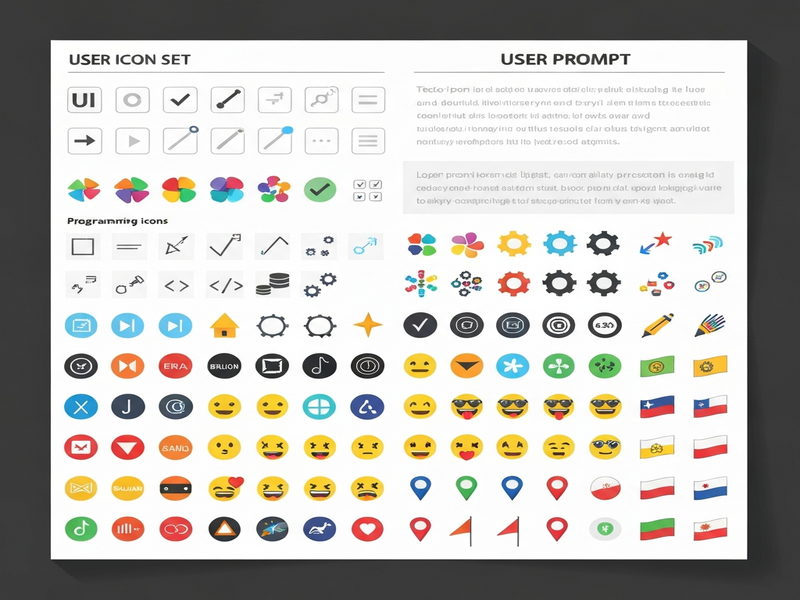
Iconify organizes its massive repository into logical categories that reflect common design needs. Each category groups icon sets by style, purpose, or technology, making discovery intuitive.
Core Categories
- UI 24px & UI 16px/32px – Pixel‑perfect icons for buttons, menus, and toolbars.
- UI Multicolor – Vibrant, multi‑tone icons for modern dashboards.
- Programming & Logos – Tech‑focused icons for IDEs, documentation, and branding.
- Emoji & Flags – Ready‑to‑use emojis and country flags for global products.
- Thematic & Archive – Niche collections such as game icons, medical symbols, and legacy sets.
Licensing Landscape
All Iconify sets are released under permissive open‑source licenses, ensuring you can use them in commercial projects without legal friction. The most common licenses include:
- MIT – Broad permission, attribution optional.
- Apache 2.0 – Includes patent protection.
- CC BY 4.0 – Requires attribution, ideal for community‑driven projects.
- Open Font License (OFL) – Tailored for font‑style icons.
Because each set clearly states its license, you can confidently select icons that match your project’s compliance requirements.
Benefits for Designers and Developers
Iconify isn’t just a static gallery; it’s a productivity engine. Here’s why it matters to both design and development teams:
1. Instant Search & Filtering
With a powerful search API, you can query icons by name, tag, or style. The iconify/search endpoint returns results in milliseconds, letting you embed icons on the fly.
2. Consistent SVG Quality
All icons are delivered as clean, scalable SVGs. This guarantees crisp rendering on retina displays and simplifies CSS styling (color, size, animation).
3. Unified Design System Integration
Because Iconify supports npm, CDN, and React/Vue components, you can lock icons into your design system without extra build steps. Pair this with UBOS platform overview to auto‑generate UI components that reference Iconify assets directly.
4. License Transparency
Every icon set displays its license badge, eliminating guesswork and reducing legal risk—critical for enterprise‑grade products.
5. Community‑Driven Growth
Iconify’s ecosystem welcomes contributions, meaning the library evolves with design trends. New sets like Fluent UI System Color Icons or Pixelarticons appear regularly.
How to Access and Use the Icons
Getting started with Iconify is straightforward. Follow these steps to integrate icons into any project:
- Browse or Search – Visit the Iconify icon sets portal, filter by category, and copy the icon name (e.g.,
mdi:home). - Choose a Delivery Method
- CDN: Add
<script src="https://code.iconify.design/2/2.2.1/iconify.min.js"></script>to your HTML. - npm:
npm install @iconify/reactfor React projects. - Direct SVG: Download the SVG file for offline use.
- CDN: Add
- Insert the Icon – Use the
<span class="iconify" data-icon="mdi:home"></span>syntax or the framework‑specific component. - Style with CSS – Adjust
color,font-size, oranimationjust like any other SVG. - Automate with UBOS – Leverage the Workflow automation studio to pull icons dynamically based on database entries, ensuring your UI stays up‑to‑date without manual edits.
For teams building low‑code applications, the Web app editor on UBOS includes a built‑in Iconify widget, letting you drag‑and‑drop icons directly onto pages.
Featured Icon Sets Worth Exploring
Below are some of the most popular and versatile collections within Iconify, each with a brief use‑case recommendation.
| Icon Set | Style / Size | License | Ideal For |
|---|---|---|---|
| Material Design Icons | Outline, 24px | Apache 2.0 | Enterprise dashboards, Android apps |
| Tabler Icons | Stroke, 24px | MIT | SaaS UI, admin panels |
| HeroIcons | Solid & Outline | MIT | Landing pages, marketing sites |
| Feather Icons | Lightweight, 16px | MIT | Minimalist UI, mobile apps |
| Cryptocurrency Icons | Colorful, 24px | CC0 | FinTech dashboards, crypto wallets |
If you need AI‑enhanced content creation, pair these icons with UBOS’s UBOS templates for quick start. For example, the AI SEO Analyzer template can automatically generate meta tags for pages that showcase your chosen icon sets.
Conclusion & Next Steps
Iconify’s extensive, open‑source icon library removes a major bottleneck in the design‑to‑development pipeline. By leveraging its searchable API, clear licensing, and seamless integration paths, teams can accelerate UI delivery while maintaining visual consistency.
Ready to supercharge your design workflow? Explore the UBOS homepage to discover a low‑code platform that natively supports Iconify, or dive into the UBOS pricing plans to find a tier that matches your project scale.
Whether you’re a startup building your first MVP (UBOS for startups), an SMB looking for rapid UI iteration (UBOS solutions for SMBs), or an enterprise seeking a robust AI‑driven design pipeline (Enterprise AI platform by UBOS), Iconify combined with UBOS gives you the speed, flexibility, and compliance you need.
Take action now:
- Visit the Iconify icon sets page and bookmark your favorite collections.
- Integrate icons via CDN or npm in your next project.
- Leverage UBOS’s AI marketing agents to auto‑generate copy that references your new visual assets.
- Join the UBOS partner program to get exclusive access to premium templates like AI Image Generator and AI Chatbot template.
By making Iconify a core part of your design toolkit, you’ll spend less time hunting for graphics and more time delivering value to users. Happy designing!