

- Updated: January 23, 2026
- 6 min read
Iconify Icon Sets: A Comprehensive Free SVG Library for Designers and Developers
Iconify is a free, open‑source library that aggregates thousands of SVG icon sets—organized by category and license—so designers and developers can instantly find, preview, and embed high‑quality UI icons into any web or mobile project.
Introduction to Iconify Icon Sets
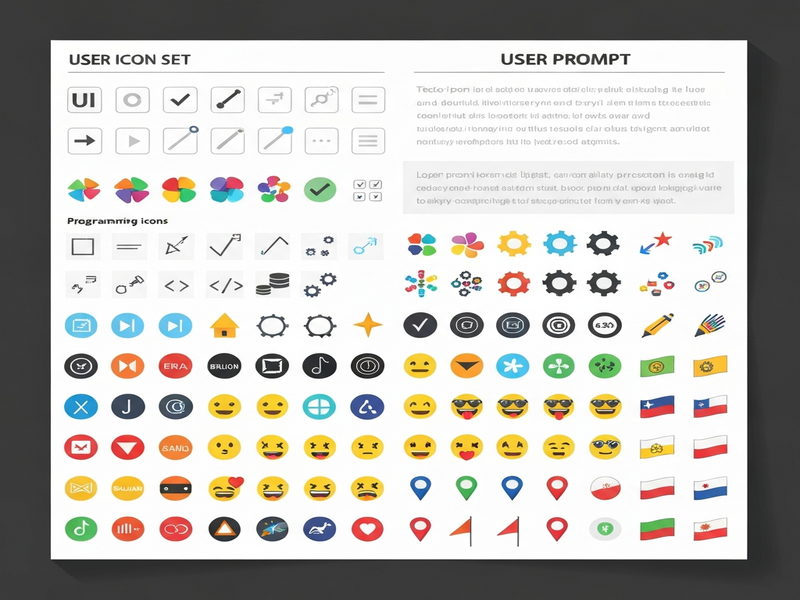
Since its launch, Iconify has become the go‑to hub for over 30,000 SVG icons spanning UI components, logos, emojis, and thematic collections. The platform aggregates icons from dozens of independent projects, normalizes them under a single API, and offers a consistent naming convention that eliminates the guesswork of hunting through disparate repositories.
For UI/UX professionals, this means a single source of truth for visual assets, while developers benefit from a lightweight JavaScript bundle that loads only the icons they request—optimizing performance and reducing bundle size.
Overview of Categories and Licenses
Iconify organizes its library into logical groups, each clearly labeled with its licensing terms. This transparency helps teams stay compliant with open‑source policies.
| Category | Number of Sets | Typical License |
|---|---|---|
| UI 24 px | 55 | MIT / Apache‑2.0 |
| UI 16 px / 32 px | 18 | MIT / Apache‑2.0 |
| UI Multicolor | 12 | CC‑BY‑4.0 |
| Programming & Logos | 9 | MIT / Apache‑2.0 |
| Emoji & Flags | 11 | CC‑BY‑4.0 / Open Font |
| Thematic & Archive | 8 | Various (MIT, CC‑BY, GPL) |
Each set lists its own attribution requirements, but the majority are permissive (MIT, Apache‑2.0, CC‑BY‑4.0), allowing commercial use without fee. The “Archive / Unmaintained” group contains legacy collections that remain usable under their original licenses.
Benefits for Designers and Developers
Iconify’s unified approach translates into concrete advantages across the product lifecycle.
- One‑stop discovery: Search across all sets from a single UI, reducing time spent toggling between GitHub repos.
- Consistent naming: Every icon follows the
prefix:namepattern (e.g.,mdi:home), making it easy to reference programmatically. - Instant preview & download: SVGs can be copied directly or downloaded in multiple formats (SVG, PNG, WebP).
- Performance‑first: The
@iconify/jsonpackage ships only the icons you import, keeping bundle size under 10 KB for most use cases. - License clarity: Each set displays its license badge, helping legal teams stay compliant.
- Cross‑framework support: Ready‑made components exist for React, Vue, Svelte, and plain HTML.
- Community‑driven updates: New icons are added weekly by contributors worldwide.
Highlight of Popular Icon Sets
Below are the most widely adopted collections, along with brief use‑case suggestions.
Material Symbols (Apache‑2.0)
Over 1,500 icons covering Google’s Material Design language. Ideal for Android apps, web dashboards, and any product that follows Material guidelines.
Tabler Icons (MIT)
A modern, minimalist set of 5,986 icons. Perfect for SaaS dashboards, admin panels, and clean UI designs.
HeroIcons (MIT)
Designed for Tailwind CSS projects, offering outline and solid styles. Frequently used in landing pages and marketing sites.
Feather Icons (MIT)
Lightweight line icons with a hand‑drawn feel. Great for micro‑interactions and mobile UI.
Font Awesome (CC‑BY‑4.0)
The classic library with thousands of icons, both solid and regular. Works well for legacy projects that need broad compatibility.
Emoji One (CC‑BY‑4.0)
Full‑color emoji set for chat applications, social platforms, and any product that needs expressive visual language.
How to Use the Icons in Projects
Integrating Iconify icons is straightforward, regardless of the tech stack. Below is a step‑by‑step guide for three common scenarios.
1️⃣ Using the CDN (HTML‑only projects)
<!-- Load Iconify script once -->
<script src="https://code.iconify.design/2/2.2.1/iconify.min.js"></script>

<!-- Insert an icon anywhere in the markup -->
<span class="iconify" data-icon="mdi:home" data-inline="false"></span>
This method requires no build step and works in static sites, documentation, or email templates.
2️⃣ Installing via npm (React, Vue, Svelte)
# Install the core package
npm install @iconify/react   # for React
npm install @iconify/vue     # for Vue
npm install @iconify/svelte  # for Svelte
Then import and use the component:
import { Icon } from '@iconify/react';

function Dashboard() {
  return (
    <div>
      <Icon icon="tabler:chart-pie" width="24" height="24" />
      <h1>Analytics Dashboard</h1>
    </div>
  );
}
3️⃣ Leveraging UBOS to auto‑generate UI with icons
UBOS’s Web app editor on UBOS lets you drag‑and‑drop Iconify icons directly into a low‑code canvas. Choose an icon from the built‑in library, set its size, color, and animation, and the platform generates the underlying code for you.
For teams that need rapid prototyping, combine the editor with UBOS templates for quick start—many of which already include pre‑configured Iconify components.
Best practice tip: Load only the icons you need by using the @iconify/json package with a custom build script. This reduces network requests and improves page speed scores.
Related Resources on UBOS
UBOS offers a suite of AI‑enhanced tools that complement Iconify’s visual assets. Here are a few that designers and developers often pair with icon libraries:
- AI Image Generator – create custom illustrations that match your icon style.
- AI SEO Analyzer – ensure your pages that host icons are fully optimized for search.
- AI Video Generator – produce walkthrough videos that showcase UI components with icons.
- AI Chatbot template – embed a help‑bot that can suggest appropriate icons on the fly.
Conclusion & Next Steps
Iconify’s expansive, well‑licensed collection empowers designers to maintain visual consistency while giving developers a performant, code‑friendly way to embed icons. By leveraging the unified API, you eliminate the friction of juggling multiple repositories and can focus on building delightful user experiences.
Ready to accelerate your product’s UI with ready‑made icons and low‑code tooling? Explore the UBOS homepage for a full overview, check out the UBOS platform overview, and discover how the UBOS partner program can help you scale your design system across teams.
Whether you’re a startup, an SMB, or an enterprise, UBOS provides the infrastructure to turn Iconify’s assets into live, interactive interfaces in minutes. Dive into the UBOS portfolio examples for inspiration, compare UBOS pricing plans to find the right tier, and start building today.
Take action now:
- Visit the About UBOS page to learn about the team behind the platform.
- Try the Workflow automation studio to automate icon asset pipelines.
- Start a free trial via the UBOS for startups program and get early access to premium icon packs.