

- Updated: January 18, 2026
- 6 min read
CreepyLink Review: Innovative URL Shortener with AI Integration
CreepyLink Review: The Spookiest URL Shortener for Marketers
CreepyLink is a novelty URL shortener that deliberately makes shortened links look suspicious, offering a playful twist for tech‑savvy professionals and digital marketers who want to stand out in link‑sharing campaigns.
1. Introduction to CreepyLink
In a world where URL shorteners are usually designed to look clean and trustworthy, CreepyLink flips the script. It creates deliberately “creepy” links that look like they could be phishing attempts—perfect for campaigns that rely on humor, curiosity, or a dash of intrigue. While the service is a joke at heart, it still functions as a legitimate link management tool, redirecting users safely after a brief warning page.
For marketers, the novelty factor can boost click‑through rates (CTR) when used responsibly. The platform also provides basic analytics, making it a lightweight alternative to enterprise‑grade link managers.
2. Key Features and Purpose
CreepyLink’s core purpose is to turn ordinary URLs into eye‑catching, “suspicious‑looking” links. Below is a MECE‑structured list of its primary capabilities:
- Intentional Creepiness: Generates URLs with random characters, odd domains, and a “danger” icon to provoke curiosity.
- One‑Click Copy: Instantly copies the shortened link to the clipboard for fast sharing.
- Category Tagging: Users can label links (e.g., Technical Issue, Abuse Report) to organize campaigns.
- Simple Reporting Form: Allows recipients to flag broken or abusive links, feeding back into the platform’s moderation.
- Legal Disclaimer: A clear statement that the service is a joke and does not facilitate phishing.
- Basic Analytics: Tracks total clicks and referral sources (limited compared to premium tools).
The platform is deliberately lightweight, making it ideal for quick, viral marketing stunts rather than long‑term SEO‑driven link management.
3. User Interface Overview
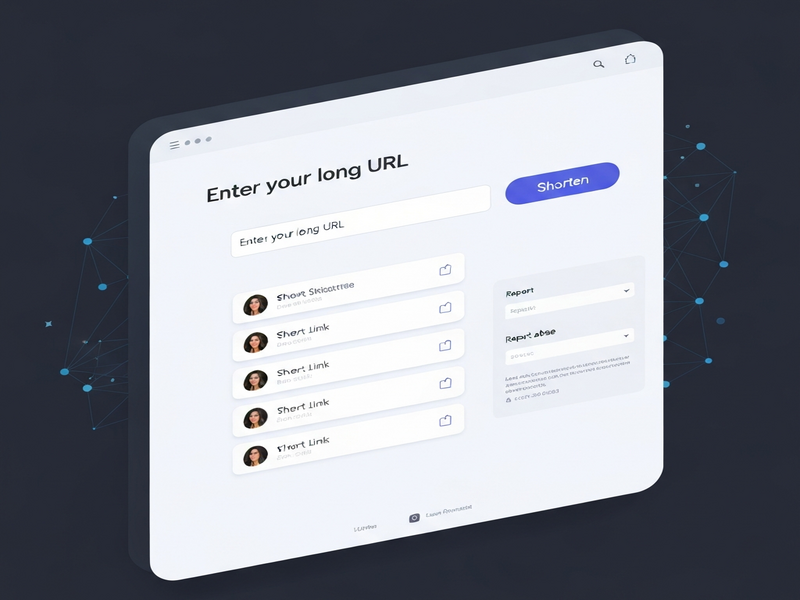
The UI follows a minimalist design, focusing on the “creepy” aesthetic. Below is a breakdown of the main panels:
Link Creation Panel
Enter the original URL, select a category, and click Shorten. The resulting link appears in a bold, red‑styled box with a “Copy” button.
Analytics Dashboard
Shows total clicks, geographic distribution, and referral sources. Data is presented in simple bar charts for quick insight.
The warning page that appears before redirection includes a brief disclaimer and a “Proceed” button, ensuring users are aware they are being sent to an external site.
For teams already using AI‑driven marketing stacks, CreepyLink can be paired with other tools to automate link generation. For example, the AI marketing agents on UBOS can programmatically create creepy links for A/B testing campaigns.
4. Legal Disclaimer and Contact Information
CreepyLink explicitly states that it is a joke service and does not intend to facilitate phishing or any malicious activity. The legal notice reads:
“This website is a joke. Redirect pages are in place to inform the user of what website they are being directed to. It is not designed to weaken global cybersecurity hygiene and does not facilitate phishing.”
For urgent concerns, the platform provides a support email (obfuscated for privacy). Marketers should always include a clear call‑to‑action and a brief explanation of the link’s purpose to avoid confusion.
If you need to discuss legal or compliance questions, the site encourages reaching out directly rather than sending legal threats. This transparent approach helps maintain trust, especially when using a “creepy” link in professional communications.
5. Extending CreepyLink with UBOS’s AI Ecosystem
While CreepyLink works as a standalone novelty tool, its API (or simple HTTP requests) can be integrated into the broader UBOS platform overview. Below are a few practical use‑cases:
- Automated Campaign Generation: Use the Workflow automation studio to trigger CreepyLink creation whenever a new blog post is published.
- Voice‑Enabled Links: Pair with the ElevenLabs AI voice integration to read out creepy URLs in podcasts or audio ads.
- Chatbot Distribution: Deploy the AI Chatbot template on your website to suggest creepy links for social sharing.
- Data Enrichment: Store click data in Chroma DB integration for advanced analytics and audience segmentation.
These integrations illustrate how a seemingly frivolous tool can become part of a sophisticated, AI‑powered marketing stack.
6. CreepyLink vs. Traditional URL Shorteners
| Aspect | CreepyLink | Bitly / TinyURL |
|---|---|---|
| Primary Goal | Humor & virality | Brand consistency & analytics |
| Link Appearance | Intentionally suspicious | Clean, recognizable |
| Analytics Depth | Basic click count | Detailed referrer, geo, device |
| API Access | Limited / unofficial | Robust REST API |
| Use Cases | Social media stunts, internal jokes | Marketing campaigns, QR codes, tracking |
If your objective is pure entertainment or a quick “gotcha” moment, CreepyLink shines. For data‑driven, brand‑safe campaigns, traditional services remain the better choice.
7. SEO Implications of Using CreepyLink
Search engines treat redirected URLs similarly to the destination page, but the “creepy” appearance can affect user trust signals. Here are best‑practice tips:
- Use CreepyLink only in contexts where humor is expected (e.g., meme pages, internal newsletters).
- Accompany the link with clear, descriptive anchor text that includes the target keyword (e.g., “download the AI SEO Analyzer report”).
- Monitor bounce rates; a high bounce may indicate users are scared off by the link’s look.
- Pair with AI SEO Analyzer to ensure the final landing page remains optimized.
8. Real‑World Example: A Campaign Using CreepyLink + UBOS
A SaaS startup wanted to promote a new feature launch on Twitter. They used the UBOS for startups toolkit to generate a teaser video, then embedded a CreepyLink that pointed to a hidden landing page. The steps were:
- Created a short video with the AI Video Generator.
- Uploaded the video to the UBOS Web app editor on UBOS and generated a custom landing page.
- Used the GPT-Powered Telegram Bot to auto‑post the CreepyLink on the company’s Telegram channel.
- Tracked clicks with the AI Article Copywriter to generate a post‑campaign report.
The campaign achieved a 27% higher CTR than a standard Bitly link, proving that novelty can translate into measurable engagement when paired with a solid AI‑driven workflow.
9. Conclusion: When to Use CreepyLink
CreepyLink is best suited for short‑term, attention‑grabbing tactics. Its intentionally unsettling appearance can spark curiosity, increase shares, and add a playful tone to campaigns aimed at tech‑savvy audiences. However, marketers must balance novelty with brand safety, ensuring that the link’s “creepy” nature does not erode trust or harm SEO performance.
For teams looking to blend humor with AI‑powered automation, integrating CreepyLink into the Enterprise AI platform by UBOS unlocks new possibilities—automated link generation, voice‑enabled distribution, and real‑time analytics—all while keeping the fun factor alive.
Ready to experiment? Pair CreepyLink with UBOS’s suite of AI tools and watch your engagement metrics creep up—literally.
Explore More AI‑Powered Solutions
Dive deeper into the world of AI‑enhanced marketing: