

- Updated: January 17, 2026
- 6 min read
XFCE Desktop: Why It Remains a Top Choice in 2026
XFCE is a lightweight, stable Linux desktop environment that continues to thrive in 2026 because it delivers a fast, low‑resource experience without sacrificing usability.
Why the XFCE Desktop Remains the Go‑To Choice for Lightweight Linux Users in 2026
In a recent post titled “XFCE is great,” Rubenerd praised the enduring appeal of the XFCE desktop, highlighting its balance between simplicity and functionality. The article resonated with long‑time Linux enthusiasts and system administrators who value a desktop that runs smoothly on modest hardware while still offering a complete user experience. This summary captures the key points of Rubenerd’s review and expands on why XFCE continues to be a top contender among Linux desktop environments.
For readers interested in the original perspective, you can read Rubenerd’s full write‑up here.
History and Evolution of XFCE
XFCE (XForms Common Environment) was launched in 1996 as a lightweight alternative to the heavyweight desktop environments of the era. Its name reflects the original goal: a “XForms Common Environment” that would run efficiently on older machines.
Key milestones include:
- 1996‑2003: Early releases focused on basic window management and panel functionality.
- 2004‑2010: Introduction of the Thunar file manager, which replaced the older XFFM and set a new standard for speed.
- 2011‑2015: Transition to GTK+ 3, improving visual consistency while preserving low resource consumption.
- 2016‑2022: Continuous refinement of the 4.x series, with version 4.16 becoming the most stable release to date.
- 2023‑2026: Integration with modern display servers (Wayland support via XWayland) and adoption of new theming engines, keeping XFCE relevant for contemporary hardware.
Despite the rapid evolution of competing desktops, XFCE has maintained a clear focus: delivering a dependable, low‑resource Linux UI that works on everything from legacy netbooks to modern laptops.
Key Strengths: Stability, Performance, and Low Resource Usage
Rubenerd’s enthusiasm for XFCE stems from three core strengths that align perfectly with the needs of system administrators and power users:
- Stability: The XFCE codebase follows a conservative development philosophy, avoiding unnecessary breaking changes. This results in a desktop that “doesn’t mess up” even after years of use.
- Performance: XFCE’s memory footprint typically stays under 300 MB on idle, and CPU usage remains minimal, making it ideal for low‑spec machines or virtualized environments.
- Low‑Resource Design: By relying on lightweight components (e.g., Thunar, xfwm4, and the Xfce Panel), the environment runs comfortably on devices with as little as 512 MB RAM.
These attributes translate into real‑world benefits such as faster boot times, longer battery life on laptops, and reduced operational costs for data‑center deployments.
Personal Experiences and Use‑Cases Highlighted by Rubenerd
“XFCE feels usable, feature complete, and designed by someone who understands why people use desktop computers.” – Rubenerd
Rubenerd’s narrative showcases several practical scenarios where XFCE shines:
- Legacy Hardware Revival: Running XFCE on a 2008 HP Brio resurrected the machine’s productivity, delivering a snappy UI that older hardware can handle.
- FreeBSD Integration: Building XFCE from source on FreeBSD ports demonstrates its cross‑platform flexibility.
- Hybrid Workflows: Users can pair XFCE on laptops with a more feature‑rich environment like KDE on desktops, switching seamlessly based on workload.
- Steam Deck Influence: The recent popularity of the Steam Deck highlighted the demand for lightweight yet capable desktops, reinforcing XFCE’s relevance.
These anecdotes underline why many administrators choose XFCE for servers with graphical front‑ends, embedded devices, and educational labs where resources are limited.
XFCE vs. Other Linux Desktop Environments
When evaluating a lightweight Linux desktop, it’s useful to compare XFCE against its peers:
| Desktop | Memory (Idle) | CPU Load | Feature Set |
|---|---|---|---|
| XFCE | ≈ 250 MB | Very Low | Full desktop (panel, file manager, settings) |
| LXQt | ≈ 200 MB | Low | Modular, fewer built‑in apps |
| MATE | ≈ 300 MB | Low‑Medium | Classic GNOME‑2 feel, rich apps |
| KDE Plasma | ≈ 600 MB | Medium‑High | Highly customizable, feature‑rich |
While KDE Plasma offers extensive customization, its higher resource demands make XFCE the preferred option for low‑resource environments. LXQt is even lighter but lacks some of the polish and integrated tools that XFCE provides out of the box.
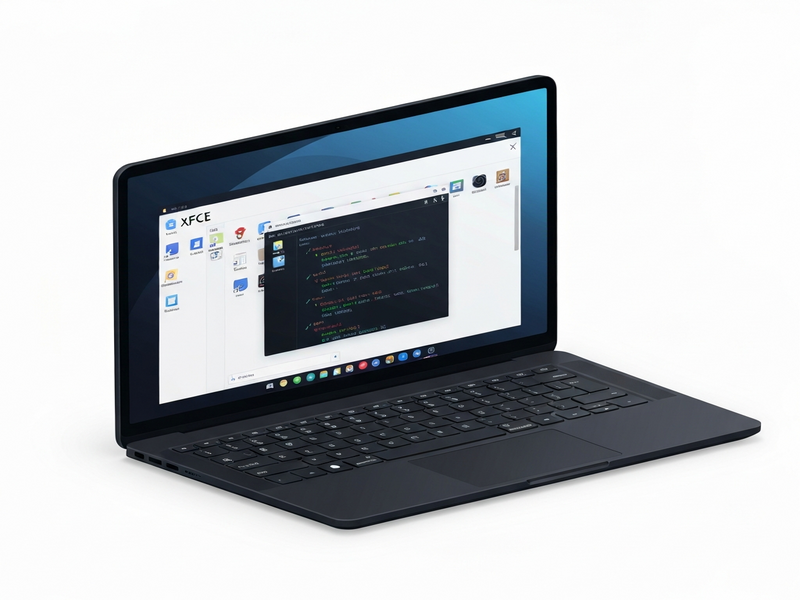
Figure 1: Visual representation of the modern XFCE desktop, highlighting its clean panels and lightweight design.
For organizations looking to deploy XFCE at scale, the UBOS platform overview offers a unified management console that simplifies provisioning, updates, and monitoring across dozens of machines.
Startups can benefit from UBOS for startups, which includes pre‑configured XFCE images optimized for rapid development cycles.
SMBs seeking cost‑effective solutions may explore UBOS solutions for SMBs, where the low‑resource nature of XFCE reduces hardware expenses.
Enterprises looking for AI‑enhanced management can leverage the Enterprise AI platform by UBOS, integrating AI‑driven monitoring with XFCE’s lightweight footprint.
Developers who want to customize the desktop experience can use the Web app editor on UBOS to create tailored XFCE widgets and extensions without deep C‑level coding.
Automation enthusiasts will appreciate the Workflow automation studio, which can script routine XFCE configuration tasks across fleets.
Pricing transparency is essential; review the UBOS pricing plans to see how a lightweight XFCE deployment fits within your budget.
Explore real‑world implementations in the UBOS portfolio examples, many of which showcase XFCE in production.
Kick‑start your own XFCE project with ready‑made UBOS templates for quick start, which include pre‑configured panels, themes, and shortcuts.
Learn more about the broader ecosystem of Linux desktop environments on the UBOS blog, where we compare XFCE with other lightweight options.
Stay updated with the latest XFCE‑related releases and community news on the UBOS news page.
For a deep dive into AI‑powered marketing, check out our AI marketing agents, which can be paired with XFCE‑based kiosks for targeted campaigns.
Partners interested in co‑creating XFCE solutions can join the UBOS partner program to access exclusive resources and support.
Finally, discover the UBOS homepage for a holistic view of how our platform empowers lightweight desktop deployments.
The original Rubenerd post provides a nostalgic look at XFCE’s journey and includes screenshots from earlier versions. Reading the full article offers additional context and personal anecdotes that complement this overview.
Conclusion: Embrace XFCE for a Future‑Proof, Low‑Resource Desktop
XFCE’s blend of stability, performance, and modest hardware requirements makes it an ideal choice for anyone who values efficiency without compromising on essential desktop features. Whether you’re a system administrator managing a fleet of thin clients, a developer building custom Linux appliances, or a hobbyist reviving old hardware, XFCE delivers a reliable experience that has stood the test of time.
Ready to try XFCE on your next project? Visit the UBOS XFCE product page to download pre‑configured images, explore templates, and get started with our automation tools.
Join the conversation on our news feed and share your XFCE success stories. Together, we can keep the lightweight Linux desktop thriving for years to come.