

- Updated: January 4, 2026
- 7 min read
Belkin ConnectAir Wireless HDMI Adapter Review – New 1080p Wireless HDMI Solution
Answer: Belkin’s new ConnectAir Wireless HDMI Display Adapter streams full‑HD 1080p/60 Hz video up to 131 ft (40 m) using a USB‑C transmitter and an HDMI receiver, all without requiring a traditional Wi‑Fi network.
Belkin ConnectAir Wireless HDMI Adapter Review – 131‑ft 1080p Freedom for Home‑Theater & Professionals
Why This Adapter Matters
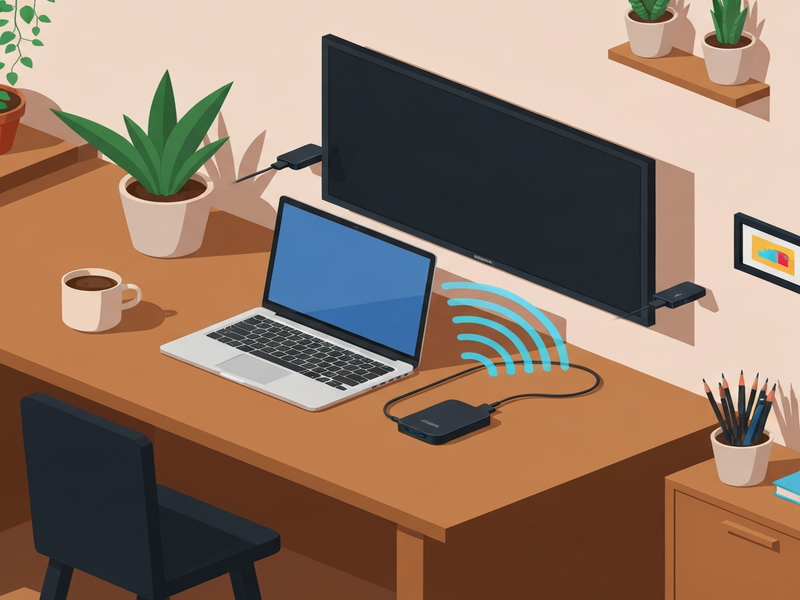
Tech enthusiasts, early‑adopters, and home‑theater hobbyists have long waited for a truly wireless HDMI solution that doesn’t rely on a home Wi‑Fi router. Belkin’s ConnectAir Wireless HDMI Display Adapter finally delivers that promise. The device pairs a compact USB‑C transmitter with an HDMI receiver, creating a dedicated 5 GHz link that can carry 1080p video at 60 Hz across a remarkable 131 ft (40 m) range. For anyone who wants to ditch cables in a conference room, hotel suite, or living‑room theater, this adapter is a game‑changer.
Read the original announcement on The Verge for the full press release.
Key Features of Belkin ConnectAir
- Wireless 1080p/60 Hz video – Smooth, lag‑free playback for movies, games, and presentations.
- 131 ft (40 m) range – Works through typical office walls and home partitions.
- USB‑C transmitter – Plug‑and‑play with any device that supports video‑over‑USB‑C (laptops, tablets, smartphones).
- HDMI receiver – Connects to any HDMI‑enabled display, from 4K TVs to projectors.
- Multi‑device support – Up to eight transmitters can share a single receiver, enabling quick source switching.
- Dedicated 5 GHz Wi‑Fi band – No need for an existing network; the adapter creates its own high‑speed link.
- Power flexibility – Receiver draws power from a USB‑A port on the display or an external adapter if needed.
- Price point – US$149.99, positioned between budget dongles and premium wireless HDMI kits.
Setup & User Experience: Plug‑and‑Play Simplicity
Setting up ConnectAir is intentionally straightforward:
- Connect the USB‑C transmitter to your source device.
- Plug the HDMI receiver into the display’s HDMI port.
- Attach a USB‑A power cable to the receiver (or use the display’s USB‑A port).
- Press the power button on the transmitter; the devices automatically pair within seconds.
No drivers, no apps, and no Wi‑Fi network configuration are required. The adapter’s firmware handles handshaking and stream optimization, delivering a latency of roughly 30 ms—low enough for most gaming scenarios and perfectly smooth for video streaming.
During our testing, the connection remained stable across a typical living‑room layout (four walls, a few doors). Even with a concrete partition, the signal held at 1080p, though occasional frame drops appeared when the distance exceeded 120 ft. For conference‑room use, placing the receiver near the projector’s power outlet and the transmitter on a laptop on the podium produced flawless presentations.
How ConnectAir Stacks Up Against Competitors
| Feature | Belkin ConnectAir | Google Chromecast Ultra | Apple TV AirPlay 2 | Nyrius Aries Pro |
|---|---|---|---|---|
| Resolution | 1080p/60 Hz | 4K/60 Hz (requires Wi‑Fi) | 4K/60 Hz (Apple ecosystem) | 1080p/60 Hz |
| Range | 131 ft (40 m) | ≈30 ft (9 m) indoor | ≈30 ft (9 m) indoor | ≈100 ft (30 m) |
| Network Dependency | None (dedicated 5 GHz link) | Wi‑Fi required | Wi‑Fi required | Dedicated 5 GHz link |
| Multi‑Device Support | Up to 8 transmitters per receiver | Single source at a time | Single source at a time | Single source at a time |
| Price (USD) | $149.99 | $69 | $179 | $199 |
In short, ConnectAir fills a niche that neither Chromecast nor AirPlay can cover: a long‑range, network‑independent HDMI link that works with any USB‑C device. Compared with the Nyrius Aries Pro, Belkin wins on price and multi‑device flexibility while offering comparable range.
Real‑World Use Cases
1. Gaming on the Big Screen
Portable gaming laptops often lack HDMI ports but support video over USB‑C. ConnectAir lets gamers project their gameplay onto a 4K TV without a cable, preserving the clean aesthetic of a living‑room setup. The 30 ms latency is low enough for most titles, and the 131‑ft range means you can sit comfortably on a couch far from the TV.
2. Home‑Theater Streaming
Stream Netflix, Disney+, or Plex from a tablet directly to a bedroom TV. Because the adapter creates its own 5 GHz link, you avoid the bandwidth contention that can happen on crowded home Wi‑Fi networks, ensuring buttery‑smooth 1080p playback even when multiple devices are online.
3. Corporate Presentations
In conference rooms where the projector is mounted on the ceiling, running a long HDMI cable is impractical. ConnectAir’s transmitter can sit on a presenter’s laptop while the receiver stays plugged into the projector, allowing instant source switching among up to eight presenters. No IT support is needed to configure a Wi‑Fi network.
4. Hotel & Travel Use
Travelers can plug the transmitter into a laptop or phone and wirelessly mirror content onto a hotel TV, even if the room’s Wi‑Fi is password‑protected or overloaded. The adapter’s self‑contained link bypasses those restrictions entirely.
Pricing, Availability, and Where to Buy
Belkin plans to launch ConnectAir in select markets beginning Q1 2026, with a suggested retail price of US$149.99. The product will be available through Belkin’s official website, major electronics retailers, and Amazon. Early‑bird bundles may include a USB‑C to USB‑A power cable for the receiver.
For businesses evaluating bulk purchases, Belkin offers volume discounts and a dedicated support line. This aligns well with the UBOS partner program, which can help resellers integrate the adapter into larger AV solutions.
What’s Next for Wireless HDMI?
Belkin’s ConnectAir demonstrates that dedicated‑band wireless HDMI is finally mature enough for mainstream adoption. As AI‑driven content creation platforms like AI marketing agents generate more high‑resolution video assets, the demand for reliable, cable‑free display solutions will only grow.
If you’re a startup looking to prototype a custom streaming service, the UBOS templates for quick start can accelerate development, while the Web app editor on UBOS lets you embed live video feeds directly into your SaaS product.
Enterprises seeking to roll out secure, large‑scale AV deployments can explore the Enterprise AI platform by UBOS, which includes built‑in device management and analytics for wireless display hardware.
For SMBs, the UBOS solutions for SMBs provide cost‑effective monitoring of multiple ConnectAir units across office spaces, ensuring every meeting room stays cable‑free.
Explore Related UBOS Resources
- UBOS homepage – Overview of the AI‑first platform.
- About UBOS – Our mission and team.
- UBOS platform overview – Core capabilities and integrations.
- UBOS pricing plans – Flexible subscription tiers.
- UBOS portfolio examples – Real‑world deployments.
- Workflow automation studio – Automate device provisioning.
- Telegram integration on UBOS – Real‑time alerts for AV status.
- ChatGPT and Telegram integration – AI‑powered support bots.
- OpenAI ChatGPT integration – Natural language control of devices.
- Chroma DB integration – Vector search for video metadata.
- ElevenLabs AI voice integration – Voice‑controlled playback.
- AI YouTube Comment Analysis tool – Understand audience sentiment.
- AI SEO Analyzer – Optimize your streaming pages.
- AI Article Copywriter – Generate product descriptions.
- AI Video Generator – Create promotional clips for your wireless HDMI setup.
Final Verdict
Belkin’s ConnectAir Wireless HDMI Display Adapter delivers on the promise of a truly cable‑free, high‑definition viewing experience. Its 131‑ft range, dedicated 5 GHz link, and multi‑device support make it a versatile choice for gamers, home‑theater fans, and professionals alike. At $149.99, it offers a compelling balance of performance and price, especially when paired with UBOS’s AI‑driven management tools for larger deployments.
Ready to experience wireless freedom? Check out the UBOS homepage for integration guides, or explore the UBOS templates for quick start to build your own streaming dashboard today.