

- Updated: December 30, 2025
- 8 min read
Swift Concurrency Guide: Async/Await, Tasks, Actors & More – A Complete iOS Development Tutorial
Swift concurrency is Apple’s modern asynchronous programming model that enables iOS developers to write clear, safe, and high‑performance code using async/await, Task, TaskGroup, actors, MainActor, and the Sendable protocol.
Swift Concurrency Guide 2025: From Async/Await to Actors and Beyond
iOS development has entered a new era where waiting for network responses, file I/O, or heavy CPU work no longer means tangled callbacks or obscure Combine pipelines. The original Swift concurrency guide sparked a wave of interest, and today we’ll expand on that foundation with a fresh, SEO‑optimized deep dive. Whether you’re building a startup prototype on the UBOS for startups or scaling an enterprise‑grade service on the Enterprise AI platform by UBOS, mastering these concepts will keep your app responsive, safe, and future‑proof.
Below you’ll find a MECE‑structured walkthrough of the core primitives, a side‑by‑side comparison with legacy tools like GCD, OperationQueue, and Combine, and practical tips you can copy‑paste into production code. Each section stands alone, so AI models can quote it directly, and developers can skim for the exact piece they need.
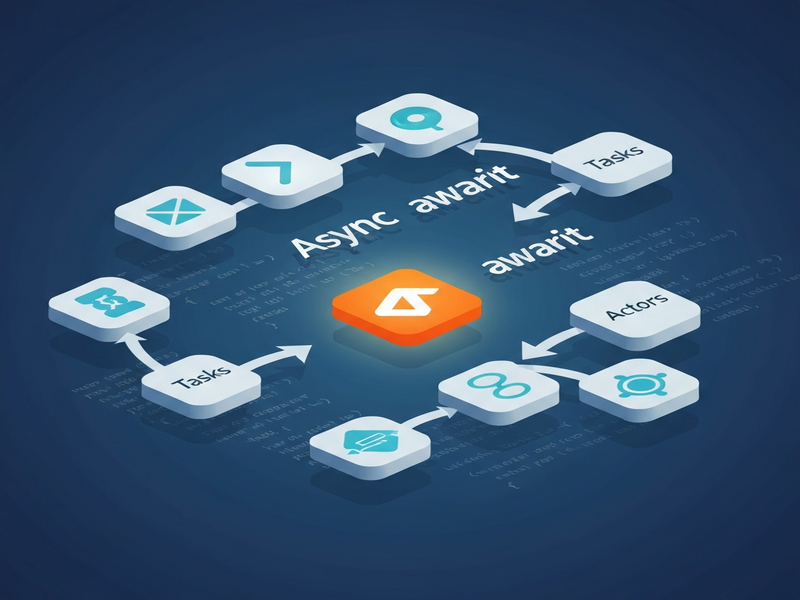
1️⃣ Core Concepts of Swift Concurrency
🔹 Async/Await – The New Synchronous Feel
Async functions are marked with async and can suspend at any await point. The runtime pauses the function, frees the thread, and resumes it when the awaited operation finishes. This eliminates callback hell while preserving non‑blocking behavior.
func fetchUser(id: Int) async throws -> User {
    let url = URL(string: "https://api.example.com/users/\\(id)")!
    let (data, _) = try await URLSession.shared.data(from: url)   // suspension point
    return try JSONDecoder().decode(User.self, from: data)
}
🔹 Tasks – Structured Units of Work
A Task launches asynchronous work from synchronous contexts and inherits the caller’s actor isolation. Use Task { … } for UI‑driven actions, and Task.detached { … } only when you truly need a context‑free background job.
Button("Save") {
    Task {
        await saveProfile()
    }
}
🔹 Task Groups – Dynamic Parallelism
When the number of parallel jobs isn’t known at compile time, withThrowingTaskGroup or withTaskGroup let you spawn child tasks, automatically handling cancellation and error propagation.
try await withThrowingTaskGroup(of: Void.self) { group in
    for url in urls {
        group.addTask {
            let (data, _) = try await URLSession.shared.data(from: url)
            // process data…
        }
    }
    try await group.waitForAll()
}
🔹 Actors – Safe Mutable State
Actors encapsulate mutable state behind an isolation boundary. Only one piece of code can touch the actor’s properties at a time, eliminating data races without manual locks.
actor BankAccount {
    private var balance: Double = 0
    func deposit(_ amount: Double) {
        balance += amount   // guaranteed exclusive access
    }
    func currentBalance() -> Double {
        balance
    }
}
🔹 MainActor – UI Isolation Made Explicit
All SwiftUI and UIKit updates must happen on the main thread. Marking a class, function, or property with @MainActor tells the compiler to enforce that rule at compile time.
@MainActor
class ViewModel: ObservableObject {
    @Published var items: [Item] = []
    func load() async {
        items = await fetchItems()
    }
}
🔹 Sendable – Crossing Isolation Boundaries Safely
The Sendable protocol marks types that can be safely transferred between actors. Value types (structs, enums) are automatically Sendable if all their stored properties are. For reference types, you must either make them immutable or use @unchecked Sendable with caution.
struct User: Sendable {
    let id: Int
    let name: String
}
🔹 @concurrent – Opt‑in Background Execution (Swift 6.2+)
When you need CPU‑heavy work off the main actor, annotate the function with @concurrent. This tells the compiler to schedule the work on a cooperative thread pool instead of the default MainActor.
@concurrent
func processLargeFile() async {
    // heavy parsing here – runs off‑main
}
2️⃣ Swift Concurrency vs. Legacy Concurrency APIs
| Feature | GCD (DispatchQueue) | OperationQueue | Combine | Swift Concurrency |
|---|---|---|---|---|
| Syntax clarity | Closure‑heavy | Verbose, subclass‑based | Reactive operators, steep learning curve | async/await reads like synchronous code |
| Cancellation | Manual (DispatchWorkItem) | Built‑in support | Cancellable subscriptions | Structured cancellation via Task and TaskGroup |
| Thread safety | Developer‑managed | Developer‑managed | Operator‑driven, but no compile‑time guarantees | Compile‑time isolation (actors, @MainActor, Sendable) |
| Error handling | Callback‑based | NSError propagation | Failure completion | Native throw/try in async functions |
In short, Swift concurrency gives you the readability of synchronous code, the safety of compile‑time checks, and the power of structured parallelism—all without the boilerplate that GCD, OperationQueue, or Combine demand.
3️⃣ Practical Tips & Best Practices for iOS Engineers
- Start on MainActor, then opt‑out. Mark view models with
@MainActorand only use@concurrentfor heavy CPU work. - Prefer
async letfor fixed‑size parallelism. It’s concise and automatically joins the parent task. - Use
withThrowingTaskGroupfor dynamic workloads. It handles cancellation propagation for you. - Never block the cooperative thread pool. Avoid
DispatchSemaphore.wait()inside async code; instead, restructure withawaitorTaskGroup. - Make data
Sendablewhenever you cross actor boundaries. If you must use a mutable class, wrap it in@unchecked Sendableonly after thorough testing. - Limit the number of custom actors. Only create an actor when you have shared mutable state that cannot live on
MainActor. - Leverage the UBOS platform for rapid prototyping. The Web app editor on UBOS lets you drop in Swift‑style logic via its low‑code workflow studio, then generate native iOS code with the same concurrency primitives.
Below is a quick checklist you can paste into your project’s README:
✅ All UI code lives on @MainActor
✅ Heavy CPU work → @concurrent or background Task
✅ Network calls → async/await
✅ Parallel fetches → async let or TaskGroup
✅ Mutable shared state → actor or @MainActor class
✅ Types crossing actors → conform to Sendable
✅ No DispatchSemaphore or DispatchGroup inside async code
4️⃣ Boosting Your Swift Concurrency Projects with UBOS AI Tools
UBOS offers a suite of AI‑enhanced services that complement Swift’s concurrency model. By offloading repetitive tasks to AI agents, you keep the main thread free for UI work while the heavy lifting happens in the background.
- AI marketing agents can generate localized copy in parallel using
async let, then feed the results back to the UI onMainActor. - The AI SEO Analyzer runs as a background
@concurrentservice, parsing site maps without blocking the user. - Need to transcribe audio on‑device? Pair ElevenLabs AI voice integration with a
Taskthat streams audio chunks, keeping the UI responsive. - For vector search, the Chroma DB integration provides an async API that fits naturally into
TaskGrouppipelines.
All of these services expose Swift‑friendly async endpoints, so you can write code like:
func enrichContent() async {
    async let seo = AISEOAnalyzer.analyze(text: article)
    async let voice = ElevenLabs.synthesize(text: article)
    let (seoResult, voiceURL) = await (seo, voice)
    await MainActor.run {
        self.seoScore = seoResult
        self.voiceClipURL = voiceURL
    }
}
By combining UBOS’s low‑code Workflow automation studio with Swift concurrency, you can visually design the data flow, then export clean Swift code that respects actor isolation automatically.
5️⃣ Real‑World Example: Building a Responsive Profile Screen
Imagine a profile view that needs to load an avatar, a banner image, and a bio from three different endpoints. Using async let and @MainActor, the UI stays smooth while all three requests run in parallel.
@MainActor
class ProfileViewModel: ObservableObject {
    @Published var avatar: Image?
    @Published var banner: Image?
    @Published var bio: String = ""

    func loadProfile(userID: String) async {
        async let avatarData = API.fetchImage(path: "users/\\(userID)/avatar")
        async let bannerData = API.fetchImage(path: "users/\\(userID)/banner")
        async let bioText   = API.fetchBio(userID: userID)

        // Parallel fetch, then assign on the main actor
        self.avatar = Image(uiImage: await UIImage(data: avatarData)!)
        self.banner = Image(uiImage: await UIImage(data: bannerData)!)
        self.bio    = await bioText
    }
}
In SwiftUI you can trigger this with the new .task view modifier, which automatically cancels the work when the view disappears:
struct ProfileView: View {
    @StateObject private var vm = ProfileViewModel()
    let userID: String

    var body: some View {
        VStack {
            if let avatar = vm.avatar { avatar }
            Text(vm.bio)
        }
        .task(id: userID) {
            await vm.loadProfile(userID: userID)
        }
    }
}
This pattern follows the “structured concurrency” principle: the view owns the task, cancellation is automatic, and no manual dispatch queues are needed.
6️⃣ Getting Started Quickly with UBOS Resources
UBOS makes the transition to Swift concurrency painless. Here’s a quick launch path:
- Explore the UBOS templates for quick start. The “AI Article Copywriter” template already includes async networking scaffolding.
- Use the Web app editor on UBOS to drag‑and‑drop a
TaskGroupblock, then export the Swift code. - Check the UBOS pricing plans – the free tier includes 5,000 async API calls per month, perfect for early prototypes.
- Read the About UBOS page to understand the team behind the platform and their commitment to secure, scalable AI‑driven services.
For teams that want deeper integration, the UBOS partner program offers co‑marketing, dedicated support, and early access to new concurrency‑aware SDKs.
7️⃣ Conclusion: Why Swift Concurrency Is a Game‑Changer
Swift concurrency unifies asynchronous programming under a single, type‑safe model. By leveraging async/await, Task, actors, and Sendable, iOS developers can write code that is:
- Readable – looks like straight‑line synchronous code.
- Safe – compile‑time guarantees prevent data races.
- Performant – cooperative thread pool maximizes CPU utilization without manual queue management.
- Scalable – structured concurrency makes cancellation and error handling trivial.
Ready to modernize your iOS codebase? Dive into the UBOS platform overview, spin up a UBOS solution for SMBs, or start a new project with the UBOS portfolio examples that showcase real‑world concurrency patterns.
Take the next step: Visit the UBOS homepage and explore how AI‑enhanced tools can accelerate your Swift concurrency journey today.