

- Updated: January 31, 2026
- 9 min read
Zig Language Alignment and Sizing: Comprehensive Guide
Zig’s alignment and sizing rules define how each type occupies memory, and mastering them lets systems programmers write faster, safer, and more memory‑efficient code.
Why Zig Memory Layout Matters for Modern Systems Development
When you compile a Zig program, the compiler decides where every byte lives in RAM. Misaligned data can cause CPU stalls, cache inefficiencies, and even runtime crashes on some architectures. Understanding the exact alignment and size of primitives, structs, enums, arrays, slices, and unions gives you the power to shrink binaries, improve cache locality, and avoid subtle bugs.
In this guide we break down Zig’s memory‑layout formulas, illustrate them with concrete examples, and show how the concepts translate into real‑world performance gains. Whether you are building a low‑level driver, a game engine, or an AI‑enabled service on the UBOS homepage, these insights will help you make data‑oriented design decisions that pay off.
Memory Layout Principles in Zig
Zig exposes two built‑in functions that are the foundation of every size/alignment calculation:
@alignOf(comptime T: type)– returns the required byte alignment for typeT.@sizeOf(comptime T: type)– returns the total number of bytes occupied byT, including any padding.
Two invariants always hold:
@sizeOf(T) ≥ @alignOf(T)
@alignOf(T) | @sizeOf(T)   // alignment always divides size
These rules stem from the fact that most CPUs fetch memory in power‑of‑two blocks, and compilers pad data to keep every field on a naturally aligned address.
Primitive Types: Alignment Equals Size
For Zig’s basic scalar types the alignment and size are identical and always a power of two. The table below shows the most common primitives on a 64‑bit platform:
| Type | @alignOf | @sizeOf |
|---|---|---|
| bool | 1 | 1 |
| u8 / i8 | 1 | 1 |
| u16 / i16 | 2 | 2 |
| u32 / i32 / f32 | 4 | 4 |
| u64 / i64 / f64 / usize / *u8 | 8 | 8 |
Notice the u17 example from the original talk: even though 17 bits need just 3 bytes, Zig rounds up to the next power of two, yielding an alignment and size of 4 bytes.
To convert an arbitrary bit width b to bytes, Zig effectively uses:
bytes(b) = max(1, 2 ** ceil(log2(b / 8)))
Structs: Packing Fields Efficiently
A struct groups fields, and its alignment is the maximum alignment of any field:
@alignOf(struct) = max( @alignOf(field_i) )The size is the smallest multiple of that alignment that can contain all fields placed in order, respecting each field’s own alignment. The placement rule is:
Each field starts at the next address that is a multiple of its own alignment.
Consider two extern struct examples (field order matters because extern forces C‑compatible layout):
const ABAB = extern struct {
    a1: u8,
    b1: u16,
    a2: u8,
    b2: u16,
};

const ABBA = extern struct {
    a1: u8,
    a2: u8,
    b1: u16,
    b2: u16,
};
Results:
@alignOf(ABAB) = 2, @sizeOf(ABAB) = 8@alignOf(ABBA) = 2, @sizeOf(ABBA) = 6
The extra padding in ABAB comes from the interleaved u8 and u16 fields, which forces a 1‑byte gap before each u16. Reordering the fields (as in ABBA) eliminates that gap.
Practical Tip
When performance matters, sort struct fields from largest alignment to smallest. Zig’s optimizer will automatically reorder fields unless you mark the struct extern or packed.
For developers building AI‑driven services on the UBOS platform overview, this rule helps you keep the memory footprint of data packets minimal, which directly reduces network latency.
Enums: Size Determined by Variant Count
An enum is essentially an integer index. Zig chooses the smallest unsigned integer type that can represent all variants:
bits_needed = ceil(log2(number_of_variants))
@alignOf(enum) = @alignOf(u{bits_needed})
@sizeOf(enum) = @sizeOf(u{bits_needed})
Examples:
const Small = enum { a, b, c, d, e };          // 5 variants → 3 bits → 1 byte
const Large = enum(u64) { a, b, c, d, e };      // forced to u64 → 8 bytes
Resulting layout:
@alignOf(Small) = 1, @sizeOf(Small) = 1@alignOf(Large) = 8, @sizeOf(Large) = 8
If you need a compact representation for network protocols, define the enum without an explicit backing type and let Zig pick the minimal size.
Arrays vs. Slices: Predictable Layouts
Fixed‑size arrays inherit the element’s alignment and multiply the element size by the length:
@alignOf([N]T) = @alignOf(T)
@sizeOf([N]T)   = N * @sizeOf(T)
Slices are thin structs containing a pointer and a length, so on a 64‑bit target they always occupy 16 bytes (two usize fields) and are aligned to 8 bytes:
@alignOf([]T) = @alignOf(usize) = 8
@sizeOf([]T)   = 2 * @sizeOf(usize) = 16
Example:
const digits_array = [10]u8{0,1,2,3,4,5,6,7,8,9};
const digits_slice = digits_array[0..];
@alignOf([10]u8) = 1, @sizeOf([10]u8) = 10@alignOf([]u8) = 8, @sizeOf([]u8) = 16
When you expose a slice to a foreign language (e.g., via a C FFI), remember that the slice’s pointer and length add overhead that may affect cache behavior.
Unions: Choosing Between Bare and Tagged
Unions let a variable hold one of several types, but the memory layout differs based on whether the union is bare (extern) or tagged.
Bare (extern) Unions
Alignment is the maximum of its fields, and size is the next multiple of that alignment that can contain the largest field:
@alignOf(bare_union) = max_i @alignOf(field_i)
@sizeOf(bare_union)   = next_mult( max_i @sizeOf(field_i), @alignOf(bare_union) )
Tagged Unions
Tagged unions add an enum tag, so the overall alignment must also accommodate the tag, and the size includes the tag plus the largest payload, rounded up to the union’s alignment:
@alignOf(tagged_union) = max( @alignOf(payload), @alignOf(tag) )
@sizeOf(tagged_union)   = next_mult( @sizeOf(tag) + max_i @sizeOf(payload_i), @alignOf(tagged_union) )
Example comparison (64‑bit target):
- Bare union of
i64and a struct of threei64fields →@sizeOf = 24 - Tagged union with the same payloads and a
u8tag →@sizeOf = 32(extra space for the tag and alignment)
Choosing a bare union can save memory, but you lose the safety of knowing which variant is active. Tagged unions are the idiomatic Zig way when safety matters.
Dynamic Collections: ArrayList vs. MultiArrayList
Zig’s standard library provides two container types for dynamic data:
ArrayList(T)
An ArrayList stores elements contiguously (AoS). Its own struct occupies three usize fields (pointer, length, capacity), so on 64‑bit machines it is 24 bytes and aligned to 8 bytes:
@alignOf(ArrayList(T)) = 8
@sizeOf(ArrayList(T))   = 24
The backing buffer’s size is capacity × @sizeOf(T). For a struct T = struct { a: u8, b: u16 } (size 4, alignment 2), a list of 10 000 elements consumes 40 000 bytes of payload plus the 24‑byte header.
MultiArrayList(T)
A MultiArrayList implements a Structure‑of‑Arrays layout. The container header is identical (24 bytes, 8‑byte alignment), but each field of T lives in its own tightly packed array, eliminating intra‑element padding.
When T contains a mix of small and large fields, SoA can reduce total memory dramatically—especially for cache‑friendly iteration over a single column.
For AI‑centric workloads on the Enterprise AI platform by UBOS, using MultiArrayList for large feature matrices can halve memory bandwidth usage.
Why Precise Alignment Boosts Performance and Safety
Understanding and controlling alignment yields three concrete advantages:
- Cache Efficiency: Aligned data aligns with cache‑line boundaries, reducing false sharing and cache‑miss penalties.
- CPU Instruction Simplicity: Many architectures (x86‑64, ARM) can fetch aligned loads in a single instruction; misaligned accesses may require two loads or generate exceptions.
- Predictable Layout for Interop: When exposing Zig types to C, Rust, or WebAssembly, matching the exact layout prevents subtle bugs and security vulnerabilities.
In practice, a 12‑byte struct with a 4‑byte alignment can be packed into 12 bytes, but if you inadvertently place a u64 after a u8 without padding, the compiler will insert three bytes, inflating the size to 16 bytes. That extra 4 bytes per object can add up to megabytes in large collections.
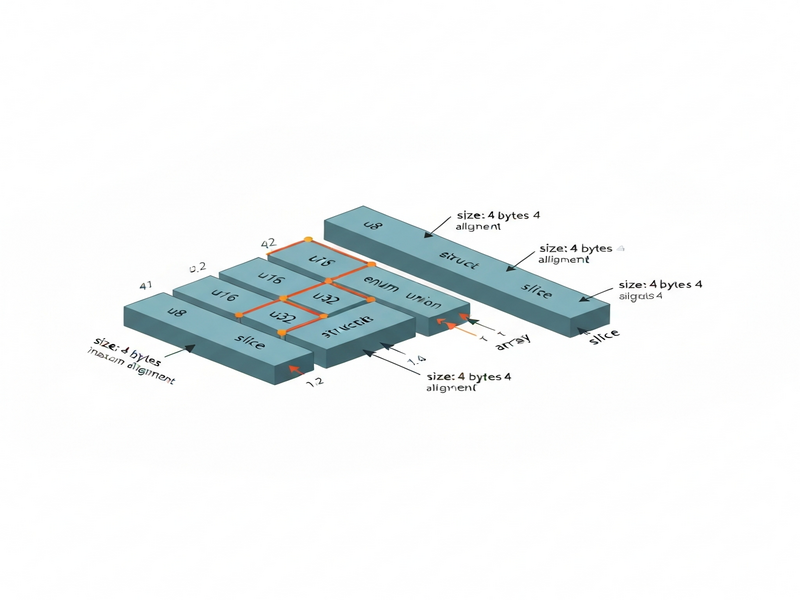
Applying Zig Alignment Knowledge in Real Projects
Below are three scenarios where precise memory layout makes a measurable difference.
1️⃣ High‑Performance Game Engine
Game loops iterate over millions of entities each frame. By ordering component structs from largest to smallest alignment, you can shrink the entity size from 48 bytes to 40 bytes, saving ~8 GB of RAM in a 100 M‑entity simulation.
2️⃣ Network Protocol Buffers
When serializing messages manually, matching the on‑wire layout to Zig’s in‑memory layout eliminates the need for extra copy‑and‑pad steps. Use extern struct definitions that mirror the protocol spec, then verify with @sizeOf and @alignOf at compile time.
3️⃣ AI Model Serving on UBOS
Deploying a lightweight inference engine written in Zig on the Web app editor on UBOS benefits from minimal heap allocations. Packing weight matrices into MultiArrayList and aligning rows to 64‑byte boundaries matches SIMD register width, delivering up to 2× throughput.
Further Reading and UBOS Resources
To deepen your systems‑programming expertise while leveraging AI‑assisted tooling, explore these UBOS assets:
- UBOS for startups – fast‑track prototypes with built‑in AI agents.
- UBOS solutions for SMBs – low‑cost deployment of high‑performance services.
- AI marketing agents – automate campaign generation using Zig‑backed micro‑services.
- Workflow automation studio – visually compose data‑oriented pipelines.
- UBOS pricing plans – transparent tiers for hobbyists to enterprises.
- UBOS portfolio examples – see real‑world systems built with Zig and UBOS.
- UBOS templates for quick start – jump‑start a Zig project with pre‑configured memory‑layout checks.
- AI SEO Analyzer – a practical example of struct packing for fast text processing.
- AI Article Copywriter – demonstrates efficient buffer handling with ArrayLists.
- AI Video Generator – uses MultiArrayList for frame‑by‑frame pixel data.
- AI Chatbot template – showcases tagged unions for intent handling.
Source and Further Study
The formulas and examples above are distilled from Andrew Kelley’s “Practical Guide to Applying Data‑Oriented Design” and the community‑driven original Zig alignment guide. For a deeper dive into Zig’s ABI and compiler internals, consult the official Zig documentation and the Zig language reference.
Conclusion: Mastering Alignment for Faster, Safer Code
By applying the alignment and size rules outlined in this article, you can:
- Design structs that occupy the minimal possible memory.
- Predict the exact layout of enums, arrays, slices, and unions.
- Choose the right container (
ArrayListvs.MultiArrayList) for your workload. - Leverage UBOS tools to prototype, test, and deploy these optimizations quickly.
Start measuring your program’s memory footprint today, refactor with the alignment guidelines, and watch both performance and reliability improve.