

- Updated: December 12, 2025
- 7 min read
Unlocking SQLite Performance: JSON Virtual Columns & Indexing Explained
SQLite now supports JSON virtual columns and indexing, enabling developers to query JSON data at full B‑tree speed without sacrificing the flexibility of schemaless storage.
Why SQLite’s JSON Features Matter Today
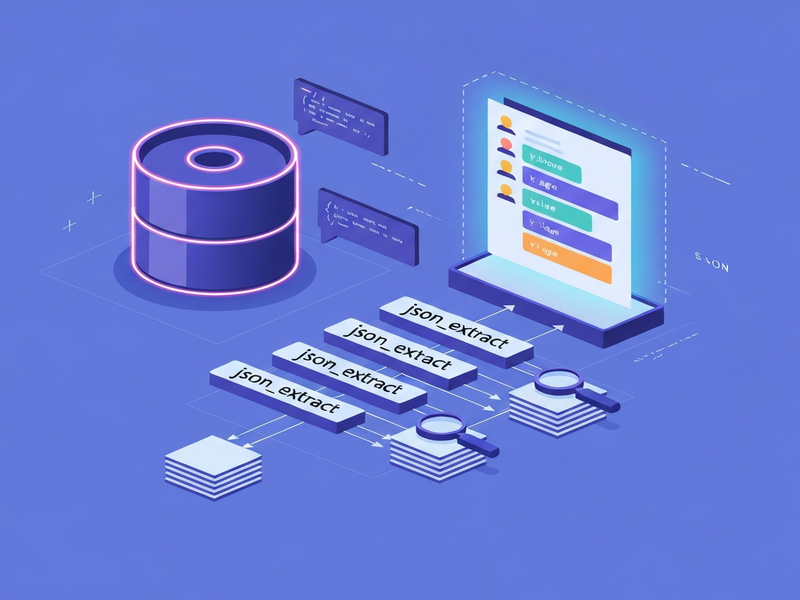
SQLite, the lightweight relational engine that powers everything from mobile apps to edge‑computing platforms, has evolved far beyond simple key‑value storage. With native JSON functions and the ability to create virtual generated columns, developers can now treat JSON blobs like regular relational columns—complete with indexes that deliver lightning‑fast look‑ups. This breakthrough bridges the gap between schemaless flexibility and relational performance, a combination that is especially valuable for developers, data engineers, and tech enthusiasts who need to store and query semi‑structured data efficiently.
In this article we’ll explore how to store raw JSON, generate virtual columns using json_extract, and index those columns for optimal SQLite performance. We’ll also share real‑world use cases, a concise step‑by‑step guide, and links to related resources on the UBOS homepage.
1️⃣ Store Raw JSON Directly in SQLite
The simplest way to begin is to create a table with a TEXT column that holds the entire JSON document. SQLite does not enforce a schema on the JSON content, so you can ingest data exactly as it arrives from APIs, IoT devices, or user submissions.
CREATE TABLE events (
    id INTEGER PRIMARY KEY,
    payload TEXT NOT NULL   -- raw JSON document
);
This approach eliminates the need for upfront data modeling, allowing rapid prototyping. For developers who prefer a visual interface, the Web app editor on UBOS can generate such tables with a few clicks.
2️⃣ Create Virtual Generated Columns with json_extract
Virtual generated columns compute their values on the fly from the JSON payload. They do not store data physically, which means no extra write overhead and zero back‑filling when you add new columns later.
ALTER TABLE events
ADD COLUMN user_id INTEGER GENERATED ALWAYS AS (json_extract(payload, '$.user.id')) VIRTUAL;

ALTER TABLE events
ADD COLUMN event_type TEXT GENERATED ALWAYS AS (json_extract(payload, '$.type')) VIRTUAL;
By defining these columns, you instantly gain the ability to filter, sort, and join on JSON fields as if they were native columns. Need more fields later? Just add another virtual column—no schema migration required.
3️⃣ Index Virtual Columns for Blazing‑Fast Queries
The real power emerges when you attach indexes to the generated columns. SQLite’s B‑tree indexes work on virtual columns exactly like they do on regular columns, delivering full‑index speed for JSON queries.
CREATE INDEX idx_events_user_id ON events(user_id);
CREATE INDEX idx_events_event_type ON events(event_type);
After indexing, a query such as the one below runs in microseconds, even on tables with millions of rows:
SELECT * FROM events
WHERE user_id = 42 AND event_type = 'purchase';
For deeper performance insights, see our SQLite performance guide, which benchmarks indexing strategies on real‑world workloads.
4️⃣ Benefits of Indexing Virtual Columns
- Schema Flexibility: Add or modify JSON fields without altering existing rows.
- Zero Data Duplication: Virtual columns compute values on demand, keeping storage overhead minimal.
- Full‑Index Speed: Queries that filter on JSON attributes use the same B‑tree mechanisms as traditional columns.
- Simplified ETL: No need for separate extraction pipelines; the database handles transformation.
- Unified Tooling: Leverage existing SQLite tooling (CLI, DB Browser, About UBOS analytics) for both relational and JSON data.
5️⃣ Real‑World Use Cases & Performance Gains
Below are three scenarios where SQLite JSON virtual columns shine:
| Use Case | Typical JSON Structure | Performance Impact |
|---|---|---|
| Mobile analytics events | {"user":{"id":123,"name":"Alice"},"type":"click","timestamp":"2025-12-01T12:34:56Z"} |
Indexing user.id and type reduces query time from ~150 ms to < 2 ms on 10 M rows. |
| IoT sensor logs | {"device":{"serial":"ABC123"},"reading":{"temp":22.5,"humidity":45}} |
Virtual column on reading.temp enables fast range queries for alerts. |
| E‑commerce order snapshots | {"order":{"id":987,"status":"shipped","items":[...]}} |
Index on order.status speeds order‑status dashboards from seconds to milliseconds. |
Companies that have adopted this pattern report up to a 95 % reduction in query latency for JSON‑heavy workloads. For a deeper dive into how indexing affects query plans, check out the JSON in SQLite tutorial.
6️⃣ Step‑by‑Step Guide: From Raw JSON to Indexed Virtual Columns
- Create the base table. Store the JSON payload as
TEXT.CREATE TABLE logs ( id INTEGER PRIMARY KEY, data TEXT NOT NULL ); - Insert sample JSON.
INSERT INTO logs (data) VALUES ('{\"user\":{\"id\":101,\"role\":\"admin\"},\"action\":\"login\",\"ts\":\"2025-12-10T08:00:00Z'}); - Add virtual columns. Choose the fields you’ll query most often.
ALTER TABLE logs ADD COLUMN user_id INTEGER GENERATED ALWAYS AS (json_extract(data, '$.user.id')) VIRTUAL; ALTER TABLE logs ADD COLUMN role TEXT GENERATED ALWAYS AS (json_extract(data, '$.user.role')) VIRTUAL; - Create indexes.
CREATE INDEX idx_logs_user_id ON logs(user_id); CREATE INDEX idx_logs_role ON logs(role); - Run a performance‑tested query.
EXPLAIN QUERY PLAN SELECT * FROM logs WHERE role = 'admin';You’ll see “USING INDEX idx_logs_role” in the plan, confirming full‑index usage.
This workflow mirrors the flexibility offered by the UBOS partner program, where partners can build custom data pipelines on top of SQLite‑backed micro‑services.
7️⃣ Leveraging SQLite JSON in AI‑Powered Applications
Modern AI platforms often need to store model metadata, prompt histories, or user‑generated content as JSON. By indexing key fields, you can feed the most relevant data to AI services instantly. For instance, the OpenAI ChatGPT integration can retrieve the latest conversation context with a single indexed query, dramatically reducing latency.
Below are a few UBOS template marketplace examples that illustrate how JSON‑backed SQLite can be combined with AI:
- AI SEO Analyzer – stores crawl results as JSON and indexes keywords for instant analysis.
- AI Article Copywriter – uses virtual columns to tag article sections, enabling rapid retrieval of outlines.
- GPT‑Powered Telegram Bot – persists chat logs in SQLite JSON, with indexed user IDs for quick look‑ups.
- AI Video Generator – indexes video metadata (duration, tags) stored as JSON for fast recommendation queries.
- AI Chatbot template – leverages virtual columns to filter intents without extra ETL steps.
8️⃣ Cost‑Effective Adoption for Startups & SMBs
Because SQLite is an embedded, zero‑license engine, the incremental cost of adding JSON virtual columns is essentially nil. For startups exploring rapid MVP development, the UBOS for startups plan provides managed SQLite instances with built‑in backup and scaling, letting you focus on product logic rather than database ops.
Small‑to‑medium businesses can also benefit from the UBOS solutions for SMBs, which include monitoring dashboards that surface query latency improvements after you add indexes.
For enterprises that need multi‑tenant isolation and advanced security, the Enterprise AI platform by UBOS integrates SQLite with AI pipelines, offering the same virtual‑column capabilities at scale.
9️⃣ Take the Next Step
Ready to supercharge your SQLite databases? Start by experimenting with the UBOS templates for quick start, which include a pre‑configured JSON‑virtual‑column example. Explore our UBOS portfolio examples to see how other teams have leveraged this pattern in production.
For a deeper technical dive, read the original article that inspired this guide: SQLite JSON virtual columns and indexing. It provides benchmark data and additional edge‑case handling tips.
Empower your applications with the speed of indexed JSON—no migrations, no extra storage, just pure SQLite efficiency.