

- Updated: December 28, 2025
- 8 min read
Understanding Zip Bombs: Construction, Risks, and Mitigation
Direct answer
A zip bomb is a specially crafted archive that expands to an astronomically large amount of data after a single decompression step, overwhelming system resources such as CPU, memory, and disk space. Modern zip bombs achieve compression ratios of millions‑to‑one by overlapping file entries, exploiting Zip64 extensions, and using DEFLATE or bzip2 tricks while remaining compatible with most unzip utilities.
Introduction – why zip bombs still matter in 2025
When a security analyst receives a tiny .zip file—often just a few kilobytes—only to see it explode into terabytes of data, the impact is immediate: denial‑of‑service, storage exhaustion, and potential remote‑code execution in vulnerable parsers. Although the classic 42.zip example dates back two decades, recent research shows that non‑recursive zip bombs can now reach 281 TB from a 10 MB payload and even 4.5 PB when Zip64 is enabled. This article explains the underlying mechanics, walks through the most effective construction techniques, and provides concrete mitigation steps for the professionals who must defend against them.
What is a zip bomb and why does it matter?
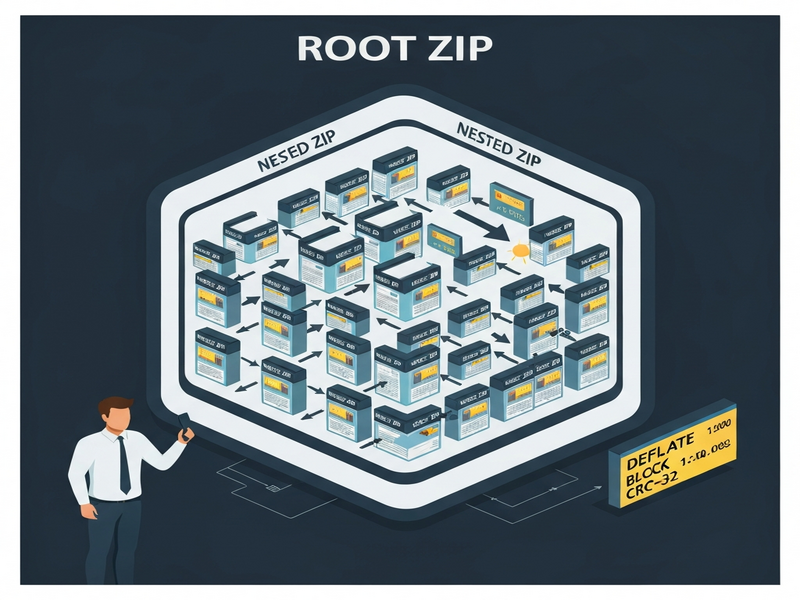
At its core, a zip bomb is an archive‑based resource‑exhaustion attack. The attacker leverages the compression algorithm’s ability to represent repetitive data in a tiny footprint. When the archive is opened, the decompressor expands the data, consuming CPU cycles and writing massive files to disk. The danger is twofold:
- Availability loss: Disk fills up, processes stall, and services become unreachable.
- Security exposure: Some parsers allocate buffers based on uncompressed size fields, leading to integer overflows or out‑of‑memory crashes that can be chained into code execution.
Because zip is the default container for many software packages (JAR, APK, ODT, etc.), a malicious zip bomb can infiltrate supply‑chain pipelines, CI/CD jobs, or even email attachments, making it a high‑impact vector for cybersecurity basics teams.
Construction methods – from overlapping files to Zip64
1. Overlapping files (the kernel trick)
The most efficient non‑recursive zip bomb reuses a single highly compressed “kernel” across many file entries. The steps are:
- Compress a long string of repeated bytes (e.g., 0x00) using DEFLATE to create a kernel that achieves the theoretical DEFLATE limit of ~1 032:1.
- Store the kernel once in the archive as the data for the last file entry.
- For each preceding file, add a non‑compressed DEFLATE block that simply copies the local file header of the next entry, then point the central directory header to the same kernel.
This overlapping means the first file costs roughly 1 078 bytes of input (local header + central header + kernel), while every additional file adds only a 47‑byte central directory header. The compression ratio therefore grows quadratically with the number of files, reaching >28 million :1 for a 10 MB zip.
2. Quoting local file headers with DEFLATE non‑compressed blocks
DEFLATE allows “stored” blocks that are not compressed. By inserting a 5‑byte block header before each local file header, the parser treats the header as ordinary data for the previous file while still recognizing it as a header for the next file. This dual‑purpose trick preserves compatibility with most unzip tools (Info‑ZIP, Python’s zipfile, Go’s archive/zip) while keeping the overhead minimal.
3. Zip64 extensions for massive expansion
Standard zip limits (2³²‑1 bytes per file, 2¹⁶‑1 files) cap the maximum uncompressed size at ~4.5 PB. Zip64 expands these fields to 64 bits, allowing:
- More than 65 535 files.
- Uncompressed sizes beyond 4 GB per entry.
When Zip64 is enabled, a 46 MB bomb can inflate to 4.5 PB, comparable to the data captured by the Event Horizon Telescope. However, compatibility drops: older unzip utilities reject Zip64 headers, so attackers often ship two versions—one classic, one Zip64—for maximum reach.
4. Using bzip2 instead of DEFLATE
bzip2 applies a run‑length encoding step before block‑wise Burrows‑Wheeler transform, achieving a theoretical compression ratio of ~1.4 million :1 for repetitive data. The downside is that bzip2 lacks non‑compressed block support, so overlapping tricks cannot be applied. Consequently, a bzip2‑based bomb must store a full copy of the kernel for each file, limiting its overall ratio. It is still useful for small‑file bombs where the kernel fits within a single 900 KB block.
5. CRC‑32 handling for massive files
Each zip entry stores a CRC‑32 checksum of the uncompressed data. Computing this checksum naïvely would require processing the entire exploded data, defeating the purpose of a fast bomb. Researchers solve this by representing CRC‑32 as a matrix transformation, allowing the checksum of the kernel to be computed once and then combined with the checksum of each quoted header via matrix multiplication. This technique keeps the creation time linear in the compressed size, not the uncompressed size.
Security implications and mitigation strategies
Understanding the construction helps defenders implement layered protection:
1. Input validation and size limits
- Reject archives whose
uncompressedSizefield exceeds a configurable threshold (e.g., 1 GB). - Enforce a maximum number of entries (e.g., 10 000) before extraction.
- Disallow Zip64 extensions unless explicitly required.
2. Sandbox extraction
Run unzip operations inside a container or VM with strict CPU, memory, and disk quotas. Tools such as systemd‑run or Docker resource limits can automatically kill runaway decompression.
3. Detect overlapping files
Many modern parsers (Info‑ZIP UnZip, Python’s zipfile) emit warnings when central directory entries point to the same local header. Implement a pre‑flight scan that flags duplicate relativeOffsetOfLocalHeader values.
4. Use safe libraries
Prefer libraries that perform strict consistency checks, such as libzip with the ZIP_CHECKCONS flag, or the yauzl Node.js module which validates CRC‑32 and size fields before extraction.
5. Monitoring and alerting
Log the size of incoming archives and trigger alerts when a file’s compressed size is unusually small relative to its reported uncompressed size (compression ratio > 10 000 :1). This heuristic catches both classic recursive bombs and the newer non‑recursive variants.
Comparison with other archive‑based attacks
| Attack type | Typical payload | Compression ratio | Recursion required | Compatibility |
|---|---|---|---|---|
| Classic recursive zip bomb (e.g., 42.zip) | Nested zip files (6 layers) | ~1 000 :1 per layer → > 4 PB total | Yes (multiple unzip passes) | High – works on most modern unzip tools |
| Non‑recursive overlapping bomb | Single‑pass DEFLATE kernel with overlapping headers | 28 million :1 (10 MB → 281 TB) | No | Very high – works on any DEFLATE‑compatible parser |
| bzip2‑based bomb | Repeated‑byte blocks compressed with bzip2 | ~1.4 million :1 (small files) | No | Limited – many parsers lack bzip2 support |
| Archive‑format confusion attacks | Manipulating central directory offsets | Variable | Depends on parser | Low – many modern libraries reject malformed offsets |
Practical example: building a 10 MB → 281 TB bomb
The open‑source zipbomb tool (available on BamSoftware) automates the quoted‑overlap construction. A minimal command looks like:
git clone https://www.bamsoftware.com/git/zipbomb.git
cd zipbomb
./zipbomb --mode=quoted_overlap --num-files=65534 --max-uncompressed-size=4292788525 > zblg.zip
This creates zblg.zip, a 10 MB archive that expands to 281 TB when extracted with a standard DEFLATE‑compatible unzip utility.
Call to action – strengthen your security posture with UBOS
Understanding zip bombs is only the first step. To protect your organization, consider integrating AI‑driven scanning and automated sandboxing into your CI/CD pipeline. UBOS offers a suite of tools that make this easy:
- Explore the UBOS homepage for a quick overview of the platform.
- Get a high‑level view of capabilities on the UBOS platform overview.
- Check out the UBOS pricing plans to find a tier that fits your budget.
- Leverage AI marketing agents to automatically flag suspicious file uploads.
- Start fast with UBOS templates for quick start, including a pre‑configured “File‑Upload Scanner” template.
- Browse real‑world use cases in the UBOS portfolio examples.
- For startups, the UBOS for startups program offers free credits for security tooling.
- SMBs can benefit from UBOS solutions for SMBs, which include built‑in archive analysis.
- Enterprises looking for a unified AI security stack should evaluate the Enterprise AI platform by UBOS.
- Build custom validation logic with the Web app editor on UBOS and the Workflow automation studio.
- Join the UBOS partner program to co‑develop advanced threat‑intelligence modules.
- Experiment with AI‑powered utilities such as the AI SEO Analyzer or the AI Article Copywriter to automate documentation of security findings.
- Generate visual reports with the AI Video Generator for stakeholder briefings.
By integrating these capabilities, you can automatically detect overlapping file entries, enforce Zip64 restrictions, and sandbox extraction—all without writing custom code.
Conclusion – key takeaways
Zip bombs remain a potent, low‑cost attack vector because they exploit fundamental features of the zip format rather than a specific software bug. The most effective modern bombs use overlapping file entries and DEFLATE quoting to achieve compression ratios exceeding 28 million :1, while Zip64 extensions push the theoretical ceiling toward exabytes. Defenders should adopt a defense‑in‑depth strategy: enforce size limits, sandbox extraction, use parsers that validate consistency, and employ AI‑driven scanning platforms such as UBOS to automate detection.
Stay ahead of attackers by regularly updating your unzip libraries, monitoring for abnormal compression ratios, and leveraging the automation tools listed above.
Read the original detailed analysis here.
Related articles: Zip Bomb Analysis, Cybersecurity Basics, Compression Algorithms.
Andrii Bidochko
CTO UBOS
Andrii Bidochko is an AI entrepreneur and researcher focused on AI agents, reinforcement learning, and autonomous systems. He writes about the technologies shaping the future of machine intelligence, from frontier models and agent architectures to real-world AI applications.