

- Updated: January 31, 2026
- 5 min read
StormWatch App Review: Real‑Time Weather Alerts and Safety Features
StormWatch App Review: Real‑Time Weather Alerts & Emergency Preparedness
StormWatch is a real‑time weather alert and storm‑tracking app that delivers hyper‑local forecasts, instant weather alerts, and built‑in emergency‑contact tools to keep individuals safe during severe weather events.
What Is StormWatch and Why It Matters
In an era where climate volatility is the new normal, having immediate access to accurate weather information can be the difference between safety and disaster. StormWatch was created to fill that gap. Designed for everyday users—from commuters and outdoor enthusiasts to families in storm‑prone regions—the app aggregates data from the National Weather Service (NWS) and the Global Database of Events, Language, and Tone (GDELT) to provide a single, intuitive dashboard for weather monitoring, storm tracking, and emergency preparedness.
The app’s core promise is simplicity: a single tap to set your location, and you receive a continuously refreshed feed of temperature, humidity, wind speed, precipitation probability, and a concise impact timeline. For anyone who needs to know whether to grab an umbrella, postpone a flight, or evacuate a home, StormWatch offers a streamlined, no‑fluff experience.
Key Features of StormWatch
1. Real‑Time Weather Data & Multi‑Day Forecasts
StormWatch pulls live observations from the U.S. National Weather Service and presents them in a clean card layout:
- Current temperature, humidity, wind speed, and visibility.
- 12‑hour and 7‑day forecasts with precipitation chances.
- Snow & ice predictions, wind alerts, and UV index.
The data refreshes automatically every few minutes, ensuring users always see the most up‑to‑date conditions without manual reloads.
2. Instant Weather Alerts & Storm Tracking
When severe weather is imminent, StormWatch pushes push notifications that include:
- Alert type (tornado warning, flash flood, severe thunderstorm).
- Estimated time of impact and affected radius.
- Suggested actions (e.g., “Seek shelter immediately”).
The app also visualizes storm paths on an interactive map, letting users see the trajectory of approaching systems in real time.
3. Built‑In Emergency Contacts & Resource Directory
One of StormWatch’s standout features is its Action Checklist and Emergency Contacts panel. Users can quickly dial:
- 911 for police, fire, or medical emergencies.
- 211 for community services such as shelters and food assistance.
- Poison Control 24/7 hotline.
The app also links directly to the local NWS office, allowing users to verify alerts with official sources.
4. Clean UI & Seamless User Experience
StormWatch follows a minimalist design language: large, legible fonts, high‑contrast icons, and a single‑page flow that eliminates navigation friction. The “Set Location” button is front‑and‑center, and once a ZIP code is entered, the dashboard populates automatically. The UI also adapts to dark mode, which is essential for night‑time monitoring.
5. Extending Functionality with UBOS
While StormWatch is a standalone product, its data endpoints can be integrated into the UBOS platform overview for custom workflow automation. For example, a business could trigger an automated email to employees when a severe weather alert is received, using UBOS’s Workflow automation studio.
Why StormWatch Improves Safety and Peace of Mind
The true value of any weather app lies in how it translates raw data into actionable insight. StormWatch excels in three core areas:
- Proactive Decision‑Making: By delivering alerts minutes before conditions deteriorate, users can adjust travel plans, secure property, or evacuate if necessary.
- Reduced Cognitive Load: The concise “Impact Timeline” and “Action Checklist” eliminate the need to scour multiple sources for emergency numbers or safety steps.
- Community Resilience: Integration with local emergency services (211, poison control) encourages users to tap into community resources, fostering a collective response during crises.
For families, the app’s simple interface means even children can understand when it’s safe to go outside. For businesses, the real‑time data can be fed into operational continuity plans, minimizing downtime during storms.
Illustration: Visualizing StormWatch in Action
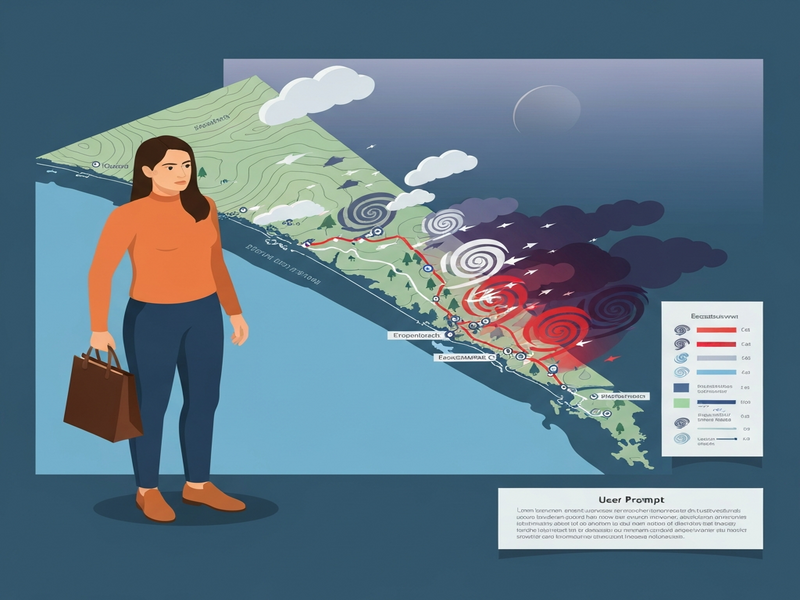
The above illustration, generated by UBOS’s AI image engine, captures the core components of the StormWatch dashboard: a live weather card, an alert banner, and quick‑access emergency buttons. This visual aid helps users instantly recognize the app’s layout before they even download it.
Read the Original Announcement
For a deeper technical dive and the original launch notes, visit the creator’s page at StormWatch official site. The source provides raw API references and early‑beta screenshots that complement this review.
Related UBOS Resources
Staying prepared goes beyond a single app. UBOS offers a suite of tools and content that can enhance your weather‑ready strategy:
- UBOS weather updates – real‑time feeds and AI‑enhanced forecasts for any location.
- UBOS emergency preparedness – checklists, resource directories, and automation templates for crisis management.
- About UBOS – learn how the platform powers intelligent applications like StormWatch.
- UBOS pricing plans – explore affordable options for scaling weather‑alert solutions across teams.
Conclusion: Your Next Step Toward Safer Weather Monitoring
StormWatch stands out as a purpose‑built, user‑centric weather app that transforms raw meteorological data into clear, actionable guidance. Whether you’re a commuter, a small‑business owner, or a community leader, the app’s real‑time alerts, emergency contact integration, and intuitive UI empower you to act before the storm hits.
Ready to experience hyper‑local weather safety? Visit UBOS today to explore how you can integrate StormWatch‑style alerts into your own workflows, or download the app directly from the official site and start protecting what matters most.