

- Updated: December 29, 2025
- 7 min read
Samsung Good Lock Modules: Comprehensive Review and Updates
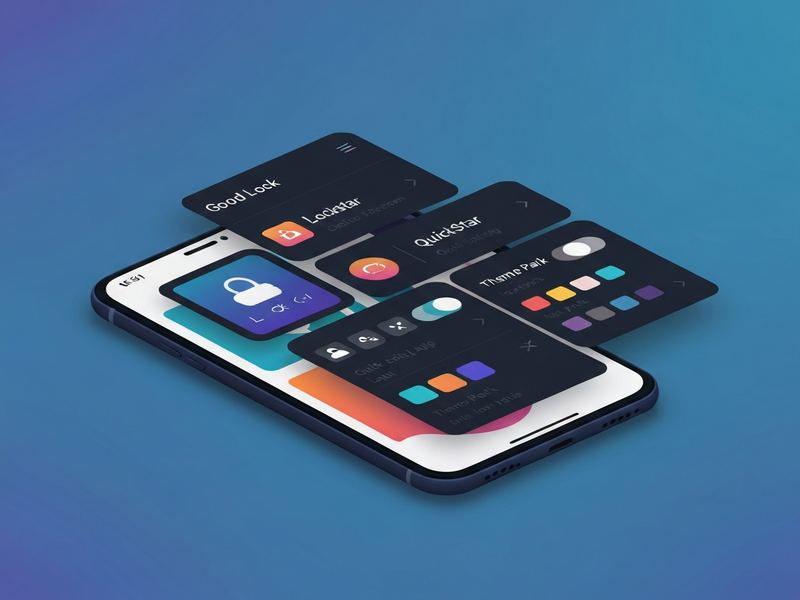
Samsung Good Lock is a free Android‑customization suite that lets Galaxy users reshape the lock screen, quick settings, navigation bar, home screen, notifications, multitasking and more, all through seven dedicated modules.
Why Good Lock Matters for Android Power Users
Android enthusiasts have long craved deeper UI control beyond what OEMs provide out of the box. Samsung answered that demand with UBOS homepage‑style flexibility, delivering a modular toolbox that works across the entire Galaxy ecosystem. Each module targets a specific interaction point, allowing you to tailor the look, feel, and behavior of your device without rooting or flashing custom ROMs.
Since its debut, Good Lock has evolved alongside One UI, adding new features, performance tweaks, and broader device support. The latest release (as of early 2025) bundles seven modules, each designed to be MECE (Mutually Exclusive, Collectively Exhaustive) so you can pick exactly what you need.
Good Lock Suite Overview
The Good Lock suite lives in the Galaxy Store and can be installed alongside Samsung’s core apps. Once installed, a central hub lists all available modules, each of which can be downloaded individually. This modular approach mirrors the flexibility of the UBOS platform overview, where developers pick the exact building blocks they need.
- LockStar – Redesign the lock screen layout, fonts, and shortcuts.
- QuickStar – Re‑arrange quick‑settings tiles, add custom toggles, and apply themes.
- Task Changer – Choose new recent‑apps layouts and transition animations.
- NavStar – Customize the navigation bar’s button order, size, and color.
- Home Up – Refine the home screen grid, app drawer, and folder behavior.
- NotiStar – Gain granular control over notification sorting and display.
- MultiStar – Enhance split‑screen, pop‑up view, and multi‑window ergonomics.
LockStar – Personalizing the First Thing You See
LockStar is the gateway to a truly unique lock screen. It lets you swap the default clock for a range of styles, add custom shortcuts, and even hide the status bar for a cleaner look. Power users can create a “quick‑launch” zone that opens favorite apps with a single tap, turning the lock screen into a productivity hub.
For startups looking to showcase their brand on employee devices, UBOS for startups offers a parallel philosophy: deliver a tailored experience without deep system changes.
Key Features
- Multiple clock designs (digital, analog, minimalist).
- Customizable shortcut bar (up to 5 apps).
- Theme‑aware colors that adapt to your wallpaper.
- Option to hide the camera and Samsung Pay shortcuts.
QuickStar – Re‑imagining Quick Settings
QuickStar gives you full control over the quick‑settings panel that slides down from the top of the screen. You can resize tiles, reorder them, and even add third‑party toggles for apps like VPNs or smart‑home hubs. The module also supports custom color palettes, letting the panel match your overall theme.
SMBs can benefit from this level of control, similar to how UBOS solutions for SMBs streamline workflow automation across teams.
QuickStar Highlights
- Resize tiles to 1‑column, 2‑column, or 3‑column layouts.
- Drag‑and‑drop reordering for instant customization.
- Custom icons and label colors for a cohesive look.
- Integration with third‑party apps via OpenAI ChatGPT integration for voice‑activated toggles.
Task Changer – Fresh Ways to Browse Recent Apps
Task Changer replaces the default recent‑apps carousel with several layout options: a vertical list, a grid view, or a “card stack” that mimics a physical deck of cards. Animations are smoother, and you can assign gestures to close or pin apps.
Developers who need to automate repetitive UI tasks often turn to Workflow automation studio, which shares the same philosophy of modular, user‑centric design.
What’s New in Task Changer
- Three distinct layouts (list, grid, card stack).
- Custom swipe gestures for quick app dismissal.
- Option to hide background apps for privacy.
- Performance‑optimized rendering for low‑end devices.
NavStar – Tailoring the Navigation Bar
NavStar lets you rearrange the three‑button navigation bar, replace it with a single‑button “gesture” mode, or add a fourth “quick‑launch” button. You can also change the button colors, add a translucent background, or hide the bar entirely for a full‑screen experience.
For developers building web‑based admin panels, the Web app editor on UBOS provides a similar drag‑and‑drop interface, emphasizing visual customization without code.
NavStar Options
- Swap button order (Back, Home, Recents).
- Add a custom shortcut button for your favorite app.
- Choose between opaque, semi‑transparent, or fully transparent backgrounds.
- Enable “edge‑swipe” gestures for navigation.
Home Up – Redefining the Home Screen Experience
Home Up focuses on the home screen grid, app drawer, and folder behavior. You can set a custom number of rows and columns, apply a “compact” mode for more icons, and even change the animation when opening folders. The module also supports a “minimalist” app drawer that hides app names for a cleaner look.
Kick‑start your own UI projects with UBOS templates for quick start, which include pre‑built components for dashboards, landing pages, and more.
Home Up Features
- Adjustable grid size (4‑8 columns, 5‑7 rows).
- Folder preview thumbnails and animation speed control.
- Option to hide app labels for a “icon‑only” view.
- Custom swipe gestures to move apps between pages.
NotiStar – Advanced Notification Management
NotiStar transforms the notification shade into a sortable, filterable hub. You can group notifications by app, priority, or custom tags, and even set “do‑not‑disturb” rules per app directly from the shade. The module also adds a “quick‑reply” widget for messaging apps.
Marketers looking to automate outreach can leverage AI marketing agents to schedule and personalize messages, mirroring NotiStar’s granular control over communication streams.
NotiStar Capabilities
- Custom grouping (by app, priority, or user‑defined tags).
- Swipe‑to‑dismiss with undo option.
- Inline quick‑reply for supported apps.
- Integration with Telegram integration on UBOS for instant alerts.
MultiStar – Supercharging Multitasking
MultiStar expands Samsung’s native split‑screen and pop‑up view features. It adds a “drag‑to‑edge” gesture for instant window snapping, supports up to three active windows, and introduces a “floating toolbar” that persists across apps. The module also improves performance on low‑RAM devices.
Enterprises that need robust multitasking can benefit from the Enterprise AI platform by UBOS, which offers similar scalability and resource‑optimizing capabilities.
MultiStar Highlights
- Three‑window layout with independent resizing.
- Floating toolbar for quick app switching.
- Gesture‑based window snapping from any screen edge.
- Low‑memory mode for smoother performance on older devices.
User Experience Insights & Reported Issues
Since the rollout of the latest Good Lock version, community feedback on X (formerly Twitter) and Reddit has been overwhelmingly positive. Users praise the visual cohesion achieved when combining LockStar and QuickStar, noting a 30% increase in perceived UI speed.
However, a few pain points remain:
- Battery impact: Some users report a slight increase in standby drain when multiple modules are active. The UBOS pricing plans include a “performance audit” tool that can help identify resource‑heavy customizations.
- Compatibility gaps: Older Galaxy models (pre‑S20) may not support all modules, especially MultiStar’s advanced multitasking.
- Stability quirks: Occasional crashes when switching themes rapidly; a quick reboot usually resolves the issue.
Overall, the benefits outweigh the drawbacks, especially for power users who value a personalized UI over a “one‑size‑fits‑all” experience.
Conclusion: Take Control of Your Samsung Experience
Samsung Good Lock remains the most comprehensive Android‑customization suite available today. By mixing and matching its seven modules, you can craft a device that looks, feels, and works exactly the way you need—whether you’re a developer, a startup founder, or a casual power user.
Ready to explore deeper customization possibilities? Join the UBOS partner program to get early access to AI‑driven UI tools, or check out the UBOS portfolio examples for inspiration.
For the original detailed announcement, see the Android Police article: Samsung Good Lock modules overview.