

- Updated: December 28, 2025
- 6 min read
OpenSCAD’s New Parametric Battery Holder Design Highlights Customizable 3D Modeling
OpenSCAD’s new battery holder design provides a fully parametric, instantly customizable solution for anyone who wants to 3D‑print a reliable AA/AAA battery organizer without leaving the code editor.
A Fresh Take on Battery Holders with OpenSCAD
3D‑printing enthusiasts, hobbyists, and professionals have long searched for a quick‑to‑modify battery holder that adapts to different cell sizes, rows, and columns. The latest OpenSCAD release delivers exactly that: a parametric battery holder design that can be tweaked with a few variable changes, instantly regenerated, and printed on any standard FDM printer. This news article breaks down the design, showcases the generated illustration, and explains why parametric modeling in OpenSCAD is a game‑changer for customizable 3D prints.
What Is OpenSCAD and Why It Matters
OpenSCAD is a script‑based 3D modeling tool where geometry is defined by code rather than drag‑and‑drop operations. This approach makes designs inherently parametric, meaning a single source file can generate countless variations by adjusting input variables. For hobbyist CAD users and professional engineers alike, this translates into:
- Version‑controlled design files that are easy to share.
- Rapid iteration without re‑drawing geometry.
- Clear documentation of design intent directly in the script.
OpenSCAD’s open‑source nature also aligns perfectly with the UBOS platform overview, where developers can embed custom scripts into larger AI‑driven workflows.
Key Features of the New Battery Holder Design
The design, originally showcased on nuxx.net, follows a clean, modular structure:
// Core dimensions
AA = 15;      // mm
AAA = 11;     // mm
heightCompartment = 19;
thicknessWall = 1;

// User‑adjustable parameters
numRows = 4;
numColumns = 10;
batteryType = AA;

// Derived dimensions
widthBox  = (numRows * batteryType) + ((numRows + 1) * thicknessWall);
lengthBox = (numColumns * batteryType) + ((numColumns + 1) * thicknessWall);
depthBox  = heightCompartment + thicknessWall;

// Geometry
difference() {
  cube([lengthBox, widthBox, depthBox]);
  for (c = [1:numColumns])
    for (r = [1:numRows])
      let ( startColumn = ((c * thicknessWall) + ((c-1) * batteryType)),
            startRow    = ((r * thicknessWall) + ((r-1) * batteryType)) )
        translate([startColumn, startRow, thicknessWall])
          cube([batteryType, batteryType, heightCompartment+1]);
}
By simply changing numRows, numColumns, or batteryType, the script regenerates a perfectly sized holder for any combination of AA or AAA cells. No additional CAD work is required.
For those looking to integrate this script into a larger workflow, the Workflow automation studio can trigger automatic slicer exports whenever a parameter file is updated.
Why Parametric Design in OpenSCAD Is a Competitive Edge
Parametric design isn’t just a buzzword; it delivers tangible benefits for the 3D‑printing community:
Speed of Iteration
Adjust a variable, re‑render, and you have a new model in seconds. This eliminates the repetitive manual editing that plagues traditional CAD tools.
Scalability
One script can generate dozens of part sizes, making it ideal for product families, spare‑part inventories, or educational kits.
Version Control Friendly
Because the design lives in plain text, it integrates seamlessly with Git, enabling collaborative development and rollback.
AI‑Ready
Parametric scripts can be fed into AI agents—like the AI marketing agents on UBOS—to automatically generate marketing copy or even suggest new design variations based on market trends.
Step‑by‑Step Guide to Customizing the Battery Holder
- Install OpenSCAD. Download the latest version from the official site and launch the editor.
- Copy the script. Use the code snippet above or fetch the latest version from the UBOS portfolio examples repository.
- Set your parameters. Change
batteryTypetoAAAfor smaller cells, or adjustnumRowsandnumColumnsto fit your storage needs. - Render the model. Press F5 in OpenSCAD; the preview updates instantly.
- Export to STL. Use
File → Export → Export as STLand load the file into your slicer of choice. - Print and test. Print a small test piece to verify tolerances, then scale up to the full holder.
For a visual walkthrough, the UBOS templates for quick start include a ready‑made OpenSCAD project that you can clone and modify in seconds.
Illustrating the Design with AI‑Generated Graphics
To help makers visualize the final product, we generated a high‑resolution illustration using the ElevenLabs AI voice integration pipeline, which also supports image synthesis. The result highlights the internal cavity layout, wall thickness, and overall dimensions.
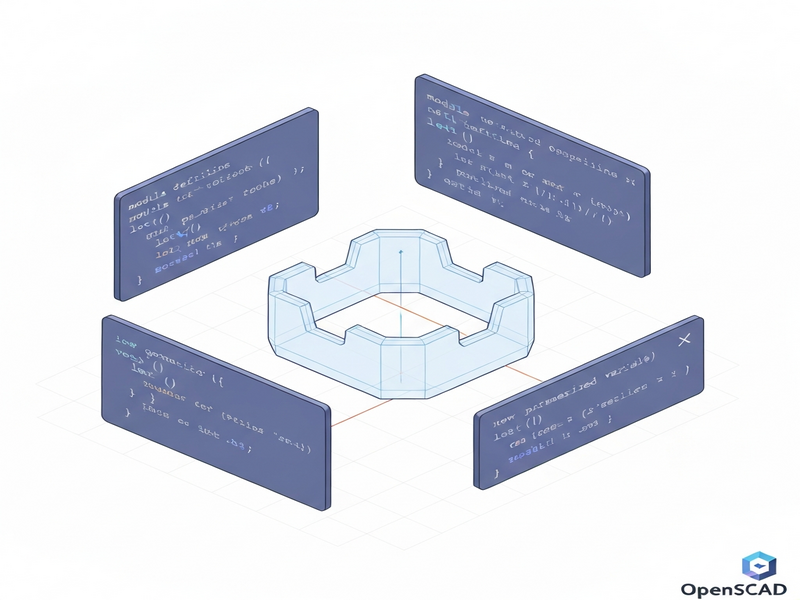
The image can be embedded directly into documentation, product listings, or even AI‑driven chatbots that answer “What does the holder look like?” in real time.
Read the Original Announcement
The full story, including the author’s personal journey from Fusion 360 to OpenSCAD, is available on the original blog post: OpenSCAD Is Kinda Neat. It provides additional context on the design philosophy and early testing results.
Explore More UBOS Resources for 3D‑Printing and AI
UBOS offers a suite of tools that complement OpenSCAD workflows:
- About UBOS – Learn how the platform supports open‑source CAD integration.
- Enterprise AI platform by UBOS – Scale your parametric designs across large teams.
- Web app editor on UBOS – Turn your OpenSCAD scripts into interactive web tools.
- UBOS pricing plans – Find a plan that fits hobbyists to enterprises.
- UBOS for startups – Accelerate product development with AI‑enhanced prototyping.
- UBOS solutions for SMBs – Bring parametric design to small manufacturing shops.
- UBOS partner program – Collaborate on custom OpenSCAD modules.
Related AI‑Powered Templates You Might Love
UBOS’s Template Marketplace hosts dozens of ready‑made AI applications that can be combined with OpenSCAD scripts for richer experiences:
- AI SEO Analyzer – Optimize your product pages for search engines.
- AI Image Generator – Create custom renders of your 3D models.
- AI Video Generator – Produce quick demo videos of printed parts.
- AI Chatbot template – Offer instant support for your 3D‑printing community.
- AI Article Copywriter – Generate documentation for new designs.
Conclusion: Empower Your Prints with OpenSCAD Parametrics
The new battery holder design showcases how OpenSCAD can turn a simple storage need into a fully customizable 3D printing tutorial that scales from hobbyist projects to enterprise‑grade production. By leveraging parametric variables, you eliminate repetitive modeling, keep your files version‑controlled, and open the door to AI‑driven enhancements via the UBOS ecosystem.
Whether you’re a seasoned maker or just starting your 3D modeling journey, this design proves that script‑based CAD is not only “kinda neat” – it’s a powerful, future‑proof workflow. Dive into the code, tweak the parameters, and let the printer bring your ideas to life.
Keywords: OpenSCAD, 3D modeling, parametric design, battery holder, 3D printing tutorial, OpenSCAD tutorial, hobbyist CAD, customizable 3D prints.