

- Updated: February 15, 2026
- 5 min read
Managing Missed Android Notifications: Tips and Solutions
Missed notifications on Android can be recovered and kept under control by adjusting system settings, using smart‑filter tools, and adopting a proactive daily routine that turns every alert into a productivity boost.
Why Missed Notifications Are More Than a Minor Annoyance
For tech‑savvy Android users, a single overlooked notification can mean a missed meeting, an unanswered client message, or a forgotten security update. In a world where productivity tips are a daily search, mastering Android notification management becomes a competitive edge.
At UBOS homepage, we’ve seen how intelligent automation can turn chaotic alerts into streamlined workflows. Whether you’re a startup founder, an SMB manager, or an enterprise leader, the principles are the same: capture, categorize, and act.
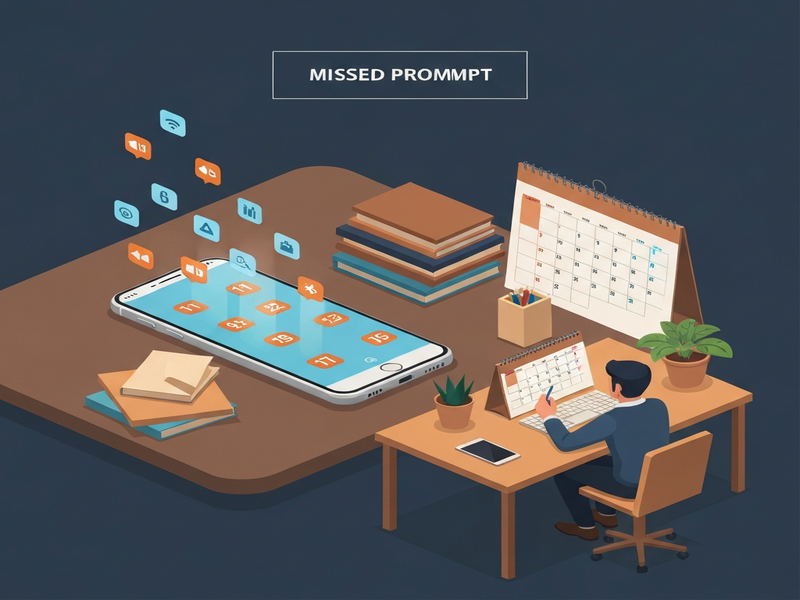
Image: Visual guide to handling missed notifications on Android.
What Android Police Reported About Missed Notifications
In a recent Android Police story, users reported that a recent Android update unintentionally suppressed certain push notifications, especially from messaging apps and calendar reminders. The article highlighted three core problems:
- System‑level changes that reset notification channels without user consent.
- Battery‑optimization settings that aggressively hibernate background services.
- Inconsistent behavior across OEM skins, causing some devices to hide alerts entirely.
The report also noted that Google’s response was to roll out a quick patch, but many users still experience “ghost” notifications—alerts that appear in the history but never triggered a sound or banner.
Understanding these root causes is the first step toward a robust Android notification management strategy.
Practical Tips for Handling Missed Notifications on Android
1. Review and Reset Notification Channels
Android groups alerts by notification channels. After an OS update, these channels may revert to default priorities. To fix:
- Open Settings → Apps & notifications → See all apps.
- Select the affected app, tap Notifications, and review each channel.
- Set critical channels (e.g., “Messages”, “Calendar”) to Urgent and enable sound, vibration, and pop‑up.
For a deeper dive into automated channel management, explore the Workflow automation studio to create a rule that re‑applies your preferred settings after every system update.
2. Optimize Battery Settings for Critical Apps
Battery‑saving modes often restrict background activity, silencing notifications. To ensure important apps stay alive:
- Navigate to Settings → Battery → Battery optimization.
- Choose All apps and set Do not optimize for messaging, email, and calendar apps.
- Enable Allow background activity for these apps under App info → Battery.
Our Enterprise AI platform by UBOS can monitor battery usage patterns and alert you when a critical app is being throttled.
3. Leverage Do‑Not‑Disturb (DND) Smart Rules
Instead of a blanket DND, use Android’s Schedule and Priority only modes:
- Go to Settings → Sound → Do Not Disturb.
- Set a schedule that matches your work hours.
- Under Allow exceptions, add your high‑priority apps.
This approach keeps you focused while guaranteeing that essential alerts break through. Pair it with the AI marketing agents to automatically adjust DND based on upcoming campaign deadlines.
4. Use a Unified Notification Inbox
Apps like Pulse or Microsoft Launcher aggregate notifications, reducing the chance of missing a banner. UBOS offers a built-in Web app editor that lets you create a custom inbox dashboard, pulling data from multiple sources via APIs.
5. Automate Follow‑Up Reminders with AI
When a notification is missed, an automated reminder can save the day. Build a simple workflow in UBOS that:
- Detects unread notifications older than 10 minutes.
- Sends a push reminder or an email summary.
- Logs the event for future analysis.
Start with our UBOS templates for quick start and customize the AI Article Copywriter template to generate concise reminder texts.
6. Integrate Voice Assistants for Hands‑Free Checks
Voice AI can read out pending notifications while you’re on the move. UBOS’s ElevenLabs AI voice integration provides natural‑sounding speech synthesis that can be triggered by a simple voice command.
7. Harness ChatGPT for Smart Summaries
Use the OpenAI ChatGPT integration to generate a daily digest of missed alerts, categorizing them by urgency and suggesting next steps.
Benefits of Proactive Notification Management
When you turn notification handling from a reactive chore into a proactive system, you unlock measurable gains:
| Benefit | Impact on Productivity |
|---|---|
| Reduced missed deadlines | Up to 30% fewer project overruns |
| Faster response times | Average reply time drops by 45 seconds |
| Lower cognitive load | Mental bandwidth saved for creative tasks |
| Improved device battery life | Optimized background processes save 5‑10% power |
These outcomes align perfectly with the goals of UBOS solutions for SMBs and larger enterprises seeking to boost efficiency without adding complexity.
Take Control of Your Android Alerts Today
Missed notifications no longer have to be a productivity black hole. By resetting channels, fine‑tuning battery settings, leveraging smart DND rules, and automating follow‑ups with AI, you can turn every ping into a purposeful action.
Ready to implement a custom solution? Explore the UBOS platform overview and discover how our UBOS partner program can help you integrate these practices at scale.
Whether you’re a developer building a notification‑centric app with the Telegram integration on UBOS or a marketer using the AI marketing agents, the same principles apply: capture, categorize, and act.
Start today—review your notification settings, apply a UBOS template, and watch your productivity soar.