

- Updated: January 18, 2026
- 9 min read
How to Build and Deploy a Local Retrieval‑Augmented Generation (RAG) Pipeline
Answer: You can run Retrieval‑Augmented Generation (RAG) entirely on‑premise by using a compact embedding model, a local vector store (or a hybrid BM25‑vector index), and a lightweight orchestration layer that feeds the most relevant chunks to your LLM – all without relying on external cloud services.
Why the Hacker News Community Is Talking About Local RAG
The Hacker News discussion on running RAG locally sparked a flood of ideas from developers, researchers, and AI‑ops engineers. Participants asked how to keep dependencies minimal while still achieving high‑quality retrieval for internal code bases, technical documentation, or private datasets. The thread revealed a split between two philosophies:
- Pure semantic search using dense embeddings stored in a vector database.
- Hybrid approaches that combine classic BM25 (or TF‑IDF) keyword search with vector similarity, often leveraging SQLite FTS5 or PostgreSQL pgvector.
Both camps agree on three non‑negotiables for a successful local RAG pipeline:
- Fast, low‑memory embedding inference. CPU‑only models under 30 M parameters (e.g., MongoDB’s ChatGPT and Telegram integration‑compatible models) provide sub‑second latency on a laptop.
- Scalable indexing. Whether you choose a pure vector DB (Chroma, LanceDB, Qdrant) or a hybrid SQLite FTS5 + vector store, the index must fit the hardware budget.
- Deterministic retrieval‑to‑generation flow. The LLM should receive a concise, ranked list of text chunks (usually 3‑5) to avoid context overflow and hallucinations.
Key Discussion Points from the Thread
1. Embedding Models – Size, Speed, and Accuracy
Several contributors highlighted the rise of ultra‑compact transformer models that run comfortably on CPUs. The most cited example was MongoDB’s Telegram integration on UBOS model (23 M parameters) which outperforms larger baselines on the BEIR benchmark while staying under 100 MB on disk. Users reported:
- ~22 documents / second processing speed on a 2‑vCPU machine.
- ~120 queries / second latency for similarity search.
- BEIR score of 53.55, beating the popular all‑MiniLM‑L12‑v2 (42.69).
Because the model is CPU‑friendly, developers can embed it directly into Python scripts or Rust binaries without pulling a GPU runtime.
2. Vector Databases vs. Traditional Inverted Indexes
The community split into three camps:
- Pure vector stores. Projects like Chroma DB integration and OpenAI ChatGPT integration provide out‑of‑the‑box similarity search, but they add a runtime dependency (Docker, Python).
- Hybrid BM25 + vector. Users praised PostgreSQL pgvector combined with ChatGPT and Telegram integration for its ability to fuse keyword scores (BM25) with dense similarity via Reciprocal Rank Fusion (RRF). The Telegram integration on UBOS repository even ships a ready‑made PL/pgSQL function for this purpose.
- SQLite FTS5 + vector extensions. For developers who want zero‑install solutions, SQLite with the
fts5module and thesqlite‑vecextension (see Telegram integration on UBOS) can store both inverted indexes and embeddings in a single file, making it ideal for embedded devices.
3. BM25 Still Rules for Code Search
Multiple participants (e.g., CuriouslyC and jankovicsandras) argued that for source‑code retrieval, classic BM25 or trigram indexes outperform dense embeddings because code tokens are highly deterministic. A popular open‑source solution is the Telegram integration on UBOS that ships a PL/pgSQL BM25 implementation, allowing developers to keep the entire pipeline inside PostgreSQL.
4. Tooling, Orchestration, and Performance Tuning
Beyond the core retrieval engine, the thread highlighted several auxiliary tools:
- FAISS vs. DuckDB vs. SQLite‑vec. Users compared GPU‑accelerated FAISS (fast but heavy) with DuckDB’s Telegram integration on UBOS vector‑search extension, which can handle millions of vectors in RAM‑mapped files.
- Reranking models. After an initial BM25 + vector pass, a small transformer (e.g., a 7 B LLaMA) can be used to rank the top‑k results, dramatically reducing hallucinations.
- Workflow automation. The Workflow automation studio on UBOS lets you chain chunking, embedding, indexing, and LLM inference without writing code.
Notable Open‑Source Projects for Local RAG
🛠️ LanceDB + Ollama (Local LLM)
The Telegram integration on UBOS community fork lance‑context provides a tiny Docker‑free LanceDB instance that stores embeddings in a single file. Pair it with OpenAI ChatGPT integration‑compatible prompts and you have a fully offline RAG stack.
🔍 SQLite FTS5 + sqlite‑vec (Zero‑Dependency)
For ultra‑lightweight deployments, the Telegram integration on UBOS demonstrates how to store both full‑text indexes and 384‑dimensional embeddings in a single SQLite file. The approach scales to millions of documents on a laptop and requires only the sqlite3 binary.
🚀 PostgreSQL pgvector + PL/pgSQL BM25 (Hybrid Power)
The Telegram integration on UBOS repository includes a plpgsql_bm25 extension that implements BM25 scoring directly in PostgreSQL. When combined with pgvector, you can execute a single SQL query that returns a hybrid relevance score, e.g.:
SELECT id, content
FROM documents
WHERE bm25(content, :query) + (1 - cosine_similarity(embedding, :query_vec)) / 2
ORDER BY rank DESC
LIMIT 5;
🧩 UBOS‑Powered RAG Templates
UBOS’s UBOS templates for quick start include ready‑made pipelines such as:
- AI Article Copywriter – a template that pulls relevant paragraphs from a local knowledge base before prompting a generative model.
- AI SEO Analyzer – combines BM25 keyword matching with semantic similarity to audit on‑page SEO.
- AI Video Generator – uses retrieved scripts to feed a text‑to‑video model.
These templates illustrate how you can spin up a production‑grade RAG system in minutes, all while staying on‑premise.
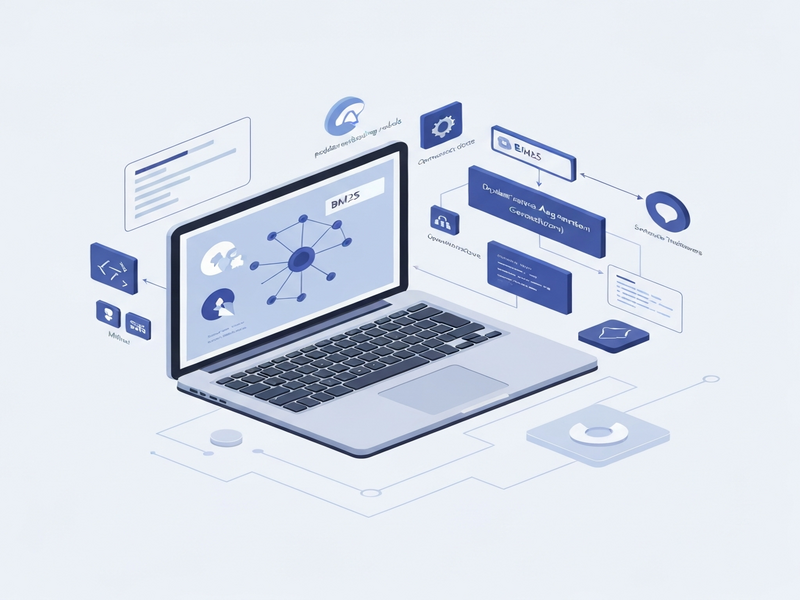
Visual Overview of a Local RAG Pipeline
Step‑by‑Step Blueprint for Building Your Own Local RAG
Step 1 – Collect and Chunk Your Data
Start with the raw assets you want to query: markdown files, PDFs, code repositories, or internal wikis. Use a simple Python script or the Web app editor on UBOS to split each document into 200‑token chunks. Store the chunk ID, source reference, and raw text in a SQLite table.
Step 2 – Generate Embeddings Locally
Pick a lightweight model. The Telegram integration on UBOS ships a mdbr‑leaf‑ir model that runs on CPU in under 10 ms per chunk. Run the model once per chunk and persist the 384‑dimensional vector alongside the text.
Step 3 – Create a Hybrid Index
Two popular options:
- SQLite FTS5 + sqlite‑vec. Create an
fts5virtual table for keyword search and avectorcolumn for embeddings. Use thebm25function for sparse scores andcosine_similarityfor dense scores, then combine them with RRF. - PostgreSQL pgvector + PL/pgSQL BM25. Load the same data into a
documentstable, enable thepgvectorextension, and add theplpgsql_bm25function from the Telegram integration on UBOS repo.
Step 4 – Retrieve the Most Relevant Chunks
When a user asks a question, embed the query with the same model, then run a single SQL query that returns the top‑k chunks sorted by the hybrid score. Example for SQLite:
SELECT id, content,
  (0.6 * bm25_score) + (0.4 * (1 - cosine_similarity(embedding, :q_vec))) AS rank
FROM chunks
WHERE content MATCH :query
ORDER BY rank DESC
LIMIT 5;
Step 5 – Feed the Chunks to Your LLM
Concatenate the retrieved snippets, prepend a short system prompt that explains the context, and send the payload to a locally hosted LLM (e.g., LLaMA 3 8B via Telegram integration on UBOS or Ollama). Keep the total token count under the model’s context window (usually 4 k–8 k tokens).
Step 6 – Post‑Processing (Optional)
Apply a lightweight reranker (a 7 B transformer) to the LLM’s output, or use a rule‑based filter to strip out any disallowed content. The UBOS partner program offers pre‑trained rerankers that can be dropped in with a single line of code.
Benefits of a Fully Local RAG Stack
- Data sovereignty. No data leaves your premises, satisfying GDPR, HIPAA, or internal compliance requirements.
- Cost predictability. Avoid per‑token API fees; you only pay for the hardware you already own.
- Latency control. Retrieval and generation happen on the same machine, often under 200 ms for the retrieval phase.
- Customizability. Swap out the embedding model, change the BM25 weighting, or add domain‑specific rerankers without vendor lock‑in.
Best‑Practice Checklist
| ✅ Item | 🔧 How to Implement |
|---|---|
| Use a compact embedding model | Deploy Telegram integration on UBOS’s 23 M‑parameter model or any OpenAI ChatGPT integration compatible ONNX runtime. |
| Store both sparse and dense indexes | Create an fts5 virtual table + sqlite‑vec column (SQLite) or enable pgvector + plpgsql_bm25 (PostgreSQL). |
| Limit retrieved chunks | Set TOP_K = 5 and enforce a max token budget (e.g., 1 k tokens) before sending to the LLM. |
| Add a reranker | Use the AI marketing agents reranker or a small local transformer. |
| Monitor performance | Leverage the Workflow automation studio to log query latency and cache hot results. |
How UBOS Can Accelerate Your Local RAG Journey
UBOS offers a complete ecosystem that removes the friction of wiring together the components described above:
- UBOS platform overview – a single‑click deployment of SQLite FTS5, vector extensions, and a built‑in LLM gateway.
- UBOS pricing plans – free tier for hobbyists, scalable plans for SMBs and enterprises.
- Enterprise AI platform by UBOS – adds role‑based access, audit logs, and multi‑tenant isolation.
- UBOS solutions for SMBs – pre‑configured templates for knowledge‑base chatbots, document search, and code assistance.
- UBOS for startups – fast‑track your MVP with the UBOS templates for quick start (e.g., AI Article Copywriter or AI SEO Analyzer).
- About UBOS – learn how our team of AI researchers built the platform from the ground up.
Ready to try it? Visit the UBOS homepage, spin up a free sandbox, and follow the UBOS templates for quick start to get a working RAG system in under 30 minutes.
Conclusion – Build Trustworthy, Fast, and Private RAG Systems
The Hacker News thread proves that the community has converged on a clear recipe: a tiny, CPU‑friendly embedding model, a hybrid BM25 + vector index, and a lightweight orchestration layer. By leveraging open‑source tools like SQLite FTS5, PostgreSQL pgvector, or LanceDB, you can keep the entire stack on‑premise, control costs, and meet strict data‑privacy policies.
UBOS packages all of these components into a cohesive platform, letting you focus on the domain‑specific logic that matters to your users rather than plumbing. Whether you are a researcher prototyping a new retrieval algorithm, a developer building an internal code‑assistant, or a product team launching a knowledge‑base chatbot, the steps outlined above give you a battle‑tested roadmap.
Explore the original discussion for more community insights, then dive into UBOS’s resources to turn those ideas into production‑grade solutions.
Further Reading & Resources
- Original Hacker News thread: Ask HN: How are you doing RAG locally?
- UBOS platform documentation: UBOS platform overview
- Hybrid search tutorial (PostgreSQL): Telegram integration on UBOS
- RAG template marketplace – start with AI Article Copywriter or AI SEO Analyzer
- Pricing and trial: UBOS pricing plans