

- Updated: March 27, 2026
- 5 min read
How to Build a Scalable Blog with Elixir and Phoenix – A Complete Guide
Answer: The Elixir‑Phoenix blog guide shows how to build a fast, SEO‑friendly blog using Elixir, the Phoenix framework, NimblePublisher for Markdown, Tailwind CSS for styling, Docker for containerisation, and a CI/CD pipeline that deploys automatically to a Dokploy‑powered PaaS.
How to Build a Blazing‑Fast Elixir Blog with Phoenix, NimblePublisher, Tailwind, and Docker
Developers looking for a modern, server‑side‑rendered blog often gravitate toward static generators, but the original blog guide demonstrates why Phoenix can deliver interactivity, zero‑runtime Markdown compilation, and rock‑solid SEO out of the box. This article summarises the key steps, highlights the tech stack, and shows how UBOS can extend the workflow with AI‑powered tools.
Core Tech Stack Explained
Elixir & Phoenix
Elixir brings immutable data structures and lightweight processes, while Phoenix adds a full‑featured MVC web framework. Together they enable:
- Live reload during development.
- Built‑in PubSub for real‑time features.
- Fast, compiled BEAM code that scales horizontally.
NimblePublisher for Markdown
NimblePublisher reads *.md files from priv/posts, parses front‑matter, applies syntax highlighting via makeup_elixir, and compiles the result into module attributes. Because the conversion happens at compile time, the runtime cost is essentially zero.
Tailwind CSS for Styling
Tailwind’s utility‑first classes keep the HTML clean and make it trivial to enforce a consistent design system. The guide injects Tailwind classes directly into the generated HTML via Earmark.Options, ensuring headings, paragraphs, and code blocks all follow the same visual language.
Docker & CI/CD Pipeline
A multi‑stage Dockerfile builds the Elixir release in a lightweight debian:slim image, then copies only the compiled artefacts to the final runtime container. GitHub Actions run mix format, mix credo, and mix test on every push, while Dependabot keeps dependencies fresh.
Deployment Workflow and SEO Optimisations
The production pipeline is deliberately simple yet powerful. Below is a MECE‑structured checklist that you can copy‑paste into your own repo.
Step‑by‑Step Deployment
- Commit & Push: Open a pull request; CI runs automatically.
- Merge: Dokploy detects the merge, pulls the latest code, and triggers a Docker build.
- Rolling Deploy: New containers replace the old ones without downtime.
- CDN Edge: Bunny.net (or any CDN) caches static assets for sub‑second delivery.
SEO‑Friendly Features
- Dynamic
<meta>tags per page (description, Open Graph, Twitter Card). - Automatic
article:published_timeandarticle:tagfor each post. - Generated
sitemap.xmlcovering static pages, tag archives, and individual posts. - RSS feed served via a lightweight Phoenix controller.
- LLM‑ready
llms.txtendpoint for AI crawlers.
All of these elements are defined in a single layout module, meaning you add SEO to a new page by simply passing the right assigns from the controller.
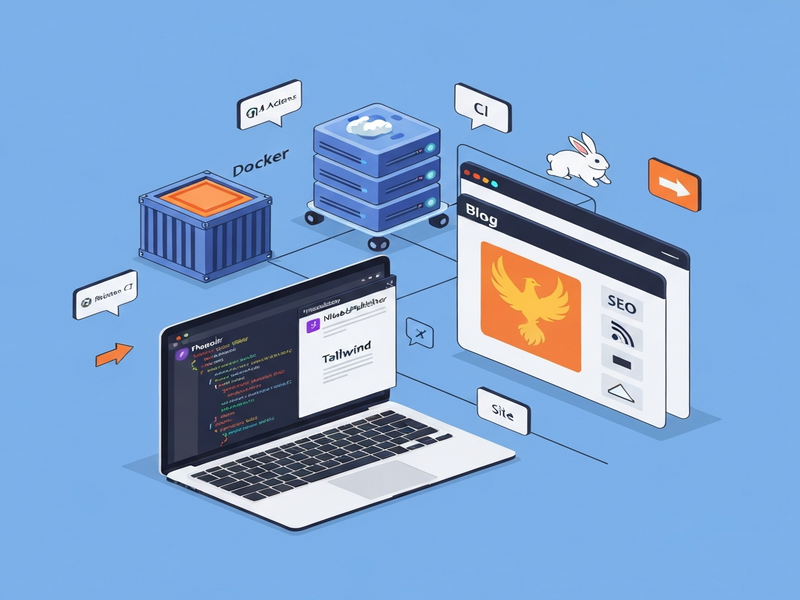
The Generated Illustration
The guide includes a custom illustration that visualises the data flow from Markdown source to rendered HTML. Below is the image generated by UBOS’s AI image service.
Extending the Stack with UBOS AI Services
While the core stack is already production‑ready, UBOS adds a layer of AI‑driven automation that can accelerate development and marketing.
Rapid Prototyping with the Web app editor on UBOS
Drag‑and‑drop components, bind them to your Phoenix endpoints, and preview changes instantly. No need to rebuild the Docker image for UI tweaks.
Workflow automation studio
Automate post‑publish tasks such as notifying Slack, updating social media, or triggering a content‑quality scan with a visual workflow builder.
AI marketing agents
Generate SEO‑optimised meta descriptions, keyword clusters, and even AI‑written social snippets for each blog post with a single click.
UBOS templates for quick start
Kick‑start a new article using the AI SEO Analyzer template or the AI Article Copywriter template, both available in the UBOS Template Marketplace.
Other UBOS integrations that complement the Elixir‑Phoenix workflow include:
- Telegram integration on UBOS – push new post alerts to a channel.
- ChatGPT and Telegram integration – let readers ask questions and receive AI‑generated answers.
- OpenAI ChatGPT integration – embed a conversational assistant directly in the blog sidebar.
- Chroma DB integration – vector‑store your post embeddings for semantic search.
- ElevenLabs AI voice integration – generate audio versions of each article for accessibility.
Why This Matters to Software Developers
Building a blog with this stack delivers concrete advantages:
| Benefit | Impact |
|---|---|
| Zero‑runtime Markdown | Pages load in < 100 ms, improving Core Web Vitals. |
| Tailwind‑driven design | Consistent UI without a separate CSS pipeline. |
| Dockerised CI/CD | Deploys in under 30 seconds, zero manual steps. |
| Built‑in SEO | Higher organic traffic and better AI‑search visibility. |
For startups, the UBOS for startups program offers a free tier that includes the above AI services, letting you focus on content rather than infrastructure.
SMBs can benefit from the UBOS solutions for SMBs, which bundle the platform, templates, and support into a single subscription.
Enterprises looking for a scalable, secure environment can explore the Enterprise AI platform by UBOS, which adds role‑based access, audit logging, and private networking.
Get Started Today
If you’re ready to build a high‑performance blog that ranks well in both traditional search and AI‑driven assistants, follow the steps outlined above and leverage UBOS’s AI‑enhanced ecosystem.
Happy coding, and may your blog enjoy blazing speed, perfect SEO, and AI‑powered growth!
Andrii Bidochko
CTO UBOS
Andrii Bidochko is an AI entrepreneur and researcher focused on AI agents, reinforcement learning, and autonomous systems. He writes about the technologies shaping the future of machine intelligence, from frontier models and agent architectures to real-world AI applications.