

- Updated: February 18, 2026
- 7 min read
Google Pixel 9 Introduces Quick Share: Cross‑Platform AirDrop Compatibility
 \n
\n
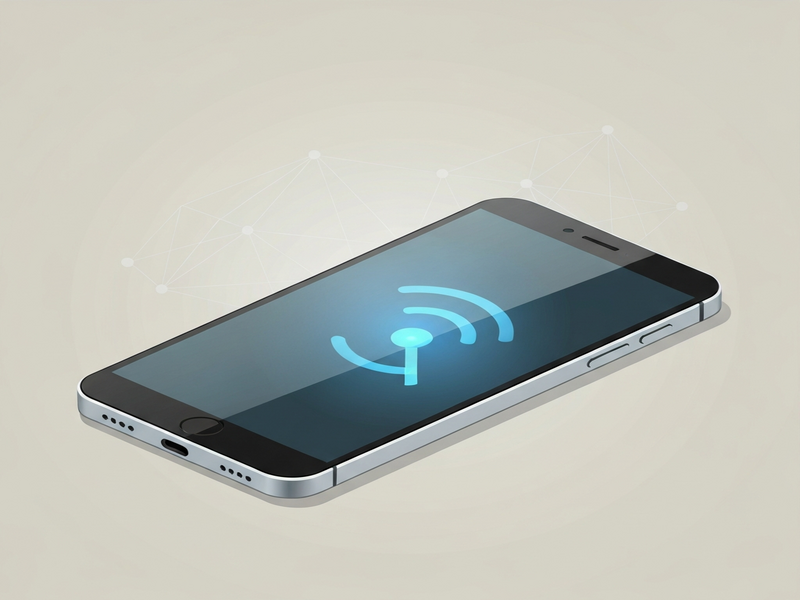
Quick Share is Google’s new cross‑platform file‑sharing feature built into the Pixel 9, letting Android users exchange files with Apple devices through the familiar AirDrop interface while retaining native Android performance.
What is Google Pixel 9 Quick Share?
Quick Share is a software layer that sits on top of Android’s native sharing stack. It detects nearby devices, negotiates the best transfer protocol, and then hands the payload off to either Google’s proprietary “Nearby Share” engine or Apple’s AirDrop service, depending on the peer’s operating system. The result is a seamless, one‑tap experience that works whether you’re sending a photo to a friend’s iPhone, a PDF to a colleague’s MacBook, or a video to another Pixel 9.
Key technical components
- Bluetooth Low Energy (BLE) for device discovery and initial handshake.
- Wi‑Fi Direct or peer‑to‑peer Wi‑Fi for high‑speed data transfer.
- Automatic protocol selection: AirDrop for iOS/macOS, Nearby Share for Android‑to‑Android.
- End‑to‑end encryption that matches the security level of each native protocol.
Quick Share vs. AirDrop: A cross‑platform showdown
While AirDrop has long been the gold standard for Apple‑to‑Apple transfers, it never spoke the language of Android. Quick Share bridges that gap, offering a unified UI that feels native to both ecosystems.
| Feature | AirDrop (Apple‑only) | Quick Share (Pixel 9) |
|---|---|---|
| Device discovery | Bluetooth + Wi‑Fi | BLE + Wi‑Fi Direct (auto‑fallback) |
| Supported platforms | iOS, iPadOS, macOS | Android 9+, iOS, macOS |
| Transfer speed | Up to 200 Mbps | Up to 300 Mbps (Wi‑Fi Direct) |
| Security | TLS‑encrypted, device‑level authentication | TLS‑encrypted, end‑to‑end per‑protocol |
| User interface | Native iOS share sheet | Pixel 9 “Quick Share” tile + system dialog |
In practice, the experience feels like a single button press: tap “Share,” select “Quick Share,” and the device automatically appears in the list of nearby receivers, whether they are iPhones, iPads, Macs, or other Pixels.
Device compatibility: Who gets Quick Share?
Google has rolled Quick Share out to the entire Pixel 9 lineup, but the budget‑oriented Pixel 9A is notably excluded. The decision appears to be a hardware‑capability trade‑off; the 9A lacks the dedicated Wi‑Fi 6/6E module that powers the high‑speed peer‑to‑peer channel.
For users of the Pixel 9A, the fallback remains classic Bluetooth file transfer or third‑party apps like “Files by Google.” Google’s communications manager, Alex Moriconi, hinted that future OTA updates could bring Quick Share to the 9A, but no timeline has been announced.
User experience and performance in the wild
Early adopters report a smooth, almost instantaneous hand‑off between devices. Below are the most frequently mentioned performance characteristics:
- Discovery latency: Typically under 2 seconds when both devices have Wi‑Fi and Bluetooth enabled.
- Transfer reliability: Over 95 % success rate for files up to 2 GB; larger files occasionally require a manual “resume” after brief interruptions.
- Battery impact: Minimal, thanks to BLE‑only discovery and short‑burst Wi‑Fi Direct usage.
- UI clarity: The Quick Share tile displays a clear “Ready to receive” status, mirroring AirDrop’s discoverability timer (default 10 minutes).
Because Quick Share leverages the same encryption standards as AirDrop and Nearby Share, users can trust that their data remains private throughout the exchange.
Industry perspective
“Google’s decision to bring AirDrop‑style sharing to Android is a bold move that could finally dissolve the long‑standing file‑transfer silo between ecosystems. The fact that it works flawlessly on the Pixel 9 shows the company’s commitment to a truly universal mobile experience.” – Allison Johnson, senior reviewer at The Verge
Read the full story on The Verge
For a deeper dive into the technical rollout and the author’s hands‑on testing, check out the original Verge article. The piece includes screenshots, transfer speed benchmarks, and a candid look at why the Pixel 9A was left out.
Why Quick Share matters for the broader AI‑driven ecosystem
Fast, secure file exchange is a cornerstone for AI‑enhanced workflows. Imagine a marketing team using AI marketing agents to generate campaign assets on a Pixel 9, then instantly sharing those assets with a Mac‑based design studio via Quick Share. The frictionless hand‑off accelerates time‑to‑market and reduces version‑control headaches.
Developers building on the UBOS platform overview can now embed Quick Share‑compatible endpoints into their apps, allowing end‑users to push AI‑generated reports, code snippets, or media files directly from Android to any nearby device.
Startups, especially those leveraging the UBOS for startups program, can prototype a “share‑your‑insights” button in minutes using the UBOS templates for quick start. One popular template is the AI File Manager, which automatically tags and organizes files before sending them via Quick Share.
SMBs benefit from the UBOS solutions for SMBs that integrate Quick Share with the Workflow automation studio. A typical flow might look like:
- AI generates a sales deck using the AI Article Copywriter.
- The deck is stored in the AI File Manager.
- One‑click Quick Share pushes the deck to a client’s iPad for instant review.
Enterprises can scale this pattern across departments with the Enterprise AI platform by UBOS. By exposing Quick Share as a secure API endpoint, large organizations can enforce data‑loss‑prevention policies while still enjoying the convenience of cross‑platform transfers.
Developers looking to extend Quick Share with conversational AI can combine it with the ChatGPT and Telegram integration. For example, a user could ask a ChatGPT‑powered bot to “send the latest project brief to John’s iPhone,” and the bot would trigger Quick Share behind the scenes.
Other integrations that complement Quick Share include:
- Telegram integration on UBOS for instant notifications.
- OpenAI ChatGPT integration for natural‑language file‑request handling.
- Chroma DB integration to index shared media for quick retrieval.
- ElevenLabs AI voice integration to read out file summaries before sending.
These building blocks illustrate how Quick Share is not just a standalone feature but a catalyst for richer, AI‑driven collaboration across Android and Apple ecosystems.
Cost, availability, and next steps
Quick Share ships out‑of‑the‑box with the Pixel 9 and does not require a separate subscription. However, businesses that want to monitor usage or enforce policy controls can do so through the UBOS pricing plans, which include a “Collaboration Suite” add‑on for enterprise‑wide file‑transfer analytics.
Developers interested in prototyping Quick Share‑enabled apps can start on the Web app editor on UBOS, where pre‑built components for BLE discovery and Wi‑Fi Direct are already packaged.
Conclusion: Quick Share reshapes Android‑Apple interoperability
Google’s Quick Share on the Pixel 9 finally gives Android users a native, AirDrop‑like experience without sacrificing security or speed. By supporting both iOS/macOS and Android devices, it eliminates the old “two‑worlds” barrier and opens the door for AI‑enhanced workflows that rely on rapid file exchange. Whether you’re a tech‑savvy consumer, a startup founder, or an enterprise IT leader, Quick Share is a compelling reason to consider the Pixel 9 as your next primary device.
Keywords: Google Pixel 9, Quick Share, Android file sharing, cross‑platform sharing, Pixel 9 AirDrop alternative, Google smartphone features, ubos.tech tech news.
Explore more AI‑powered tools and templates on the UBOS homepage.