

- Updated: January 26, 2026
- 6 min read
Google Clock Updates Alarm Dismissal: Slide‑to‑Dismiss UI with Optional Swipe Gesture in Android 14
Google Clock’s latest Android update replaces the old swipe‑up alarm dismissal with a new “slide‑to‑dismiss” UI that includes a built‑in revert button, making accidental alarm dismissals significantly harder.
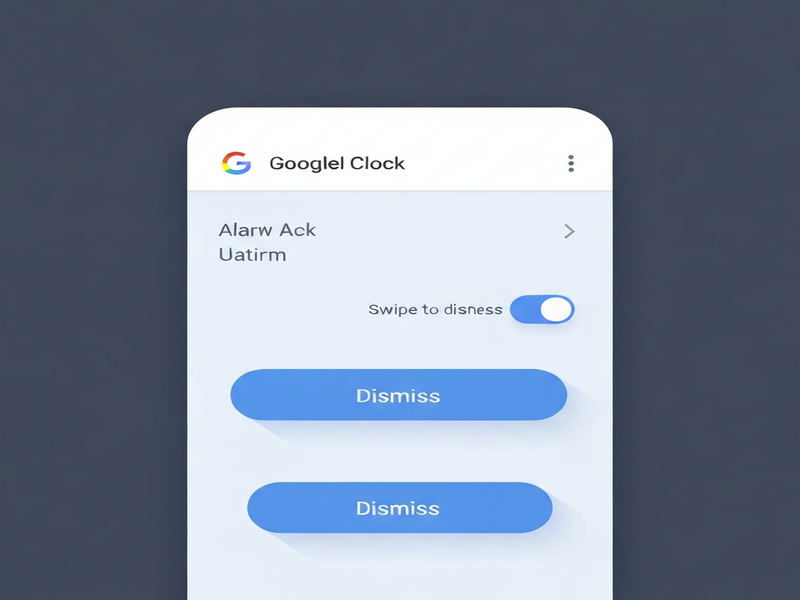
Google Clock alarm dismissal redesign rolls out with Android 14
Google has quietly pushed a UI overhaul to its Clock app, targeting one of the most common user frustrations: accidentally swiping away an alarm. The change arrives as part of the broader Android 14 rollout and affects devices running the Google Clock app on the Play Store.
What’s new in the Google Clock alarm dismissal UI?
New swipe‑gesture design
The classic “swipe up” to silence an alarm has been replaced by a slide‑to‑dismiss bar that stretches across the bottom of the screen. Users must now drag a larger, clearly marked handle from left to right, which reduces the chance of a quick, accidental flick. The bar is colored in a high‑contrast hue that matches the active alarm tone, reinforcing the action visually.
Revert option for accidental dismissals
Recognising that no UI can be 100 % fool‑proof, Google added a revert button that appears for three seconds after an alarm is dismissed. Tapping “Undo” restores the alarm and resumes the original sound, giving users a safety net for those rare mis‑swipes.
- Slide‑to‑dismiss bar occupies 80 % of the screen width.
- Revert button is a small, circular icon with a counter‑clockwise arrow.
- The UI respects dark mode and adapts automatically.
Why the change matters for Android users
For tech‑savvy Android enthusiasts, the alarm is a daily touchpoint with the OS. A missed alarm can cascade into lost meetings, missed flights, and productivity hits. The new design addresses three core pain points:
- Reduced accidental dismissals: The larger gesture area and visual cue make it harder to dismiss an alarm unintentionally.
- Immediate recovery: The revert button offers a quick “undo” without digging into the app’s settings.
- Consistency across devices: The UI follows the same interaction pattern used in Google Calendar reminders and Gmail snoozes, creating a unified Android experience.
These improvements also align with Google’s broader push for accessibility and user‑centred design in Android 14, where gestures are being refined to accommodate both left‑handed and right‑handed users.
How the update fits into the broader Android ecosystem
Consistency with other Google apps
Google has been standardising the slide‑to‑confirm pattern across its suite. The same gesture now appears in Google Maps for “arrive” confirmations and in Google Photos for “delete” actions. By extending this pattern to the Clock app, Google reduces cognitive load, letting users rely on muscle memory rather than learning a new interaction.
Potential for developers
Developers building custom alarm or reminder solutions can take cues from this update. The UBOS platform overview showcases a low‑code environment where similar slide‑to‑dismiss components can be assembled without writing extensive Java/Kotlin code. Moreover, the Workflow automation studio lets you trigger follow‑up actions—like sending a notification if an alarm is dismissed—mirroring Google’s revert logic.
For enterprises seeking to embed alarm‑style reminders into internal tools, the Enterprise AI platform by UBOS offers pre‑built connectors to Android’s AlarmManager API, enabling seamless integration with the new UI guidelines.
Expert perspective
“The new slide‑to‑dismiss UI is a thoughtful response to a long‑standing annoyance. By adding a brief undo window, Google acknowledges real‑world usage where users often fumble in the dark,” the original Android Police report noted.
— Android Police
Related UBOS resources for power users
If you’re looking to extend the functionality of your Android workflow, UBOS offers a suite of tools that complement the new Clock features. For instance, the AI SEO Analyzer can help you optimise the metadata of any alarm‑related app you publish, ensuring it ranks well in the Play Store.
Content creators who rely on precise timing can benefit from the AI Article Copywriter, which drafts release notes and update logs in seconds—perfect for communicating changes like the new alarm UI to your user base.
For teams that need to generate quick visual assets, the AI Image Generator can produce custom icons that match Google’s new design language, keeping your brand consistent across Android and iOS.
Marketers can leverage the AI Email Marketing tool to send targeted announcements about the alarm update, while the AI LinkedIn Post Optimization ensures your professional network sees the most engaging version of your message.
Developers interested in voice‑enabled reminders can explore the ElevenLabs AI voice integration, which adds natural‑sounding speech prompts to alarm notifications, turning a simple wake‑up call into a personalized experience.
Startups looking to prototype a custom alarm app can jump‑start their project with the UBOS templates for quick start. The “Talk with Claude AI app” template, for example, demonstrates how to embed conversational AI into a reminder flow, a feature that could complement Google’s new UI.
For SMBs that need a cost‑effective solution, the UBOS solutions for SMBs include a bundled package of the Web app editor, workflow automation, and AI integrations—all of which can be leveraged to build a proprietary alarm management system.
Finally, if you’re curious about how UBOS partners are using these capabilities, check out the UBOS partner program, which showcases case studies of companies that have integrated custom alarm and notification workflows into their products.
Conclusion
The Google Clock alarm dismissal update is a subtle yet powerful refinement that directly addresses a daily pain point for Android users. By introducing a more deliberate slide‑to‑dismiss gesture and a short‑lived revert button, Google reduces missed alarms while keeping the experience fluid and familiar. The change also signals a broader design philosophy that other apps—and developers building on Android—are likely to emulate.
Whether you’re a power user, a developer, or a business looking to build smarter reminder systems, the new UI offers a template for balancing simplicity with safety. Pair it with UBOS’s low‑code tools, AI integrations, and ready‑made templates, and you can turn a simple alarm into a fully‑featured, voice‑enabled, analytics‑driven workflow.
Stay ahead of the curve: keep your Android device updated, explore UBOS’s AI‑driven solutions, and make every alarm count.
Andrii Bidochko
CTO UBOS
Andrii Bidochko is an AI entrepreneur and researcher focused on AI agents, reinforcement learning, and autonomous systems. He writes about the technologies shaping the future of machine intelligence, from frontier models and agent architectures to real-world AI applications.