

- Updated: February 15, 2026
- 7 min read
Google AI Launches WebMCP: Structured Web Interaction for AI Agents in Chrome
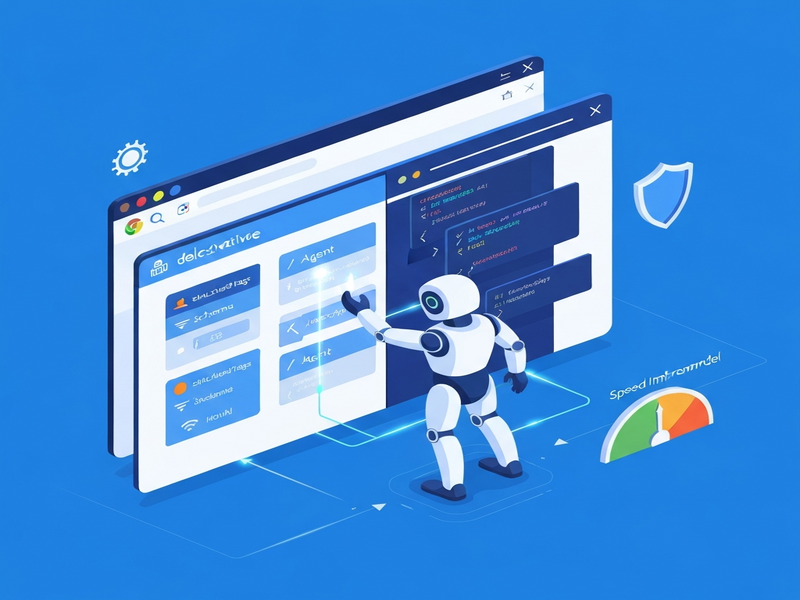
WebMCP (Web Model Context Protocol) is Google’s new standard that lets AI agents communicate directly with websites through structured tool definitions, delivering faster, more reliable, and secure interactions than traditional screen‑scraping methods.
What is WebMCP and Why It Matters
Google announced the Web Model Context Protocol (WebMCP) in an original MarkTechPost article that positions Chrome as a sandbox for AI agents. Instead of feeding screenshots into vision models, WebMCP lets a site expose its capabilities—forms, buttons, data‑feeds—as machine‑readable tools. This shift eliminates guesswork, reduces latency, and opens a new frontier for AI agents that can act on the web with confidence.
WebMCP Overview
WebMCP is a browser‑level protocol that lives inside Chrome’s navigator.modelContext object. It provides four core methods—registerTool(), unregisterTool(), provideContext(), and clearContext()—that enable a site to publish a catalog of “tools” an AI can invoke. The protocol is permission‑first: Chrome mediates every call, prompting the user before any privileged action.
- Declarative HTML: Add
toolnameandtooldescriptionattributes to standard form elements. - Imperative JavaScript: Use
navigator.modelContext.registerTool()for complex, multi‑step workflows. - Contextual Metadata: Supply user preferences, locale, or session data via
provideContext(). - Privacy Controls: Call
clearContext()to wipe any shared state after a transaction.
Two Integration Paths: Declarative HTML & Imperative JavaScript
1️⃣ Declarative HTML (the “no‑code” route)
For static sites or simple SaaS products, developers can expose functionality by adding two custom attributes to existing HTML tags. Example:
<form toolname="BookFlight" tooldescription="Reserve a flight with date, origin, and destination">
  <input name="origin" placeholder="From">
  <input name="destination" placeholder="To">
  <input type="date" name="date">
  <button type="submit">Search</button>
</form>
Chrome reads these attributes, builds a JSON schema, and presents the tool to any attached AI agent. When the agent fills the form, a custom SubmitEvent.agentInvoked fires, allowing the backend to differentiate human vs. machine submissions.
2️⃣ Imperative JavaScript (full control)
Dynamic applications—single‑page apps, e‑commerce carts, or multi‑step wizards—benefit from the JavaScript API. A typical registration looks like:
navigator.modelContext.registerTool({
  name: "AddToCart",
  description: "Add a product to the shopping cart",
  inputSchema: {
    type: "object",
    properties: {
      productId: {type: "string"},
      quantity: {type: "integer", minimum: 1}
    },
    required: ["productId", "quantity"]
  },
  handler: async (args) => {
    // Business logic runs in the same session
    return await cartService.add(args.productId, args.quantity);
  }
});
The AI agent calls AddToCart with a JSON payload, and the registered handler executes instantly, preserving authentication cookies and CSP headers.
Both paths are MECE—they cover all realistic integration scenarios without overlap, giving developers the freedom to choose the simplest method that meets their product’s complexity.
Early Preview Program (EPP): Getting Involved Early
Google is rolling out WebMCP through an Early Preview Program (EPP) tied to Chrome 146. Participants receive:
- Early access to the
navigator.modelContextAPI. - Telemetry dashboards that show how LLMs interpret your tool definitions.
- Direct feedback channels with the Chrome WebMCP engineering team.
- Priority bug‑fixes and a roadmap preview for upcoming schema extensions.
The program is deliberately limited to 200 organizations to collect high‑quality data on tool‑description clarity, hallucination rates, and latency patterns. Early adopters can fine‑tune their schemas before the protocol becomes GA, ensuring a smoother transition for production workloads.
Performance Gains: From Screenshots to Structured Calls
Switching from vision‑based screen scraping to WebMCP yields measurable improvements across three dimensions:
| Metric | Screen‑Scraping | WebMCP |
|---|---|---|
| Average Latency | ≈ 1.8 s per interaction | ≈ 0.5 s (≈ 72 % reduction) |
| Error Rate | 5‑12 % (mis‑clicks, layout shifts) | <1 % (schema‑driven validation) |
| Compute Cost | High (image encoding + vision inference) | Low (JSON payloads only) |
Because the payload is pure text, bandwidth consumption drops dramatically, and LLMs no longer need to run expensive vision models for every click. The result is a smoother user experience and a greener AI footprint.
Security‑First Design
WebMCP adopts a “permission‑first” model that mirrors Chrome’s existing security dialogs. Key safeguards include:
- Explicit User Consent: Before an AI agent can invoke a tool that performs a privileged action (e.g., payment, data export), Chrome displays a modal asking “Allow AI to action?”
- Same‑Origin Enforcement: Tools are only visible to agents running on the same origin, preventing cross‑site tool leakage.
- Session Isolation: The protocol runs inside the browser’s sandbox, inheriting CSP, SameSite cookies, and Referrer‑Policy rules.
- Revocation API: Developers can call
unregisterTool()at any time, instantly removing a tool from the AI’s catalog. - Audit Trail: Every tool invocation is logged in the browser’s devtools console, enabling compliance teams to trace AI‑initiated actions.
These measures address the biggest criticism of early AI‑browser experiments—uncontrolled automation that could lead to fraud or data leakage.
How WebMCP Reshapes AI Agents and Chrome
For AI developers, WebMCP is a game‑changer. Agents no longer need to infer UI layouts; they can call high‑level functions directly. This enables:
- Deterministic Workflows: Agents can guarantee that “Book a flight” will always hit the correct endpoint, regardless of UI redesigns.
- Composable Toolchains: Multiple tools can be chained (e.g., Search → AddToCart → Checkout) within a single LLM prompt, reducing token usage.
- Better Observability: Each tool call returns a structured response, making it trivial to log, monitor, and debug agent behavior.
- Cross‑Platform Consistency: Because the protocol lives in Chrome, the same agent code works on desktop, Android, and ChromeOS without modification.
Chrome itself benefits from a richer ecosystem of “agent‑ready” sites, positioning the browser as the default execution environment for next‑generation AI assistants.
Developers looking to prototype AI‑driven experiences can leverage the Chrome updates page to stay current on the latest WebMCP‑compatible releases.
Building WebMCP‑Powered Apps with UBOS
UBOS provides a low‑code platform that already supports the declarative and imperative patterns required by WebMCP. Below are a few ways you can accelerate development:
Rapid Prototyping with Templates
Start from a ready‑made UBOS templates for quick start such as the AI SEO Analyzer or the AI Chatbot template. These templates expose their core functions via HTML attributes, making them instantly WebMCP‑compatible.
No‑Code Integration via the Web App Editor
The Web app editor on UBOS lets you drag‑and‑drop form components and automatically inject toolname and tooldescription attributes. No JavaScript required.
Complex Workflows with the Automation Studio
When you need multi‑step processes (e.g., “Generate a report → Convert to PDF → Email”), the Workflow automation studio generates the imperative JavaScript registration code for you, handling authentication, error handling, and context propagation.
Enterprise‑Grade Deployments
Large organizations can combine WebMCP with the Enterprise AI platform by UBOS to orchestrate thousands of agent‑driven transactions while respecting corporate security policies.
Whether you are a startup looking for a fast go‑to‑market or an SMB seeking to automate routine web tasks, UBOS offers a seamless bridge to the new WebMCP ecosystem.
Explore More on UBOS
To see how AI agents can be powered end‑to‑end, visit the AI agents hub, read the WebMCP overview, and check out the latest Chrome updates that enable these capabilities.
Other useful resources include:
- UBOS homepage – your entry point to the platform.
- About UBOS – learn about the team behind the technology.
- AI marketing agents – automate campaign creation with structured web calls.
- UBOS partner program – collaborate and co‑sell AI‑enabled solutions.
- UBOS platform overview – deep dive into the architecture.
- UBOS pricing plans – flexible tiers for every business size.
- UBOS portfolio examples – real‑world case studies.
Conclusion: A New Era for Web‑Based AI Interaction
WebMCP transforms the web from a visual canvas into a programmable interface for AI agents. By offering declarative HTML and imperative JavaScript integration paths, a robust security model, and measurable performance gains, Google is laying the groundwork for a future where AI assistants can complete complex tasks—booking travel, filing forms, or managing e‑commerce carts—without ever “seeing” the page.
Early adopters in the Early Preview Program will shape the final specification, ensuring that the protocol meets real‑world needs. For developers, the combination of WebMCP and UBOS’s low‑code ecosystem provides a fast, secure, and scalable way to bring AI‑driven web automation to market.
Ready to future‑proof your web product? Explore UBOS pricing plans today and start building with WebMCP.