

- Updated: February 19, 2026
- 5 min read
Google Adds Built‑In Camera and Manual Controls to Snapseed iOS App
Google has added a built‑in camera with manual controls and retro film filters to the Snapseed iOS app, letting users shoot and edit photos in a single workflow.
Google adds built‑in camera, manual controls, and retro film filters to Snapseed iOS
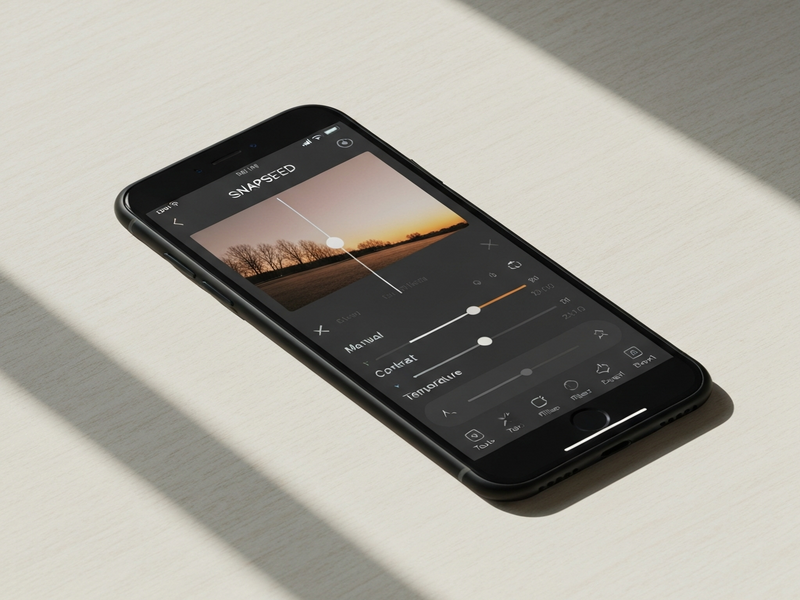
Snapseed iOS gets a powerful camera upgrade
In a move that blurs the line between shooting and editing, Google has rolled out a major update to its beloved Snapseed app for iOS. The new Snapseed camera is embedded directly in the app, offering photographers a suite of manual controls—ISO, shutter speed, focus, flash, and zoom—alongside a collection of retro film‑style filters inspired by classic Kodak and Fujifilm emulsions. The update arrives as part of version 3.2, making Snapseed a one‑stop solution for creators who want to capture, tweak, and share images without switching apps.
New camera feature and manual controls
The camera interface lives in the top‑right corner of Snapseed’s main screen, accessible with a single tap. While it defaults to an intelligent automatic mode that optimizes exposure and focus, power users can dive into a full manual suite:
- ISO Slider: Adjust sensor sensitivity from 100 to 3200, giving you control over grain and low‑light performance.
- Shutter Speed Dial: Set exposure times from 1/8000 s to 30 s for crisp action shots or dreamy long exposures.
- Focus Peaking: Fine‑tune focus manually with on‑screen peaking highlights, perfect for macro work.
- Flash Options: Choose between auto, on, off, or a slow‑sync mode for creative lighting.
- Digital Zoom: Smooth 5× zoom with real‑time preview, preserving detail for framing.
A standout capability is the ability to shoot directly into a saved “look” or edit stack. Users can pre‑select a filter or adjustment preset, capture the photo, and have those edits automatically applied—saving precious time during shoots.
Retro film filters and creative options
Google’s nostalgia‑driven filter library brings classic analog aesthetics to mobile photography. Each filter emulates the color science of iconic film stocks:
- Kodak Portra 400: Warm skin tones with subtle grain.
- Fujifilm Velvia 50: Vivid greens and saturated blues for landscape lovers.
- Ilford HP5 Black & White: Rich contrast and timeless monochrome.
- Polaroid Originals: Instant‑film vibe with soft vignettes.
Users can also switch between four UI color themes—Classic, Dark, Neon, and Pastel—allowing the interface to match the mood of the shoot.
Release information and availability
The camera feature, first hinted at in a silent December 2025 rollout, is now fully integrated in the public release of Snapseed 3.2 on the App Store. The update is free for all existing users and supports iOS 15 and later. Android users can expect a similar rollout later this year, according to Google’s development roadmap.
What Google and the tech press say
“We wanted to give creators the freedom to capture and edit in one fluid experience,” a Google spokesperson told the original Verge article. “The new manual controls and film filters reflect the feedback we’ve heard from the Snapseed community over the past few years.”
How Snapseed stacks up against the competition
While Lightroom Mobile and VSCO have long offered powerful editing suites, Snapseed’s new camera integration is a first for a pure‑editing app. Here’s a quick MECE‑style comparison:
| Feature | Snapseed (iOS) | Adobe Lightroom Mobile | VSCO |
|---|---|---|---|
| Built‑in camera | Yes – manual ISO, shutter, focus | No – separate camera app | No – separate camera app |
| Retro film filters | 4+ authentic film emulations | Limited presets | Basic film looks |
| Non‑destructive editing | Stack‑based, fully reversible | Yes, with history | Yes, limited |
| Price | Free | Free with optional subscription | Free with optional subscription |
For creators who value a seamless capture‑to‑edit pipeline without a subscription, Snapseed now offers a compelling alternative.
Why this matters for AI‑enhanced workflows
The integration of a camera directly into Snapseed opens doors for AI‑driven automation. Imagine pairing Snapseed’s edit stacks with UBOS’s Workflow automation studio to trigger batch processing, or using the AI marketing agents to auto‑generate social‑media captions based on the captured scene. Startups can prototype photo‑centric products faster with the UBOS for startups program, while SMBs benefit from the UBOS solutions for SMBs that embed Snapseed‑style editing into internal tools. Enterprises looking for a scalable AI platform can explore the Enterprise AI platform by UBOS, which can ingest Snapseed‑generated metadata for advanced analytics.
Developers can also leverage the Web app editor on UBOS to build custom galleries that showcase Snapseed‑edited images, while the UBOS templates for quick start provide pre‑built UI components for photo‑review dashboards. For those interested in AI‑enhanced image generation, the AI Image Generator template can create complementary graphics that match the retro aesthetic of Snapseed’s film filters.
Content creators can further enrich their workflow with tools like the AI SEO Analyzer to optimize image metadata for search, or the AI YouTube Comment Analysis tool to gauge audience reaction to visual content. The AI Article Copywriter can draft blog posts—like this one—directly from Snapseed‑captured inspiration.
Try Snapseed’s new camera today
Ready to experience the seamless shoot‑and‑edit workflow? Download the latest Snapseed update from the App Store, explore the manual controls, and experiment with the retro film filters. Share your creations on social media and tag UBOS homepage for a chance to be featured in our community showcase.
Pro tip:
Save your favorite filter stack as a “Look” and enable the “Apply on Capture” toggle. This way, every photo you take is instantly stylized, giving you a consistent visual brand without extra steps.
Attribution
The details of this update were originally reported by the Verge. All images are © UBOS.