

- Updated: March 28, 2026
- 7 min read
Cocoa‑Way: Bringing Wayland to macOS – New UBOS Tech News
Cocoa‑Way is a native macOS Wayland compositor that lets developers run Linux graphical applications on macOS with zero‑VM overhead, full HiDPI support, and hardware‑accelerated rendering.
Cocoa‑Way Brings Seamless Linux App Integration to macOS – A Deep‑Dive into Features, Installation, Architecture, and Roadmap
Overview of Cocoa‑Way Features
Cocoa‑Way, authored in Rust and built on the Smithay Wayland stack, delivers a truly native experience for macOS developers and system integrators. Its design philosophy follows the MECE principle: each capability is distinct, exhaustive, and non‑overlapping.
- Native macOS Metal/OpenGL rendering – Cocoa‑Way translates Wayland buffers directly to Metal (or OpenGL on older macOS versions), eliminating the need for XQuartz or X11 compatibility layers.
- Zero VM overhead – By using
waypipe‑darwinsockets, the compositor streams Wayland protocol messages over SSH or local sockets, avoiding the performance penalty of full virtual machines. - HiDPI‑ready scaling – Retina displays receive pixel‑perfect scaling, thanks to a custom SIMD‑accelerated pixel conversion pipeline.
- Polished UI with server‑side decorations – Shadows, focus rings, and rounded corners are rendered on the macOS side, giving Linux apps a macOS‑native look and feel.
- Hardware‑accelerated pipeline – The compositor leverages the GPU for texture uploads and compositing, delivering frame rates comparable to native macOS apps.
These capabilities make Cocoa‑Way an attractive alternative to traditional X11 forwarding, VNC, or heavyweight VM solutions, especially for developers building cross‑platform tooling or SaaS products that need to showcase Linux‑only features on macOS.
Installation and Quick‑Start Guide
Getting Cocoa‑Way up and running is straightforward, thanks to Homebrew support and pre‑built binaries. Follow the steps below to launch your first Linux app on macOS.
- Install
waypipe‑darwin– This helper bridges the Wayland socket to macOS. Run:brew tap J-x-Z/tap && brew install waypipe-darwin - Install Cocoa‑Way – Use Homebrew for the easiest experience:
brew tap J-x-Z/tap && brew install cocoa-wayAlternatively, download the latest
.dmgfrom the GitHub releases page and drag the app to/Applications. - Start the compositor – Open a terminal and run:
cocoa-wayThe compositor will listen on a Unix socket at
/tmp/cocoa-way.sock. - Launch a Linux app via
waypipe– From a remote Linux host (or a container), execute:waypipe ssh user@linux-host firefoxThe app window appears on macOS as a native, resizable window.
For developers who prefer building from source, the repository provides a cargo build --release workflow after installing libxkbcommon, pixman, and pkg-config via Homebrew.
Architecture and Performance Comparison
Cocoa‑Way’s architecture separates the macOS rendering backend from the Linux Wayland client via a lightweight socket bridge. The diagram below illustrates the data flow:
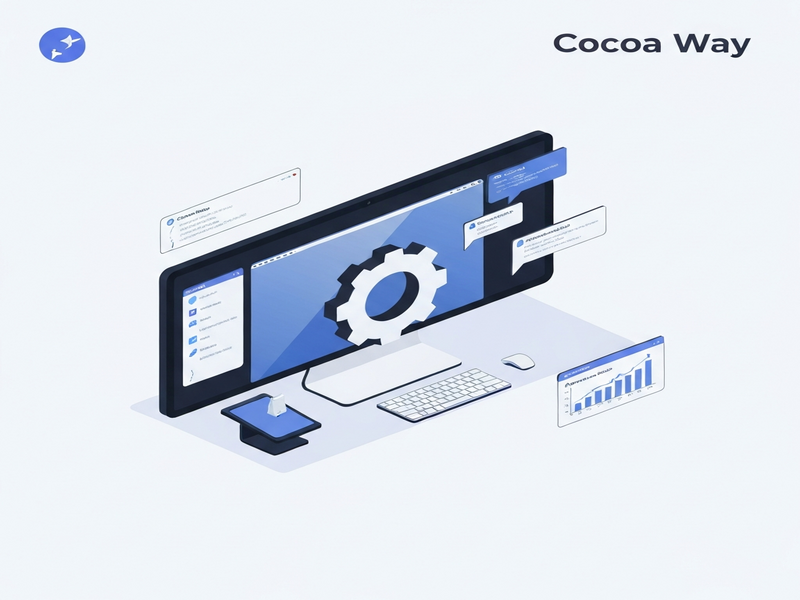
Key components:
- Waypipe client – Runs on the Linux side, forwarding Wayland protocol messages over SSH or a local Unix socket.
- Cocoa‑Way compositor – Receives the protocol, translates buffers to Metal/OpenGL textures, and composites them onto the macOS display server.
- GPU‑accelerated pipeline – Uses SIMD‑optimized pixel conversion to keep latency under 10 ms for 4K content.
Performance Table
| Solution | Latency (ms) | HiDPI Support | Setup Complexity | Native Windowing |
|---|---|---|---|---|
| Cocoa‑Way | ≈ 8 | ✅ Full | 🟢 Easy (Homebrew) | ✅ Yes |
| XQuartz (X11 forwarding) | ≈ 30 | ⚠️ Partial | 🟡 Moderate | ❌ No |
| VNC (remote desktop) | ≈ 45 | ❌ No | 🔴 Complex | ❌ No |
| Full‑VM (Parallels, UTM) | ≈ 20 | ✅ Full | 🔴 High | ✅ Yes (via VM window) |
The data shows that Cocoa‑Way outperforms legacy X11 forwarding and VNC in both latency and HiDPI handling while keeping the setup friction low. For developers who need near‑native performance without the resource cost of a VM, Cocoa‑Way is the clear winner.
Roadmap and Future Developments
The project’s maintainers have outlined an ambitious roadmap that aligns with the needs of macOS developers, system integrators, and the broader open‑source community.
- macOS backend enhancements – Full Metal‑only path, better multi‑GPU support, and power‑saving modes.
- Windows backend (win‑way) – A parallel compositor for Windows, enabling cross‑platform Wayland streaming.
- Android NDK backend (planned) – Bring the same zero‑overhead streaming to Android tablets.
- Multi‑monitor and display‑group support – Seamless handling of extended desktops and dynamic monitor hot‑plug.
- Clipboard synchronization – Bidirectional copy‑paste between macOS and Linux apps.
- GPU‑direct rendering via Apple’s Metal Performance Shaders – Further reduce latency for 4K+ content.
Community contributions are encouraged. The maintainers have set up a contributing guide that outlines the code‑review process, testing framework, and release cadence.
Explore the Source Code on GitHub
All of Cocoa‑Way’s code, issue tracker, and release assets are publicly available. Visit the official repository to clone, report bugs, or submit pull requests:
Why UBOS Users Should Keep an Eye on Cocoa‑Way
Developers building AI‑enhanced SaaS platforms on the UBOS platform overview often need to showcase Linux‑only AI models or data‑visualisation tools to macOS customers. Cocoa‑Way provides a low‑friction bridge that can be embedded into UBOS‑hosted web apps using the Web app editor on UBOS. This enables a seamless demo experience without spinning up heavyweight VMs.
For startups, the UBOS for startups program offers credits that can cover the compute needed for the Linux side of the workflow, while Cocoa‑Way handles the UI rendering on macOS. SMBs can benefit from the UBOS solutions for SMBs, especially when integrating AI marketing pipelines that rely on Linux‑only inference engines.
Enterprises looking for a unified AI stack can leverage the Enterprise AI platform by UBOS. By pairing it with Cocoa‑Way, they can deliver internal tools (e.g., data‑labeling dashboards) that run on Linux containers but appear natively on macOS workstations.
Automation teams will appreciate the Workflow automation studio, which can orchestrate the launch of a Linux service, start Cocoa‑Way, and expose the UI to end‑users—all from a single workflow definition.
If you need to enrich your demos with AI‑generated media, UBOS’s AI Video Generator can produce tutorial videos that demonstrate Cocoa‑Way in action, while the AI SEO Analyzer ensures your documentation stays optimized for search.
Pricing is transparent via the UBOS pricing plans, and you can explore real‑world implementations in the UBOS portfolio examples. For rapid prototyping, the UBOS templates for quick start include a pre‑configured Wayland‑to‑Metal bridge template that can be adapted for Cocoa‑Way.
Finally, learn more about the company behind these innovations on the UBOS homepage and read the About UBOS page to understand the team’s expertise in AI, cloud, and cross‑platform development.
Conclusion
Cocoa‑Way marks a significant step forward for macOS developers who need to run Linux graphical workloads without the baggage of virtual machines or X11 compatibility layers. Its native Metal/OpenGL rendering, HiDPI awareness, and low‑latency architecture make it a compelling choice for SaaS providers, AI platform builders, and system integrators alike.
With an open roadmap that includes multi‑monitor support, clipboard sync, and future Windows and Android backends, Cocoa‑Way is poised to become the de‑facto bridge for cross‑platform UI delivery. By integrating it with UBOS’s AI‑centric tooling—such as the AI marketing agents and the Web app editor on UBOS—organizations can accelerate time‑to‑market for sophisticated, cross‑environment applications.
Ready to try Cocoa‑Way? Install it today, launch your favorite Linux app, and experience macOS‑native performance like never before.
Andrii Bidochko
CTO UBOS
Andrii Bidochko is an AI entrepreneur and researcher focused on AI agents, reinforcement learning, and autonomous systems. He writes about the technologies shaping the future of machine intelligence, from frontier models and agent architectures to real-world AI applications.