

- Updated: March 30, 2026
- 7 min read
Automating Excalidraw Frame Export: From GitHub Actions to Live VS Code Extension
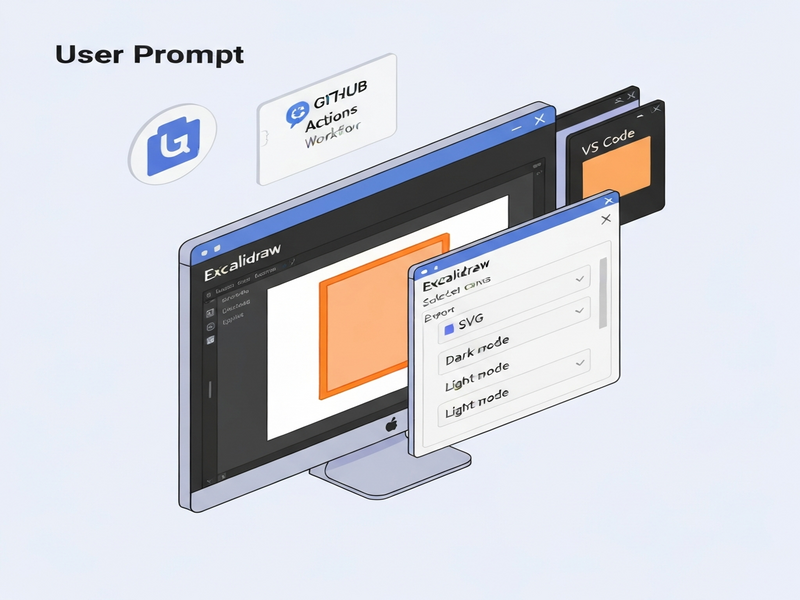
Automating Excalidraw frame export is possible with a lightweight GitHub Action combined with a VS Code extension that instantly generates light‑ and dark‑mode SVGs for every named frame.
Why Excalidraw Automation Matters for Modern Developers
Excalidraw has become the go‑to sketching tool for developers, technical writers, and content marketers who need quick, editable diagrams. However, the manual export workflow—selecting a frame, toggling light/dark mode, naming the file, and clicking “Export” repeatedly—creates friction that slows down blog writing, documentation, and design hand‑offs.
By integrating automation directly into your version‑control pipeline and editor, you can eliminate the nine‑click ritual, keep graphics in sync with text, and maintain a single source of truth for both light and dark themes.
The Core Problem: Repetitive Manual Exports
When a developer updates a diagram, the following steps are typically required:
- Select the frame that contains the relevant elements.
- Click “Export”.
- Rename the file with a
lightordarksuffix. - Switch the UI theme.
- Repeat the export for the opposite theme.
- Verify that the exported SVG fits within the markdown or HTML layout.
- Commit the new SVG files.
- Push the changes and wait for CI to finish.
Even a seasoned user spends roughly 45 seconds per frame, and the cumulative time adds up quickly across a series of blog posts or documentation pages.
Solution Overview: GitHub Action + VS Code Extension
We propose a two‑pronged approach that covers both CI/CD and local development:
- GitHub Action: Detects changed
.excalidrawfiles, extracts frame names withjq, and runsexcalirenderto produce-light.svgand-dark.svgfiles automatically. - VS Code Extension (concept): Monitors the open Excalidraw file, watches for frame edits, and triggers an instant local export, giving developers immediate visual feedback without leaving the editor.
This combination ensures that:
- SVGs are always up‑to‑date in the repository.
- Developers see the final assets locally, reducing the “push‑wait‑pull” loop.
- Both light and dark variants are generated consistently, supporting dark‑mode‑first design systems.
Technical Implementation Details
1. GitHub Action Workflow
The following workflow runs on every push to main (or on pull‑request updates). It uses a minimal Ubuntu runner, installs excalirender, and processes each changed file.
name: Export Excalidraw Frames
on:
  push:
    branches: [main]
  pull_request:
    branches: [main]
permissions:
  contents: write
jobs:
  export-frames:
    runs-on: ubuntu-latest
    steps:
      - name: Checkout repository
        uses: actions/checkout@v4
        with:
          fetch-depth: 2

      - name: Identify changed .excalidraw files
        id: changed-files
        run: |
          if [[ "${{ github.event_name }}" == "push" ]]; then
            CHANGED=$(git diff --name-only HEAD~1 HEAD | grep '\.excalidraw$' || true)
          else
            CHANGED=$(git diff --name-only origin/${{ github.base_ref }} HEAD | grep '\.excalidraw$' || true)
          fi
          echo "files=$CHANGED" >> $GITHUB_OUTPUT

      - name: Install excalirender
        if: steps.changed-files.outputs.files != ''
        run: |
          curl -fsSL https://raw.githubusercontent.com/JonRC/excalirender/main/install.sh | sh
          echo "$HOME/.local/bin" >> $GITHUB_PATH

      - name: Export frames
        if: steps.changed-files.outputs.files != ''
        run: |
          for file in ${{ steps.changed-files.outputs.files }}; do
            FRAME_NAMES=$(jq -r '.elements[] | select(.type=="frame") | .name // "frame-" + .id' "$file")
            for name in $FRAME_NAMES; do
              SAFE=$(echo "$name" | tr ' ' '_' | tr -cd '[:alnum:]_-')
              excalirender "$file" --frame "$name" -o "${file%.*}-${SAFE}-light.svg"
              excalirender "$file" --frame "$name" --dark -o "${file%.*}-${SAFE}-dark.svg"
            done
          done

      - name: Commit SVGs
        if: steps.changed-files.outputs.files != ''
        run: |
          git config --local user.email "github-actions[bot]@users.noreply.github.com"
          git config --local user.name "github-actions[bot]"
          git add **/*.svg
          if ! git diff --cached --quiet; then
            git commit -m "chore: auto‑export Excalidraw frames"
            git push
          fi
2. VS Code Extension Concept
The extension leverages the excalidraw file watcher API provided by the official Excalidraw VS Code plugin. When a file is saved, the extension:
- Parses the JSON to locate frames whose
namestarts withexport_. - Calls the local
excalirenderbinary (bundled with the extension) for both light and dark modes. - Saves the SVGs next to the source file with the naming pattern
{frameName}.light.svgand{frameName}.dark.svg. - Triggers a VS Code notification with a preview link, allowing instant verification.
Because the export happens locally, developers no longer need to push changes to see updated graphics, dramatically speeding up the write‑review‑publish cycle.
3. Naming Conventions & Best Practices
Adopt a clear naming scheme to keep the workflow deterministic:
- Prefix frames with
export_(e.g.,export_user‑flow). - Use hyphens or underscores only; avoid spaces and special characters.
- Let the automation add
-lightand-darksuffixes automatically.
Benefits & Real‑World Use Cases
Implementing this automation unlocks several tangible advantages for developers, technical writers, and content marketers.
Speed and Consistency
What used to take 45 seconds per frame now happens in under a second on the CI server or instantly on the local machine. Consistent naming eliminates human error, ensuring that every markdown reference points to a valid SVG.
Dark‑Mode‑Ready Documentation
Many modern documentation sites (e.g., Docusaurus, MkDocs) support automatic theme switching. By providing both -light.svg and -dark.svg, you guarantee that diagrams remain legible regardless of the reader’s preference.
Scalable Blog Writing Workflow
For content marketers who publish multiple posts per week, the automation reduces the “graphics bottleneck”. The UBOS templates for quick start can be combined with the exported SVGs to spin up fully‑styled blog posts in minutes.
Integration with AI‑Powered Tools
Once the SVGs are in the repository, they can be fed into AI services such as the OpenAI ChatGPT integration for automated alt‑text generation, or the Chroma DB integration for vector‑searchable documentation.
Enterprise‑Level Automation
Large teams can extend the GitHub Action to enforce naming policies, run visual regression tests on the generated SVGs, or store the assets in an Enterprise AI platform by UBOS for centralized asset management.
Getting Started Today
If you’re ready to streamline your design‑to‑code pipeline, follow these quick steps:
- Fork the excalirender repository and add it to your CI environment.
- Copy the workflow YAML above into
.github/workflows/excalidraw-export.ymlin your repo. - Install the Web app editor on UBOS to prototype markdown pages that reference the generated SVGs.
- Optionally, install the VS Code extension prototype (available in the UBOS partner program resources) to enjoy live local exports.
After the first run, you’ll see two new SVG files next to each .excalidraw file—one for light mode, one for dark mode—ready to be embedded in your documentation or blog post.
Explore More UBOS Capabilities
Automation is just one piece of the puzzle. UBOS offers a full suite of AI‑enhanced tools that can further accelerate your workflow:
- AI SEO Analyzer – instantly audit your content for ranking potential.
- AI Article Copywriter – generate first drafts or rewrite sections in seconds.
- AI Video Generator – turn your diagrams into narrated videos.
- AI Chatbot template – embed a help‑bot that can answer questions about your diagrams.
- GPT-Powered Telegram Bot – receive build notifications and SVG previews straight to Slack or Telegram.
By combining these tools with the Excalidraw automation pipeline, you create a self‑sustaining content engine that scales from solo developers to enterprise teams.
Conclusion
Automating Excalidraw frame export eliminates repetitive clicks, guarantees consistent light/dark assets, and integrates seamlessly with modern CI/CD and AI‑enhanced workflows. Whether you’re writing a technical blog, maintaining internal documentation, or building a product knowledge base, the GitHub Action + VS Code extension duo gives you instant, reliable graphics without leaving your editor.
Ready to boost your design‑to‑code velocity? Explore UBOS pricing plans and start building smarter, faster, and more visually consistent content today.
Source: Original Excalidraw frame export article
Andrii Bidochko
CTO UBOS
Andrii Bidochko is an AI entrepreneur and researcher focused on AI agents, reinforcement learning, and autonomous systems. He writes about the technologies shaping the future of machine intelligence, from frontier models and agent architectures to real-world AI applications.