

- Updated: March 30, 2026
- 5 min read
Apple’s “Hide My Email” Fails to Shield Users from Law Enforcement, Report Shows
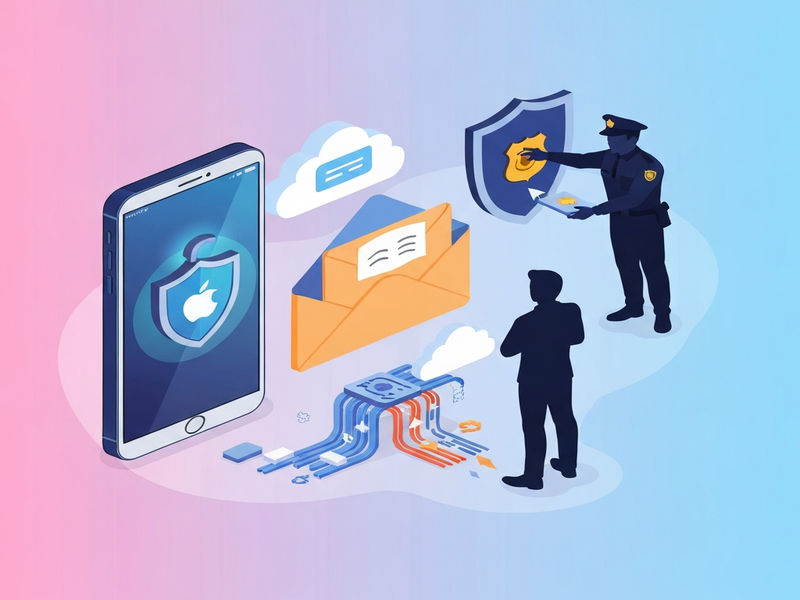
Apple’s Hide My Email feature does **not** protect users from law‑enforcement requests; Apple can reveal the real email address behind an anonymous iCloud+ alias when presented with a valid legal demand.
Apple Hide My Email under the spotlight
On March 30, 2026, TechCrunch reported that federal agents obtained the true identities of at least two Apple customers who relied on the Hide My Email feature to mask their inboxes. The revelation raises critical questions about the limits of Apple’s privacy promises and the real‑world effectiveness of email‑alias tools.
What is Apple’s Hide My Email?
Hide My Email is an iCloud+ service that lets paying users generate random, disposable email addresses. These aliases forward incoming messages to the user’s personal inbox while keeping the original address hidden from the app or website that requested it. Apple markets the feature as a privacy‑first solution, emphasizing that it does not read the content of forwarded emails.
Key characteristics
- Creates unique, random email aliases on demand.
- Aliases forward to the user’s primary iCloud email.
- Apple claims it does not inspect the forwarded content.
- Available to all iCloud+ subscribers (individual and family plans).
Law‑enforcement can still pierce the veil
Despite Apple’s assurances, the court documents reviewed by TechCrunch show that the company complied with subpoenas and search warrants, providing investigators with the underlying Apple account tied to each anonymous alias. In one case, the FBI obtained the real name and email address of a user whose Hide My Email address was linked to a threatening message aimed at Alexis Wilkins, the girlfriend of FBI Director Kash Patel.
Another warrant, issued by Homeland Security Investigations (HSI), forced Apple to disclose details about a fraud investigation involving multiple anonymized addresses created across several iCloud accounts. Apple’s response included the full name, billing address, and the primary email associated with each alias.
Why Apple can comply
Apple stores metadata—such as the Apple ID, billing information, and the mapping between an alias and the primary account—in an unencrypted format. While the content of forwarded emails may be end‑to‑end encrypted, the metadata required to route messages is not, making it accessible to legal requests.
Implications for privacy‑conscious users
For tech‑savvy consumers who rely on Hide My Email to shield their identity from marketers, the feature still offers value: it prevents spam, reduces tracking, and limits data sharing with third‑party services. However, the recent disclosures highlight a crucial limitation—**law‑enforcement can still trace the alias back to the real user**.
In practice, this means:
- Legal exposure: Users involved in criminal investigations may have their real identities revealed despite using an alias.
- Data‑retention awareness: Apple retains enough metadata to satisfy subpoenas, so users should assume that any alias can be linked to their primary account under legal pressure.
- Alternative solutions: For scenarios demanding stronger anonymity, end‑to‑end encrypted messaging apps (e.g., Signal) or self‑hosted email forwarders may be more appropriate.
UBOS, a platform that emphasizes privacy‑by‑design, offers tools that complement Apple’s features while adding extra layers of control. For instance, the privacy features on UBOS let you manage data retention policies and encrypt metadata, reducing the surface area exposed to legal requests.
Expert insight
“Apple’s Hide My Email is a great convenience for everyday privacy, but it was never designed as a tool for evading law‑enforcement scrutiny. Users should treat it as a shield against marketing, not a cloak for illicit activity.” – About UBOS spokesperson.
What you can do next
If you value privacy beyond what Apple currently provides, consider integrating additional safeguards:
- Explore the UBOS platform overview to build custom workflows that encrypt both content and metadata.
- Leverage the Workflow automation studio to automatically route sensitive emails through secure vaults.
- Use the Web app editor on UBOS to create a private email gateway that never stores identifying metadata in the clear.
- Check the UBOS pricing plans for affordable options that include end‑to‑end encryption for both data at rest and in transit.
- Browse the UBOS templates for quick start and deploy a pre‑configured “Secure Email Forwarder” in minutes.
- For startups, the UBOS for startups program offers mentorship on privacy‑first product design.
- SMBs can benefit from UBOS solutions for SMBs, which include built‑in compliance reporting.
- Enterprises looking for a broader approach may evaluate the Enterprise AI platform by UBOS, which integrates privacy controls across all AI‑driven services.
Additionally, UBOS’s AI Email Marketing tool can help you maintain outreach without exposing personal addresses, while the AI SEO Analyzer ensures your content stays visible without compromising privacy.
Conclusion
Apple’s Hide My Email remains a valuable privacy feature for everyday users, but it is not a legal shield against law‑enforcement subpoenas. Understanding the distinction between marketing privacy and legal anonymity is essential for anyone who takes their digital footprint seriously. By pairing Apple’s native tools with robust, encryption‑focused platforms like UBOS, you can achieve a more comprehensive privacy posture that protects both your inbox and your identity.
Stay informed, stay secure, and explore the full suite of privacy‑centric solutions at the UBOS homepage.
Andrii Bidochko
CTO UBOS
Andrii Bidochko is an AI entrepreneur and researcher focused on AI agents, reinforcement learning, and autonomous systems. He writes about the technologies shaping the future of machine intelligence, from frontier models and agent architectures to real-world AI applications.