

- Updated: February 23, 2026
- 5 min read
Lessons Learned from Building TV Apps: An SEO‑Optimized Guide
TV app development requires a distinct approach that differs from mobile, emphasizing clear navigation, robust focus handling, hardware‑aware performance, and rigorous real‑device testing.
Why TV Apps Are Not Just “Big Mobile Apps”
Tech‑savvy developers and product managers often assume that a mobile codebase can be repurposed for the living‑room screen with minimal changes. The reality is far more nuanced. Television platforms introduce a remote‑centric interaction model, a viewing distance that reshapes visual hierarchy, and hardware constraints that demand leaner architectures. Ignoring these differences leads to the same pitfalls described in the original guide TV app development guide, where teams repeatedly chased bugs that were symptoms of a deeper strategic mismatch.
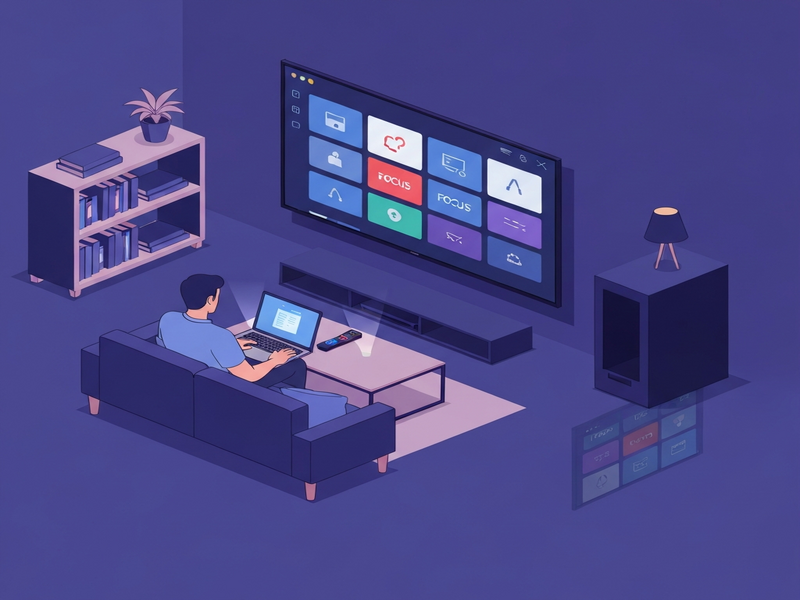
Core Challenges When Transitioning From Mobile to TV
- Navigation Clarity Over Complexity: Mobile users enjoy tap‑rich gestures; TV users rely on a four‑directional remote, making every step intentional.
- Design for Distance: Fonts and UI density that look crisp on a phone become unreadable from a couch‑level viewing distance.
- Focus as the Primary Interaction: Unlike touch, focus is the visual cue that tells users where they are; mishandled focus feels random.
- Hardware Limitations: Most smart TVs have less CPU/GPU power than modern smartphones, affecting startup time and rendering.
- Cold‑Start Expectations: Users expect an instant, ready‑to‑watch experience; a spinner is perceived as slowness.
- Testing Real Devices: Emulators cannot replicate the performance quirks of diverse TV hardware.
Key Lessons Learned From Real‑World TV Projects
1. UI/UX Must Be Re‑Engineered, Not Scaled
Scaling a mobile layout 2× does not solve the distance problem. Instead, adopt a distance‑first design:
- Use larger, high‑contrast typefaces (minimum 24 px for body text).
- Limit on‑screen elements to a maximum of 6–8 focusable items per view.
- Employ generous padding to prevent accidental focus jumps.
For a quick start, explore the UBOS templates for quick start that already incorporate TV‑friendly spacing.
2. Treat Focus as a First‑Class Citizen
Every interactive component must define explicit focus states and navigation order. Avoid emergent focus by:
- Setting
nextFocusDown,nextFocusRight, etc., in your layout definitions. - Providing visual feedback (e.g., a subtle glow or scale) that is visible from a distance.
- Testing focus loops on actual remotes to ensure no dead‑ends.
Our Workflow automation studio can generate focus maps automatically for complex screens.
3. Optimize for Low‑Power TV Hardware
Performance bottlenecks on TV are often architectural:
- Defer heavy image decoding until after the first frame.
- Prefer static assets over runtime‑generated graphics.
- Limit simultaneous network requests during startup.
Leverage the Chroma DB integration for lightweight vector storage that reduces memory pressure.
4. Cold‑Start Optimization Is Critical
Users perceive any delay as slowness. Strategies include:
- Pre‑load essential assets in a background thread.
- Show a static splash screen while the app boots, avoiding spinners.
- Measure Time‑to‑First‑Interactive (TTFI) on real devices.
Our Enterprise AI platform by UBOS provides built‑in performance monitoring dashboards for TV devices.
5. Real‑Device Testing Beats Emulators Every Time
Emulators mask latency, memory constraints, and remote‑input quirks. Adopt a testing loop that includes:
- Weekly builds deployed to a device farm covering Android TV, Roku, and Apple TV.
- Automated focus‑navigation scripts that simulate remote button presses.
- User‑testing sessions on a couch to validate readability and navigation flow.
Use the Web app editor on UBOS to quickly iterate UI changes and push them to test devices.
Best Practices for a Successful TV App Launch
- Define a TV‑First Product Vision. Before any code, answer: Does the core value lie in passive consumption or shared experiences? If not, reconsider the platform.
- Adopt a Modular Architecture. Separate UI, focus logic, and data layers so you can swap heavy components without rewriting the whole app.
- Leverage Existing UBOS Integrations. For AI‑enhanced experiences, combine OpenAI ChatGPT integration with the ChatGPT and Telegram integration to provide voice‑controlled search on TV.
- Implement Voice and Audio Features. TV users often speak commands. The ElevenLabs AI voice integration delivers natural‑sounding prompts.
- Use Data‑Driven Personalization. Store user preferences in a lightweight vector store like Chroma DB integration to serve relevant content instantly.
- Monitor Performance Continuously. Set alerts for TTFI > 2 seconds and memory usage > 70 % on any device.
- Prepare for Platform Submission. Each TV ecosystem (Android TV, Roku, tvOS) has its own certification checklist—plan for it early to avoid release delays.
Ready to Accelerate Your TV App with UBOS?
If you’re a startup looking to prototype quickly, explore UBOS for startups. For SMBs seeking a scalable solution, check out UBOS solutions for SMBs. Enterprises can benefit from the Enterprise AI platform by UBOS, which includes built‑in TV‑ready components.
Need a hands‑on demo? Try the AI SEO Analyzer template to see how AI can optimize your app’s metadata for discovery. Or jump straight into a conversational prototype with the Talk with Claude AI app.
Explore our full UBOS portfolio examples to see TV‑centric projects that have already launched. When you’re ready, review the UBOS pricing plans and pick the tier that matches your launch timeline.
Finally, join the UBOS partner program to get co‑marketing support and early access to new TV SDK features.
Andrii Bidochko
CTO UBOS
Andrii Bidochko is an AI entrepreneur and researcher focused on AI agents, reinforcement learning, and autonomous systems. He writes about the technologies shaping the future of machine intelligence, from frontier models and agent architectures to real-world AI applications.