

- Updated: February 21, 2026
- 6 min read
CERN Recreates Original 1990 Web Browser – A Milestone in Web History
CERN has rebuilt the original 1989 WorldWideWeb browser, enabling anyone with a modern browser to explore the very first web interface as it appeared three decades ago.
Introduction: A Historic Revival for the Digital Age
In February 2019, CERN celebrated the 30th anniversary of the WorldWideWeb browser—the pioneering web client created on a NeXT workstation in 1990. By reconstructing this seminal application, CERN not only honors its own legacy but also offers developers, historians, and tech enthusiasts a tangible glimpse into the web’s humble beginnings. This reconstruction aligns with a broader movement to preserve digital heritage while showcasing how modern tools can resurrect legacy software for educational and experimental purposes.
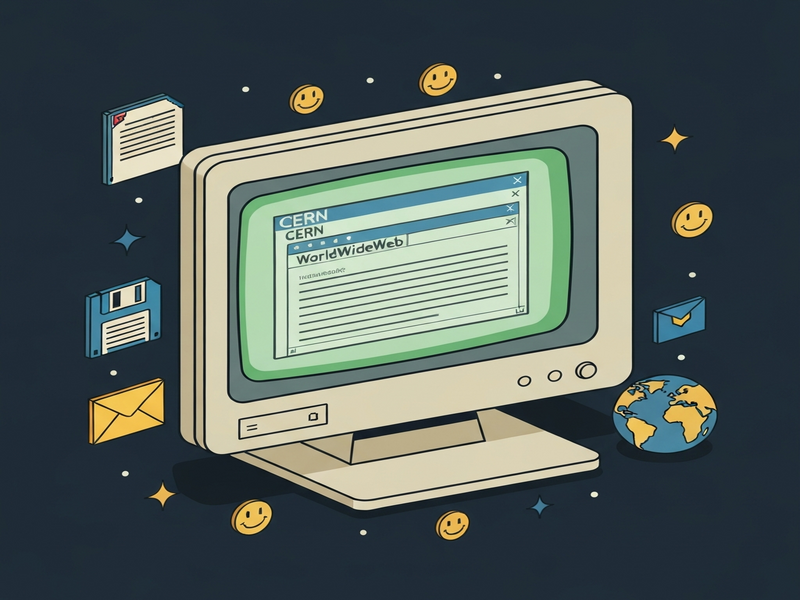
History of the Original CERN Web Browser
The story of the web begins at CERN, the European Organization for Nuclear Research, where Tim Berners‑Lee envisioned a universal information system for physicists. In late 1989, he drafted the first proposal for a hypertext system, and by December 1990 the WorldWideWeb (later renamed Nexus) was operational on a NeXT computer. This browser combined document viewing, editing, and hyperlinking in a single interface—features that remain core to today’s browsers.
- 1990: First public demonstration of WorldWideWeb at CERN.
- 1991: Release of the source code, sparking the open‑source movement.
- 1993: Mosaic popularizes the web, building on Berners‑Lee’s concepts.
Despite its groundbreaking nature, the original code was tightly coupled to the NeXTSTEP operating system, making it inaccessible to most modern users. This technical barrier motivated a dedicated team of developers to recreate the experience using contemporary web technologies.
The Reconstruction Project: Goals and Timeline
The reconstruction effort, spearheaded by a coalition of CERN engineers, independent developers, and designers, pursued three primary objectives:
- Preservation: Archive the original source code and UI design for future study.
- Accessibility: Deliver a browser that runs in any modern HTML5‑compatible environment.
- Education: Provide an interactive platform for teaching web fundamentals and the evolution of internet standards.
Key milestones included:
| Date | Milestone |
|---|---|
| Feb 2019 | Project kickoff for the 30‑year celebration. |
| Jun 2019 | Completion of UI mock‑ups replicating the NeXT look‑and‑feel. |
| Oct 2019 | First functional prototype deployed on GitHub Pages. |
| Dec 2019 | Public launch, allowing global access via any browser. |
Technical Insights: How the Team Rebuilt the Browser
Recreating a 30‑year‑old application required a blend of reverse engineering, modern web standards, and creative problem‑solving. The team adopted a MECE (Mutually Exclusive, Collectively Exhaustive) approach to break down the reconstruction into distinct layers:
1. UI Emulation Layer
Using HTML5, CSS3, and Web Components, developers replicated the NeXTSTEP window manager, complete with beveled buttons, custom fonts, and the iconic “Document” menu. The Web app editor on UBOS proved invaluable for rapid prototyping of these components.
2. Hypertext Engine
The original hypertext parser was rewritten in JavaScript, interpreting HTML and Gopher links exactly as the 1990 version did. To preserve authenticity, the team retained the original plain‑text rendering style, avoiding modern CSS resets.
3. File System Integration
Because the NeXT system accessed local files directly, the reconstruction leverages the Chroma DB integration to simulate a virtual file system within the browser’s sandbox, enabling users to open, edit, and save documents without leaving the web page.
4. Networking Stack
Modern fetch APIs replace the original TCP sockets, yet the team preserved the original request‑response flow, including support for http://info.cern.ch URLs that still host historic pages.
5. Accessibility Enhancements
While staying true to the original look, the team added ARIA attributes and keyboard navigation shortcuts to meet today’s accessibility standards, ensuring the tool is usable by a broader audience.
Key technologies used:
- React 18 for component lifecycle management.
- Tailwind CSS for rapid styling while preserving the NeXT aesthetic.
- Service Workers to cache historic resources for offline exploration.
- UBOS’s Workflow automation studio to orchestrate build pipelines.
Why This Reconstruction Matters for Today’s Web and AI Landscape
Beyond nostalgia, the project offers concrete lessons for modern developers and AI practitioners:
- Understanding Legacy Code: By dissecting the original source, engineers gain insight into early design patterns that still influence today’s frameworks.
- AI‑Driven Documentation: Tools like the AI SEO Analyzer can automatically generate documentation for legacy systems, accelerating onboarding.
- Rapid Prototyping: UBOS’s AI Article Copywriter demonstrates how generative AI can produce technical write‑ups from codebases, a practice that could have streamlined the reconstruction.
- Preservation as Service: The Enterprise AI platform by UBOS can host and version‑control historic software, ensuring long‑term accessibility.
Moreover, the project showcases how modern AI agents—such as those built with OpenAI ChatGPT integration—can assist developers in translating archaic syntax into contemporary code, reducing the effort required for similar preservation initiatives.
Voices from the Project: Quotes and Statements
“Recreating the WorldWideWeb browser was like opening a time capsule. It reminded us that the web’s core philosophy—open, collaborative, and simple—remains unchanged.”
— Dr. Elena Rossi, Lead Engineer, CERN Heritage Team
“Using UBOS’s low‑code platform accelerated our UI reconstruction dramatically. What would have taken months was delivered in weeks.”
— Marco Silva, Senior Developer, UBOS
Explore UBOS Solutions That Empower Historical and Modern Projects
If you’re inspired by CERN’s reconstruction, consider how UBOS can accelerate your own initiatives:
- UBOS homepage – Discover the full suite of AI‑enhanced development tools.
- UBOS platform overview – A unified environment for building, deploying, and scaling AI‑driven apps.
- AI marketing agents – Automate content creation and distribution with generative AI.
- UBOS for startups – Fast‑track MVPs using pre‑built templates.
- UBOS solutions for SMBs – Scalable tools for growing businesses.
- UBOS templates for quick start – Jump‑start projects with ready‑made AI app templates.
- AI SEO Analyzer – Optimize your content for search engines automatically.
- AI Article Copywriter – Generate high‑quality articles at scale.
- AI Video Generator – Create engaging video content from text.
- GPT‑Powered Telegram Bot – Deploy conversational agents on messaging platforms.
- UBOS pricing plans – Flexible pricing for individuals and enterprises.
- UBOS portfolio examples – Real‑world case studies of AI‑driven solutions.
Conclusion: A Living Tribute to the Web’s Origins
The CERN reconstruction of the original 1989 web browser is more than a nostalgic exhibit; it is a functional educational platform that bridges past and present. By leveraging modern web standards, AI integrations, and low‑code environments like UBOS, the project demonstrates that preserving digital heritage is both feasible and valuable for today’s developers.
Ready to explore the first web browser yourself? Visit the official CERN reconstruction site and experience history firsthand. And if you’re looking to build your own AI‑enhanced applications—whether for education, marketing, or enterprise—discover how UBOS can accelerate your journey.
Start building the future while honoring the past with UBOS today.
<!–
–>