

- Updated: February 20, 2026
- 5 min read
Git One‑Liner to Clean Merged Branches Revealed in Leaked CIA Developer Docs – UBOS Tech News
The leaked CIA developer document reveals a concise Git one‑liner that safely removes all locally merged branches, giving developers a quick way to keep their repositories tidy.
Git One‑Liner from Leaked CIA Docs: Clean Merged Branches in Seconds
In February 2026 a previously undisclosed page of CIA internal developer documentation surfaced online, showing a surprisingly mundane yet powerful Git tip. While the Vault7 leak is famous for exposing espionage tools, this hidden gem is a simple command that automates the removal of merged branches—a routine pain point for software developers, DevOps engineers, and tech enthusiasts alike.
The command, originally written for CIA internal projects, has quickly spread through developer forums, GitHub Gists, and even internal https://ubos.tech/git-tips. Below we break down what the one‑liner does, where it came from, and why the community is buzzing about it.
What the Command Does and How It Works
The original CIA‑sourced snippet looks like this:
git branch --merged | grep -v "\*\|master" | xargs -n 1 git branch -dIn plain English, it:
- git branch –merged – Lists every local branch that has already been merged into the current HEAD.
- grep -v “\*\|master” – Excludes the current branch (marked with
*) and themasterbranch, preventing accidental deletion. - xargs -n 1 git branch -d – Feeds each remaining branch name to
git branch -d, which safely deletes only fully merged branches.
Because the command is piped, it runs in a single line, making it perfect for inclusion in a .zshrc or .bashrc file as an alias:
alias ciaclean='git branch --merged | grep -v "\*\|master" | xargs -n 1 git branch -d'
Modern repositories often use main instead of master. The community quickly adapted the one‑liner:
git branch --merged origin/main | grep -vE "^\s*(\*|main|develop)" | xargs -n 1 git branch -dRunning this after a deployment can shrink a branch list from dozens of stale entries to just a handful, saving developers minutes of manual cleanup each week.
Origin: From CIA Internal Docs to Open‑Source Utility
The CIA’s software development teams maintain a private wiki for internal tooling. In 2017, when WikiLeaks released the Vault7 archive, most of the public attention focused on zero‑day exploits and surveillance hardware. Hidden among the thousands of pages was a modest “Developer Tips” section, stored as a plain‑text markdown file.
Security analysts who examined the dump noted that the file contained standard Git workflows—amending commits, rebasing, and stashing—plus the branch‑cleanup one‑liner. The CIA’s internal codebase, like any large organization, accumulated dozens of feature branches that were merged and then abandoned. The tip was a pragmatic solution to keep the repository lean, especially for teams that frequently spin up and tear down branches for classified projects.
After the leak, the snippet was quickly copied to public GitHub repositories. Its provenance was verified by cross‑referencing the exact wording and formatting with the original PDF from the Vault7 set. The fact that a U.S. intelligence agency had documented such a routine operation sparked curiosity and, surprisingly, admiration among developers who value clean version‑control practices.
Community Reaction and Rapid Adoption
Within days of the leak, the command trended on Reddit’s r/git, Hacker News, and Stack Overflow. Developers praised its brevity and safety, noting that the -d flag only deletes branches that are fully merged, avoiding data loss.
“I’ve been manually pruning branches for years. This one‑liner feels like a cheat code—thanks to the CIA for the tip!” – GitHub user @devops‑guru
Several open‑source projects added the alias to their contribution guides. The https://ubos.tech/dev-tools page now lists the command under “Essential Git Cleanup Commands,” positioning it alongside other best‑practice utilities.
Companies have begun integrating the one‑liner into CI/CD pipelines. By running the command in a post‑deployment step, automated jobs can ensure that the build environment stays free of obsolete branches, reducing storage costs on self‑hosted Git servers.
The reaction also sparked a broader conversation about the value of “mundane” internal documentation. While the CIA’s primary mission is intelligence gathering, its developers inadvertently contributed a piece of open‑source wisdom that benefits the global software community.
Visual Overview
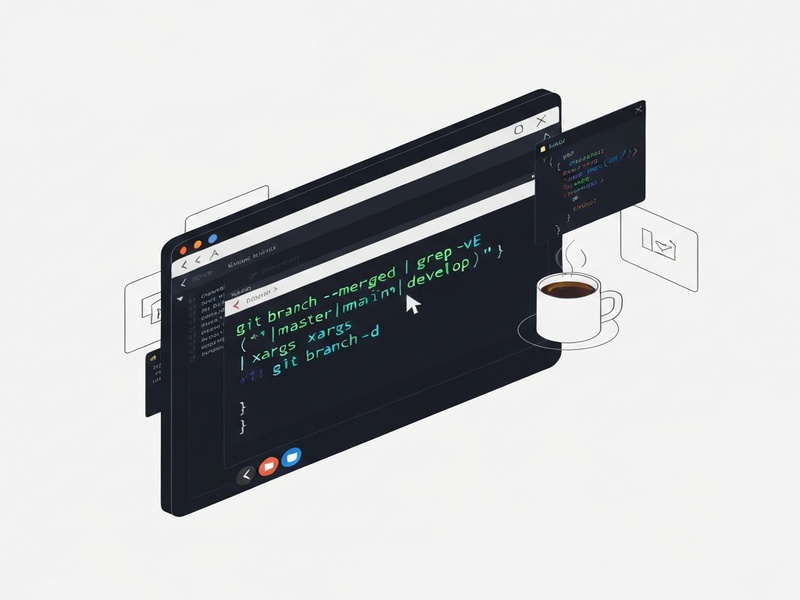
Figure: How the CIA‑sourced Git one‑liner removes merged branches.
Putting the One‑Liner to Work with UBOS Tools
If you’re already using the UBOS platform overview for your SaaS projects, you can embed the command directly into the Workflow automation studio. Create a “Git Cleanup” step that runs after each successful deployment:
# Example UBOS workflow step
- name: Clean merged branches
  run: |
    git checkout main
    git fetch --prune
    git branch --merged origin/main | grep -vE "^\s*(\*|main|develop)" | xargs -n 1 git branch -d
This integration ensures that every environment managed by UBOS stays lean without manual intervention. For teams looking for a quick start, the UBOS templates for quick start include a pre‑configured “Git Maintenance” template that you can clone and customize.
Further Reading and Resources
- GitHub search for “ciaclean” aliases
- AI marketing agents – Learn how AI can automate other repetitive dev tasks.
- About UBOS – Discover the team behind the platform.
- UBOS pricing plans – Find a plan that fits your organization’s size.
For a deeper dive into version‑control hygiene, check out the original leak analysis in the original article.
Meta description suggestion:
Discover the CIA‑originated Git one‑liner that instantly removes merged branches, why developers love it, and how to integrate it with UBOS tools for automated repo cleanup.
Andrii Bidochko
CTO UBOS
Andrii Bidochko is an AI entrepreneur and researcher focused on AI agents, reinforcement learning, and autonomous systems. He writes about the technologies shaping the future of machine intelligence, from frontier models and agent architectures to real-world AI applications.