

- Updated: February 18, 2026
- 6 min read
Edge‑Veda: On‑Device AI Runtime for Flutter Empowers Edge Computing
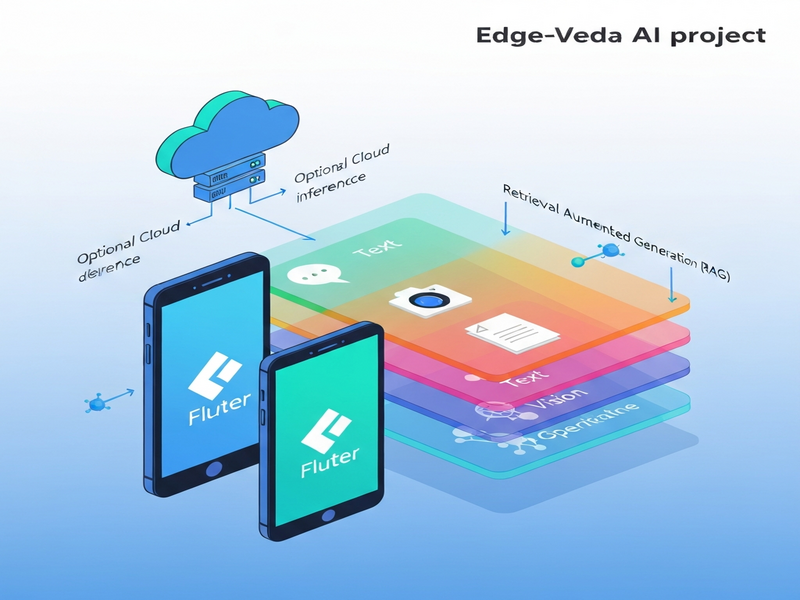
Edge Veda is an on‑device AI runtime for Flutter that enables text, vision, speech, and Retrieval‑Augmented Generation (RAG) to run locally on mobile devices, delivering privacy‑first, low‑latency AI without relying on cloud services.
What Is Edge‑Veda?
Edge‑Veda, created by the team behind UBOS homepage, is a managed runtime that brings large‑language‑model (LLM) capabilities, visual perception, and speech recognition directly onto iOS and Android devices built with Flutter. It solves the three biggest pain points of on‑device AI:
- Stability: Prevents thermal throttling and memory spikes that crash typical demos.
- Observability: Provides built‑in telemetry so developers can debug performance issues.
- Privacy: Runs completely offline unless the app explicitly opts‑in to cloud hand‑off.
By integrating Edge‑Veda, developers can ship AI‑enhanced Flutter apps that stay responsive for minutes‑long sessions, a capability rarely seen in open‑source mobile AI stacks.
Core Features
Edge‑Veda bundles four primary AI modalities, each exposed through a clean Dart API:
📝 Text Generation & RAG
- Streaming token generation with pull‑based architecture.
- Multi‑turn chat sessions with automatic context summarization.
- Structured JSON output via grammar‑constrained generation (GBNF).
- Embedding generation for similarity search and Retrieval‑Augmented Generation.
👁️ Vision Inference
- On‑device visual language models (e.g., SmolVLM2) for image captioning and visual QA.
- Persistent vision worker that keeps the model loaded across frames.
- Back‑pressure handling to drop newest frames instead of queuing forever.
🎤 Speech‑to‑Text
- Real‑time transcription using ElevenLabs AI voice integration‑powered Whisper models.
- 3‑second audio chunk streaming, 48 kHz capture, automatic down‑sampling.
- GPU‑accelerated inference on iOS Metal, ~670 ms per chunk.
🔗 Retrieval‑Augmented Generation (RAG)
- Vector index built with a pure‑Dart HNSW implementation (Chroma DB integration).
- End‑to‑end pipeline: embed → search → inject → generate.
- Confidence‑based fallback to cloud hand‑off when needed.
Architecture & On‑Device Performance
Edge‑Veda follows a modular, isolate‑based design that isolates heavy native work from the Flutter UI thread. The high‑level architecture looks like this:
Flutter UI
 └─ EdgeVeda (Dart façade)
     ├─ TextWorker (llama.cpp)
     ├─ VisionWorker (libmtmd)
     ├─ WhisperWorker (whisper.cpp)
     └─ Scheduler & RuntimePolicy
The Scheduler enforces compute‑budget contracts (latency, battery, thermal) and degrades gracefully instead of crashing. A built‑in TelemetryService streams device metrics (temperature, memory, battery) to JSONL logs for offline analysis.
Performance Snapshot (iPhone 16 Pro, 6 GB RAM)
| Metric | Value |
|---|---|
| Text throughput | 42‑43 tokens/s (steady‑state) |
| Vision latency (p95) | 2.3 s per frame |
| Speech transcription | ~670 ms per 3 s audio chunk |
| Memory footprint (text + vision) | ≈ 550 MB (steady) |
Because models stay loaded in persistent isolates, Edge‑Veda eliminates the “cold‑start” penalty that plagues many mobile AI demos. The runtime also respects device‑specific limits via edge computing policies, making it suitable for long‑running assistants.
Supported Models & Platforms
Edge‑Veda ships with a curated set of GGUF models that balance quality, size, and on‑device feasibility:
- Llama 3.2 1B – General‑purpose chat, 668 MB.
- Qwen3 0.6B – Tool‑calling & function execution, 397 MB.
- SmolVLM2 500M – Vision‑language tasks, 607 MB.
- Whisper‑tiny 77 MB – Real‑time speech‑to‑text.
- MiniLM‑L6 v2 46 MB – Fast embeddings for RAG.
Supported platforms include:
- iOS (Metal GPU, fully validated).
- iOS Simulator (CPU fallback).
- Android (CPU, Vulkan support planned).
Developers can also load any GGUF‑compatible model via the ModelRegistry, giving full flexibility for custom use‑cases.
Installation & Quick‑Start Guide
Getting Edge‑Veda into a Flutter project takes just a few commands.
Step 1 – Add the Dependency
dependencies:
  edge_veda: ^2.1.0
Step 2 – Initialize the Runtime
import 'package:edge_veda/edge_veda.dart';

final edgeVeda = EdgeVeda();
await edgeVeda.init(
  EdgeVedaConfig(
    modelPath: 'assets/models/llama3_1b.gguf',
    contextLength: 2048,
    useGpu: true,
  ),
);
Step 3 – Generate Text
final response = await edgeVeda.generate('Explain quantum computing in simple terms.');
print(response.text);
Step 4 – Try Vision or Speech
For vision, spawn a VisionWorker and call describeFrame. For speech, create a WhisperSession and feed microphone samples. Full examples live in the Edge Veda GitHub repository.
All of this works on the Flutter development environment you already know, with no extra native code required beyond the provided XCFramework.
Real‑World Use Cases
Edge‑Veda shines in scenarios where latency, privacy, or offline capability are non‑negotiable.
- On‑device personal assistants: Multi‑turn chat with tool‑calling (e.g., calendar lookup) that never leaves the device.
- Augmented reality guides: Vision models annotate live camera feed without sending images to the cloud.
- Field‑service diagnostics: Speech‑to‑text logs spoken observations and matches them against a knowledge base via RAG.
- Secure enterprise apps: Confidential data stays on‑device, satisfying GDPR and HIPAA constraints.
- Education tools: Real‑time language translation and summarization for offline classrooms.
These examples align with the capabilities of the Enterprise AI platform by UBOS, which can orchestrate multiple Edge‑Veda instances across a fleet of devices.
How to Contribute & Community
Edge‑Veda is open‑source under the Apache‑2.0 license. Contributions are welcomed in several areas:
- Porting the runtime to Android Vulkan for GPU acceleration.
- Adding new GGUF models or quantization profiles.
- Improving the Workflow automation studio to generate Edge‑Veda pipelines automatically.
- Building UI widgets for the Web app editor on UBOS that wrap Edge‑Veda calls.
To start, fork the repository, create a feature branch, run flutter test, and open a pull request. Detailed contribution guidelines are in the repo’s README.md.
Explore the Source Code
The full source, build scripts, and example apps are available on GitHub. Visit the Edge Veda GitHub repository for the latest releases, issue tracker, and community discussions.
Further Reading on UBOS
To see how Edge‑Veda fits into a broader AI ecosystem, explore these UBOS resources:
- UBOS platform overview – the unified AI stack that powers Edge‑Veda.
- AI runtime – deeper dive into the runtime architecture shared across UBOS products.
- UBOS templates for quick start – pre‑built Flutter templates, including the “AI Chatbot template” that can be swapped for Edge‑Veda.
- AI SEO Analyzer – a practical example of on‑device text analysis.
- AI Article Copywriter – showcases Edge‑Veda’s text generation in a content‑creation workflow.
- AI Video Generator – combines vision and text for multimedia output.
- GPT‑Powered Telegram Bot – illustrates cross‑platform messaging integration, similar to the Telegram integration on UBOS.
- UBOS pricing plans – transparent licensing for startups and SMBs.
- About UBOS – learn about the team behind Edge‑Veda.
Conclusion
Edge‑Veda marks a turning point for Flutter developers who need robust, privacy‑preserving AI without sacrificing performance. By handling thermal, memory, and battery constraints internally, it delivers a predictable experience that scales from hobby projects to enterprise‑grade assistants. Combined with the broader UBOS ecosystem, Edge‑Veda empowers teams to prototype, ship, and iterate on AI‑first mobile products faster than ever.
Ready to try it? Grab the SDK, follow the quick‑start steps, and join the community on GitHub. The future of on‑device AI for Flutter is already here—powered by Edge‑Veda.