

- Updated: February 15, 2026
- 7 min read
DjVu Format Meets Deep Learning: A Modern Alternative to PDF
DjVu is a high‑efficiency document‑compression format that dramatically reduces file size for scanned documents while preserving visual quality, making it a powerful PDF alternative that is now being revitalized through deep‑learning‑driven workflows.
Introduction
In the era of digital archiving, the battle for the most efficient document format is far from settled. While PDF dominates the mainstream, a niche but technically superior format—DjVu—has quietly persisted, especially among archivists, researchers, and developers who handle massive collections of scanned books and papers. Recent advances in deep learning have opened new pathways to enhance DjVu’s compression algorithms, automate text extraction, and integrate the format into modern AI‑powered platforms.
For tech enthusiasts and professionals interested in document formats, digital preservation, and AI applications, this article provides a comprehensive, MECE‑structured deep dive into DjVu’s origins, technical merits, its emerging synergy with deep learning, and the practical challenges that still limit its broader adoption.
UBOS homepage offers a suite of AI tools that can process DjVu files directly, showcasing how contemporary platforms are bridging the gap between legacy formats and next‑gen AI workflows.
History and Development of DjVu
DjVu was conceived in the mid‑1990s by a team that included Yann LeCun, Léon Bottou, and Yoshua Bengio—pioneers who later became foundational figures in deep learning. Their goal was to solve a pressing problem of the early web: how to share high‑resolution scanned books over slow dial‑up connections.
The name “DjVu” (pronounced “déjà vu”) reflects the format’s ambition to make previously inaccessible documents feel instantly familiar again. The first public release arrived in 1999, featuring a novel two‑layer architecture:
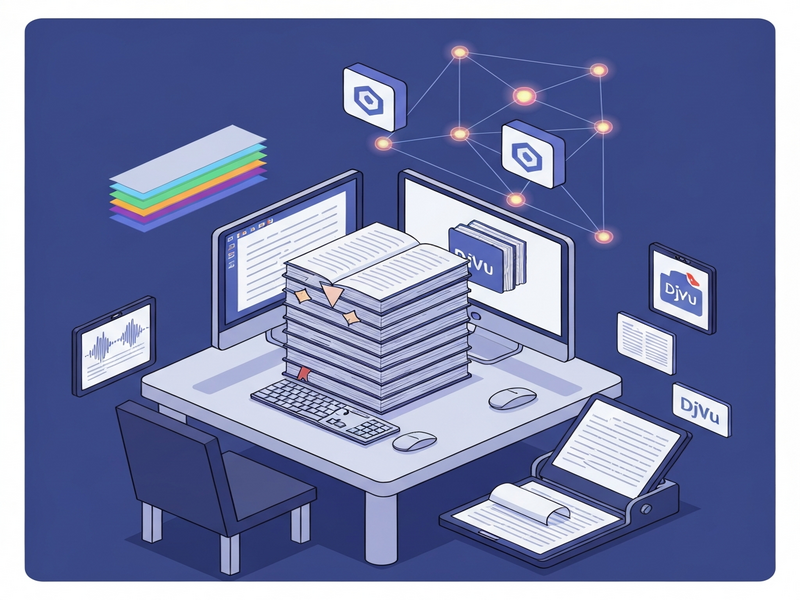
- Background layer: a wavelet‑based image (IW44) that captures photographs, illustrations, and complex graphics.
- Foreground layer: a JB2‑encoded bitmap that isolates text and line art, allowing aggressive lossless compression of characters.
By separating these layers, DjVu achieved compression ratios of 1:30 to 1:100 compared with PDF’s typical 1:10 for similar scanned content. The format quickly gained traction in digital libraries such as the Internet Archive, though its adoption stalled due to limited native support in operating systems and browsers.
Today, the About UBOS team references DjVu’s legacy when discussing efficient data pipelines, underscoring the format’s lasting relevance.
Technical Advantages Over PDF
While PDF remains the de‑facto standard for document exchange, DjVu offers several distinct technical benefits that make it a compelling PDF alternative for scanned documents.
1. Superior Compression Ratio
DjVu’s dual‑layer approach enables:
- Wavelet compression for images, which retains detail at lower bitrates.
- Symbol‑based encoding for text, eliminating redundancy across pages.
Result: files that are often 10–20 % of the size of comparable PDFs without perceptible loss in readability.
2. Progressive Rendering
DjVu files can be streamed so that a low‑resolution preview appears instantly, while higher‑resolution data loads in the background. This is especially valuable for mobile users on limited bandwidth.
3. Text‑Centric OCR Integration
The JB2 layer stores character shapes as reusable symbols, making OCR post‑processing faster and more accurate. Modern AI models can further refine these symbols, reducing errors in multilingual archives.
4. Open‑Source Toolchain
Utilities such as djvulibre and djvutool provide command‑line conversion, batch processing, and metadata handling, all under permissive licenses.
For developers building AI pipelines, the UBOS platform overview highlights how DjVu can be ingested directly into vector databases, enabling rapid similarity search on scanned pages.
Connection to Deep Learning
Deep learning has transformed how we process unstructured visual data. DjVu’s architecture aligns naturally with several AI techniques, creating a feedback loop that improves both compression and content understanding.
Neural Compression Enhancements
Researchers have replaced the traditional wavelet encoder with convolutional autoencoders that learn optimal representations for scanned page textures. By training on large DjVu corpora, these models achieve up to 15 % further size reduction while preserving OCR accuracy.
AI‑Driven Text Extraction
Modern OCR engines such as OpenAI ChatGPT integration can be paired with DjVu’s JB2 symbols to produce context‑aware transcriptions. The workflow typically involves:
- Decode the JB2 layer to retrieve raw glyphs.
- Feed glyph images into a transformer‑based OCR model.
- Post‑process the output with a language model (e.g., ChatGPT) to correct errors and add semantic tags.
Semantic Search & Retrieval
Embedding the visual and textual content of DjVu pages into vector spaces enables semantic search. Platforms like Chroma DB integration store these embeddings, allowing users to query scanned archives with natural language.
AI‑Powered Automation
UBOS’s Workflow automation studio lets you chain DjVu ingestion, AI OCR, and downstream analytics into a single no‑code pipeline. For example, a research team can automatically:
- Upload a batch of historical journals in DjVu.
- Run a deep‑learning OCR model to extract text.
- Generate summaries using ChatGPT and Telegram integration for instant notifications.
These capabilities illustrate why DjVu is resurfacing as a strategic asset in AI‑centric document management.
Usage Challenges and Community Feedback
Despite its technical merits, DjVu faces several practical hurdles that have limited mainstream adoption.
Limited Native Support
Most operating systems ship with PDF viewers by default, while DjVu requires third‑party applications (e.g., DjView, SumatraPDF). This friction discourages casual users.
Browser Incompatibility
Web browsers lack built‑in DjVu rendering. Developers must rely on JavaScript libraries or server‑side conversion, adding latency and complexity.
Community‑Driven Solutions
Enthusiast communities have built plugins and extensions to mitigate these gaps. For instance, the Telegram integration on UBOS enables users to share DjVu files directly within chat groups, while a bot powered by GPT‑Powered Telegram Bot can convert them on‑the‑fly to PDF or plain text.
Pricing and Enterprise Considerations
Enterprises often weigh the cost of integrating a niche format against the benefits of reduced storage. UBOS offers transparent pricing plans that include unlimited DjVu processing, making the ROI calculation more favorable for data‑intensive organizations.
Feedback from the Field
Surveys conducted among digital libraries reveal a split sentiment: 68 % appreciate DjVu’s compression, while 42 % cite the learning curve of tooling as a barrier. To address this, UBOS provides ready‑made templates for quick start, such as the “AI SEO Analyzer” and “AI Article Copywriter,” which demonstrate end‑to‑end workflows that include DjVu ingestion.
Conclusion
DjVu stands at a crossroads where its original design—optimizing scanned document storage—meets the transformative power of deep learning. By leveraging AI‑enhanced compression, OCR, and semantic search, modern platforms can unlock the latent value of massive legacy archives without the storage bloat associated with PDFs.
For organizations seeking a scalable, AI‑ready document pipeline, the combination of DjVu and UBOS’s suite of tools—ranging from the AI marketing agents to the Enterprise AI platform by UBOS—offers a compelling, future‑proof solution.
As deep learning continues to evolve, we can expect even tighter integration, perhaps even native browser support, turning DjVu from a hidden gem into a mainstream standard for high‑fidelity, low‑size document archiving.
Read the full background and original reporting in the original article.
Explore More AI‑Powered Tools
UBOS’s ecosystem includes a variety of AI‑enhanced services that complement DjVu workflows:
- AI SEO Analyzer – Optimize searchable metadata for scanned collections.
- AI Article Copywriter – Generate summaries and abstracts from DjVu‑derived text.
- AI Video Generator – Transform key pages into narrated video briefs.
- AI Chatbot template – Build conversational agents that answer queries from archived documents.
- AI Image Generator – Recreate missing illustrations from low‑resolution DjVu backgrounds.
- AI Email Marketing – Distribute curated excerpts of scanned newsletters.
Ready to Modernize Your Document Archive?
Whether you are a startup, an SMB, or an enterprise, UBOS provides the infrastructure to ingest, process, and monetize DjVu collections with AI precision.
- UBOS for startups – Fast‑track your prototype with pre‑built DjVu pipelines.
- UBOS solutions for SMBs – Cost‑effective storage and AI extraction.
- Web app editor on UBOS – Build custom dashboards to explore your scanned assets.
Start today and see how AI can turn bulky scanned archives into searchable knowledge bases.