

- Updated: February 14, 2026
- 6 min read
Fake 7‑Zip Downloads Turning Home PCs Into Residential Proxy Nodes – UBOS Tech Analysis
Fake 7‑Zip installers are covertly converting Windows PCs into residential proxy nodes, allowing cyber‑criminals to route traffic through compromised home machines.
Malwarebytes Exposes Fake 7‑Zip Downloads That Turn Home PCs Into Proxy Nodes
Why a Trusted Archiver Became a Threat Vector
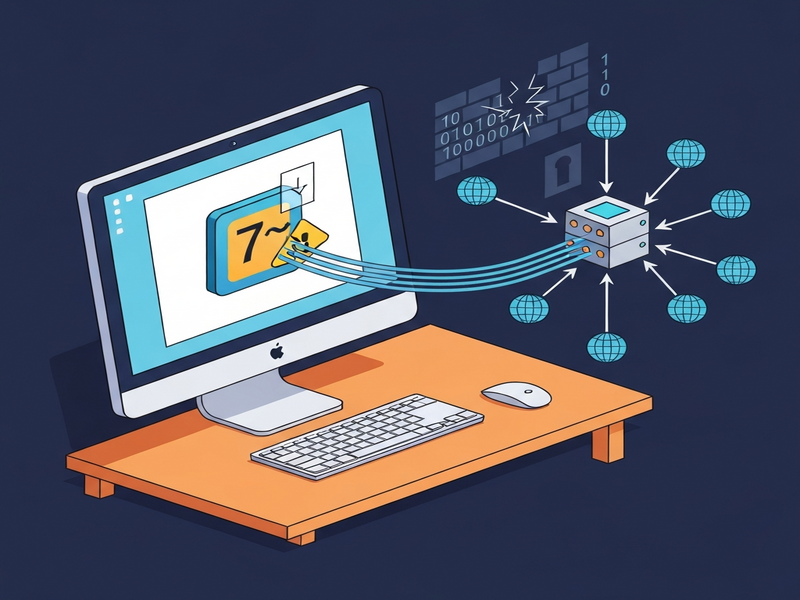
When a user downloads a popular utility from an unfamiliar domain, the expectation is a harmless installer. In reality, the fake 7‑Zip download campaign is weaponising that trust, silently installing a residential proxy malware that hijacks the victim’s internet connection. The threat was uncovered by Malwarebytes and has already affected thousands of home PCs worldwide.
For IT security professionals and network administrators, the danger is two‑fold: compromised endpoints become part of a botnet, and the altered firewall rules open a back‑door for further attacks. Below we break down the campaign, its technical underpinnings, and actionable steps to protect your environment.
Campaign Overview
The attackers registered 7zip.com, a look‑alike of the legitimate 7-zip.org site. By hosting a fully functional 7‑Zip File Manager alongside a malicious payload, they created a convincing façade that fooled even seasoned users.
- Installer is Authenticode‑signed with a now‑revoked certificate from Jozeal Network Technology Co., Limited.
- Three hidden components are dropped to
C:\Windows\SysWOW64\hero\:- Uphero.exe – service manager and update loader.
- hero.exe – primary proxy payload (compiled in Go).
- hero.dll – supporting library.
- Persistence is achieved via Windows services that run under the SYSTEM account.
- Firewall rules are silently added/removed to allow outbound proxy traffic.
These tactics mirror a broader operation that also targets other popular software installers, indicating a shared backend infrastructure.
Technical Details: From Installer to Proxy Node
1. Installation & Persistence
The malicious installer first places the three binaries in the privileged SysWOW64 directory, then registers Uphero.exe and hero.exe as auto‑start services. Because these services run with SYSTEM privileges, they survive reboots and evade standard user‑level removal tools.
2. Firewall Manipulation
Using netsh, the malware removes existing inbound/outbound rules that could block its traffic and creates new allow rules for the malicious binaries. This ensures uninterrupted communication with command‑and‑control (C2) servers.
3. Host Profiling & C2 Communication
Through WMI and native Windows APIs, the payload gathers hardware IDs, CPU details, memory size, and network configuration. It then contacts a rotating set of domains (e.g., hero‑sms.co, smshero.ai) and reports the data to iplogger.org. The traffic is encrypted with a lightweight XOR scheme (key 0x70) and tunneled over HTTPS, often via DNS‑over‑HTTPS to hide from traditional DNS monitoring.
4. Proxy Functionality
Once enrolled, the infected host acts as a residential proxy node. Outbound connections are opened on non‑standard ports (e.g., 1000, 1002) and traffic is relayed through the victim’s IP address. This service is monetised on underground markets for activities such as ad fraud, credential stuffing, and illicit scraping.
The same code‑base appears in other fake installers (e.g., “upHola.exe”, “upTiktok”), confirming a shared toolkit across multiple campaigns.
Indicators of Compromise (IOCs)
Security teams should scan for the following artifacts to detect infection:
| Type | Indicator |
|---|---|
| File Path | C:\Windows\SysWOW64\hero\Uphero.exe |
| File Path | C:\Windows\SysWOW64\hero\hero.exe |
| File Path | C:\Windows\SysWOW64\hero\hero.dll |
| SHA‑256 Hash | e7291095de78484039fdc82106d191bf41b7469811c4e31b4228227911d25027 (Uphero.exe) |
| SHA‑256 Hash | b7a7013b951c3cea178ece3363e3dd06626b9b98ee27ebfd7c161d0bbcfbd894 (hero.exe) |
| Service Name | Uphero / hero (auto‑start, SYSTEM) |
| Firewall Rule | Inbound/Outbound allow rules named “Uphero” or “hero” |
| C2 Domain | flux.smshero[.]co, nova.smshero[.]ai, apex.herosms[.]ai, etc. |
Regularly updating endpoint detection platforms with these IOCs will dramatically reduce the dwell time of the proxy malware.
Mitigation & Protection Recommendations
Organizations can adopt a layered defense strategy to neutralise the threat and prevent future infections.
- Validate Download Sources – Always download 7‑Zip from the official
7-zip.orgdomain. Bookmark trusted URLs such as the UBOS homepage for reference. - Enable Application Whitelisting – Use tools like Windows AppLocker or third‑party solutions to allow only signed binaries from known vendors.
- Monitor Windows Services – Look for newly created services pointing to
C:\Windows\SysWOW64\hero\. The Workflow automation studio can automate alerts for such anomalies. - Audit Firewall Rules – Detect unexpected inbound/outbound allow rules. UBOS’s platform overview includes built‑in network policy enforcement.
- Deploy Endpoint Detection & Response (EDR) – Solutions that ingest the IOCs above will quarantine the malicious binaries. Malwarebytes, as demonstrated, can fully eradicate the infection.
- Patch and Update Regularly – Ensure Windows and all third‑party software are up‑to‑date to minimise exploitation windows.
- Educate End‑Users – Conduct phishing and download‑source awareness training. Highlight real‑world cases like the Reddit user who mistakenly used
7zip.com. - Leverage AI‑Powered Security – UBOS offers AI marketing agents that can be repurposed for security automation, such as auto‑generating IOC feeds.
If a system is already compromised, a full OS reinstall guarantees removal, though most modern AV tools (including Malwarebytes) can clean the infection without data loss.
Expert Insight from Malwarebytes
“The fake 7‑Zip campaign demonstrates how brand impersonation can be more damaging than traditional exploits. By turning everyday PCs into proxy nodes, attackers monetize compromised devices at scale while staying under the radar.” – Malwarebytes Threat Intelligence Team
What’s Next? Secure Your Infrastructure Today
Fake software installers are a growing vector for proxy‑based cybercrime. By combining vigilant download practices, robust endpoint protection, and AI‑driven automation, you can stay ahead of attackers.
UBOS provides a comprehensive suite to help you build resilient defenses:
- Explore the Enterprise AI platform by UBOS for advanced threat‑hunting workflows.
- Kick‑start security projects with ready‑made UBOS templates for quick start, including an AI SEO Analyzer that can also scan for malicious code patterns.
- Leverage the Web app editor on UBOS to create internal dashboards that surface real‑time IOC alerts.
- Join the UBOS partner program to collaborate on security‑focused AI solutions.
- Review our UBOS pricing plans to find a tier that matches your organization’s size, from startups to SMBs and enterprises.
Stay informed, stay protected, and turn the tide against proxy malware before it hijacks your network.