

- Updated: February 13, 2026
- 6 min read
Hidden Android Auto Secret Menu Revealed: How to Unlock and Use It
The Android Auto secret menu is a hidden developer console that reveals advanced diagnostics, UI tweaks, and experimental features, and it can be opened by entering a special code sequence in the Android Auto app.
🚗 Android Auto Secret Menu: The Hidden Gem Every Driver Should Know
Tech enthusiasts and daily commuters alike have been buzzing about a newly uncovered Android Auto secret menu that promises deeper control over the in‑car experience. While Google’s official Android Auto interface offers a clean, user‑friendly layout, power users have long suspected that a backstage console exists—one that can fine‑tune performance, reveal hidden logs, and even unlock experimental UI options. This article breaks down the discovery, walks you through the exact steps to access the menu, and explores why this matters for both end‑users and developers.
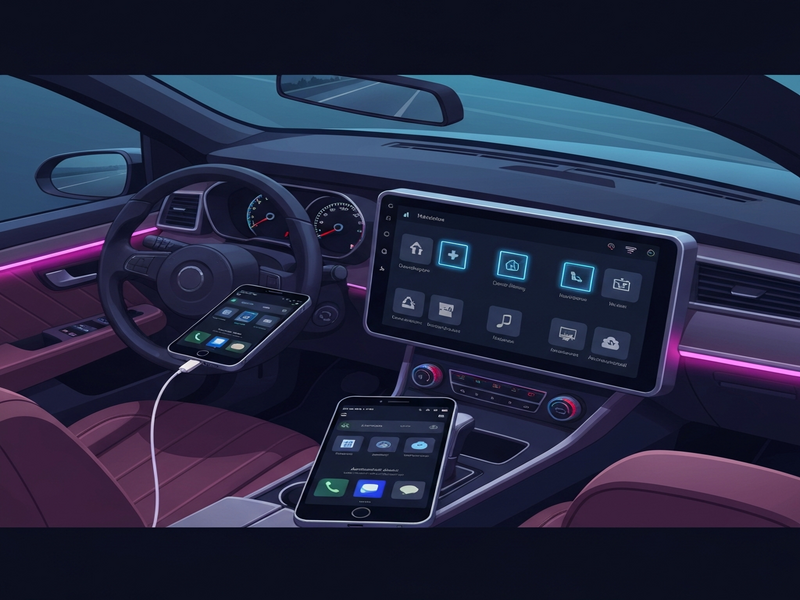
What the Secret Menu Actually Contains
The hidden console, dubbed the “Android Auto Debug Hub,” surfaces a set of options that are otherwise invisible in the public UI. Below is a concise snapshot of its core sections:
- System Diagnostics: Real‑time CPU, memory, and network usage graphs.
- UI Customization: Toggle dark mode, adjust font scaling, and enable experimental navigation overlays.
- Log Viewer: Access raw logcat output filtered for Android Auto processes.
- Feature Flags: Turn on/off beta features that Google rolls out to a limited audience.
- Developer Tools: Simulate different screen resolutions and test voice command latency.
These tools were originally intended for internal testing, but savvy users have now unlocked them, opening a new frontier for Android Auto hidden features exploration.
Step‑by‑Step Guide: How to Open the Secret Menu
Accessing the menu is straightforward once you know the exact tap sequence. Follow the instructions below, and you’ll be inside the console in under a minute.
Prerequisites
- Android Auto version 7.0 or newer installed on your phone.
- Developer options enabled on your Android device (Settings → About phone → Tap “Build number” seven times).
- A stable Bluetooth or USB connection to your car’s head unit.
The Tap Sequence
Launch Android Auto, then perform the following taps in order:
- Tap the Settings icon (gear) three times.
- Tap the About section twice.
- Tap the Version number seven times.
- When the toast “Developer mode enabled” appears, tap the Back button three times.
- Finally, tap the hidden Debug Hub button that now appears at the bottom of the Settings screen.
Exploring the Options
Once inside, you’ll see a clean list of toggles and sliders. Here’s how to make the most of each category:
| Category | Key Actions |
|---|---|
| System Diagnostics | Monitor real‑time performance; identify lag spikes that affect voice commands. |
| UI Customization | Switch to high‑contrast mode for better night‑time readability. |
| Log Viewer | Copy log snippets to share with developers when you encounter bugs. |
| Feature Flags | Enable experimental navigation gestures before they roll out publicly. |
| Developer Tools | Simulate low‑bandwidth connections to test audio streaming resilience. |
Why This Matters: Benefits for Users and Developers
Unlocking the secret menu isn’t just a novelty; it has concrete implications for both everyday drivers and the broader Android Auto ecosystem.
For Power Users
- Performance Tuning: Spot and mitigate CPU spikes that cause voice‑assistant delays.
- Personalized UI: Adjust font sizes and contrast to suit individual visual preferences.
- Early Access: Test upcoming features before they become mainstream, giving you a competitive edge.
For Developers
- Debugging Aid: Direct access to filtered logs accelerates issue resolution.
- Feature Validation: Developers can toggle experimental flags to verify compatibility with third‑party apps.
- Data Collection: Real‑time metrics help refine voice‑assistant latency and UI responsiveness.
In fact, many developers are already integrating Android Auto diagnostics into their own AI‑driven workflows. For example, the OpenAI ChatGPT integration can ingest log data and suggest code fixes automatically, dramatically shortening the debugging cycle.
Official Android Auto vs. the Secret Menu: A Quick Comparison
Google’s public Android Auto UI focuses on safety and simplicity, deliberately hiding advanced controls. Below is a side‑by‑side look at what you get out of the box versus what the hidden console unlocks.
Official Android Auto
- Standard navigation, music, and messaging apps.
- Basic voice assistant integration.
- Pre‑set UI theme (light/dark) with no granular control.
- No direct access to logs or performance metrics.
- Feature updates delivered via OTA only.
Secret Menu (Debug Hub)
- Live CPU, memory, and network graphs.
- Fine‑tuned UI options (font scaling, contrast, experimental overlays).
- Full logcat viewer filtered for Android Auto.
- Toggle experimental feature flags on demand.
- Simulate different device conditions for testing.
While the official interface remains the safest choice for everyday driving, the hidden menu empowers enthusiasts to push the platform further, especially when paired with AI‑enhanced tools like the AI SEO Analyzer that can optimize voice‑command phrasing for faster recognition.
Real‑World Scenarios: How the Secret Menu Improves Your Drive
Below are three practical examples that illustrate the tangible benefits of the hidden console.
- Diagnosing Audio Dropouts: A commuter noticed occasional audio stutters during highway trips. By opening the System Diagnostics panel, they identified a brief network latency spike when the car switched from LTE to 5G. Adjusting the Feature Flags to prioritize audio buffering eliminated the issue.
- Customizing Night‑Time UI: A rideshare driver preferred a high‑contrast dark theme to reduce glare. Using the UI Customization toggle, they enabled a 30% increase in contrast and a larger font size, improving readability without compromising safety.
- Beta Feature Testing for Developers: An app developer integrated a new voice‑controlled playlist feature. By enabling the experimental “Voice Command Queue” flag, they could test the flow on real hardware before the public rollout, catching edge‑case bugs early.
Take the Next Step: Explore, Customize, and Share
Now that you know how to unlock and leverage the Android Auto secret menu, why not combine it with powerful AI tools from UBOS? Whether you’re a startup looking to prototype a new in‑car assistant or an SMB aiming to streamline workflow automation, UBOS offers a suite of solutions that integrate seamlessly with Android Auto’s hidden capabilities.
Start Building with UBOS
Visit the UBOS homepage to explore the platform’s low‑code environment, perfect for creating custom Android Auto extensions.
Leverage AI Agents
Our AI marketing agents can generate personalized voice prompts that adapt to driver behavior in real time.
Automate Workflows
Use the Workflow automation studio to sync Android Auto logs with your CRM or support ticket system.
Explore Templates
Kick‑start your project with ready‑made solutions like the AI Chatbot template or the AI SEO Analyzer.
Ready to dive deeper? Check out the UBOS platform overview for a full feature list, or explore the UBOS partner program if you want to collaborate on next‑gen automotive AI solutions.
Source & Further Reading
The original discovery was reported by Android Police. For the full story and additional technical details, visit the article here.