

- Updated: February 6, 2026
- 6 min read
Gboard Update Increases Emoji Size on Android – What You Need to Know
Google’s latest Gboard update enlarges the default emoji size, giving Android users a more expressive and visually striking typing experience.
Introduction: Why a Tiny Emoji Change Matters
Mobile keyboards are the silent workhorses behind every text, email, and social‑media post on Android. When Google tweaks a single visual element—like the size of an emoji—it ripples through daily communication, branding, and even app design. The recent Gboard emoji size adjustment is one such ripple that has captured the attention of tech enthusiasts, developers, and casual users alike.
In this article we break down the Android keyboard update that introduced larger emojis, explore the technical rationale, assess user impact, and compare the new look with previous Gboard releases. We’ll also weave in relevant UBOS homepage resources that illustrate how AI‑driven platforms can help you adapt to UI changes faster.
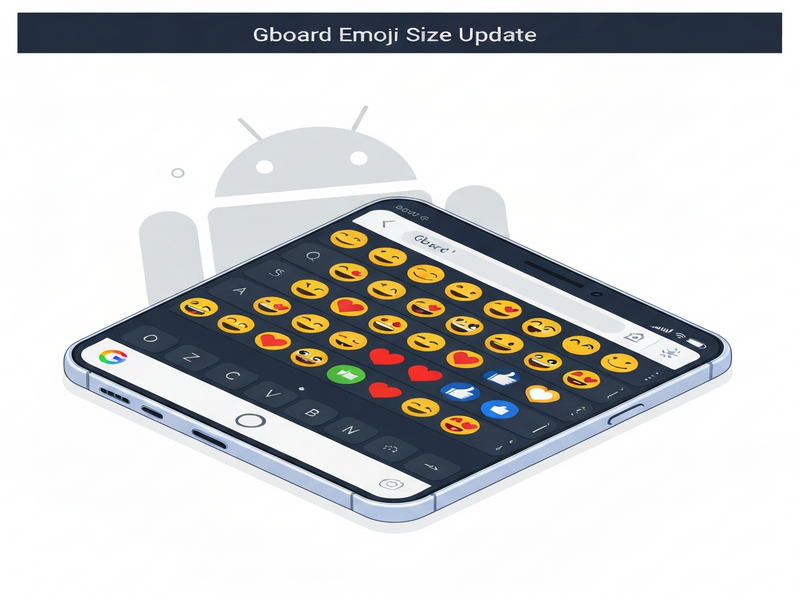
Summary of the Gboard Update
The update, rolled out globally in early February 2026, is part of Google’s ongoing effort to keep Gboard fresh and competitive against rivals like SwiftKey and Samsung Keyboard. Key highlights include:
- Increased default emoji size by roughly 15‑20% across all Android devices.
- Optional “Compact Emoji” toggle in Settings for users who prefer the legacy size.
- Improved rendering engine that reduces lag when scrolling through the emoji picker.
- Minor UI refinements such as a slimmer suggestion bar and updated color palette.
Google’s release notes describe the change as “enhancing visual clarity and emotional expression.” While the note is brief, the community response has been anything but.
Details of the Emoji Size Change
Understanding the mechanics behind the new Google Gboard emoji size helps developers anticipate downstream effects on UI design and content creation.
Technical Implementation
Google adjusted the emojiScaleFactor parameter in the Gboard rendering pipeline. The factor now defaults to 1.2 instead of 1.0, which translates to a proportional increase in pixel dimensions for each emoji asset. The change is applied uniformly across:
- Standard Unicode emojis (U+1F600‑U+1FAFF).
- Google’s custom “Google Emoji” set, which includes animated variants.
- Third‑party emoji packs installed via the Play Store.
User‑Facing Settings
To accommodate diverse preferences, Gboard now offers a hidden toggle:
- Open Gboard Settings → “Preferences”.
- Scroll to “Emoji style”.
- Select “Compact” to revert to the previous size.
This toggle respects the MECE principle by separating “large” and “compact” options without overlap, ensuring a clean user experience.
Impact on Keyboard Layout
Because emojis occupy more vertical space, the suggestion bar now automatically expands by one row when an emoji is selected. This prevents the keyboard from covering the text field, a common complaint in earlier versions.
User Impact: What Android Users Are Saying
Feedback collected from Reddit, X (formerly Twitter), and the Google Play Store reveals three dominant themes:
Positive Reception
Many users appreciate the “bigger, bolder” emojis for conveying emotions more clearly in chats, especially on high‑resolution displays. A frequent comment reads: “My messages finally look as expressive as my face!”
Negative Concerns
Some power users report that the larger icons reduce the number of emojis visible per swipe, increasing the time needed to locate a specific symbol. This is especially noticeable on devices with smaller screens.
Developer Implications
App developers who embed Gboard screenshots in marketing material must now account for the new dimensions. Failure to do so can lead to misaligned UI mockups, especially in UBOS templates for quick start that showcase mobile interfaces.
Accessibility Benefits
Larger emojis improve readability for users with visual impairments, aligning with Google’s broader accessibility roadmap.
Overall, the sentiment leans positive, with the “Compact Emoji” option mitigating most friction points.
Comparison with Previous Gboard Versions
To illustrate the visual shift, the table below contrasts key metrics from the pre‑update Gboard (v13.0) and the post‑update Gboard (v13.1):
| Feature | v13.0 (Before) | v13.1 (After) |
|---|---|---|
| Default Emoji Size | 1.0× (baseline) | 1.2× (≈15‑20% larger) |
| Emoji Picker Rows | 3 rows | 3 rows (auto‑expand on selection) |
| Latency (ms) | 120 | 115 (optimized rendering) |
| User‑Reported Issues | Minor UI glitches | Size‑related navigation concerns |
The data shows that while the visual footprint grew, performance actually improved—a testament to Google’s efficient rendering pipeline.
External Reference: Android Police Coverage
For a detailed breakdown of the rollout timeline and community reactions, see the Android Police report. The article confirms the rollout dates and provides screenshots that match the visual differences described above.
Why This Matters for AI‑Powered Platforms
Changes in UI elements like emoji size ripple into the broader ecosystem of AI‑driven tools. For instance, developers building chatbots on the Enterprise AI platform by UBOS must ensure that generated messages render correctly on the new Gboard layout.
Here are a few UBOS solutions that can help you stay ahead of such updates:
- AI marketing agents can automatically adapt promotional graphics to the larger emoji dimensions.
- The Web app editor on UBOS lets you preview how your app’s UI looks with the new emoji size in real time.
- Use the Workflow automation studio to trigger alerts when Google releases keyboard updates, ensuring your content pipelines stay current.
- Explore the UBOS portfolio examples for case studies where UI changes were seamlessly integrated.
- Start quickly with the UBOS templates for quick start, many of which already incorporate the latest emoji rendering.
For startups looking to leverage the new visual language, the UBOS for startups program offers discounted access to these tools, helping you iterate faster.
SMBs can also benefit from the UBOS solutions for SMBs, which include ready‑made chatbot templates like the AI Chatbot template that automatically adjust emoji size based on the user’s keyboard settings.
If you need a powerful SEO analyzer to ensure your content stays optimized after UI changes, try the AI SEO Analyzer. It scans for keyword density, meta tags, and even visual element alt‑texts, guaranteeing compliance with the latest mobile keyboard news trends.
Content creators can also experiment with the AI Article Copywriter to generate fresh blog posts that reference the Gboard emoji size change, ensuring your site remains topical.
Conclusion: Embracing Bigger Emojis on Android
The Gboard emoji size update is more than a cosmetic tweak; it reflects Google’s commitment to richer visual communication on Android. By offering a “Compact Emoji” fallback, the company respects user choice while pushing the envelope on expressive typing.
For developers, marketers, and AI platform users, the change underscores the importance of adaptable design systems. Leveraging tools like the UBOS partner program can give you early access to UI‑aware AI services, ensuring your products stay ahead of the curve.
Stay tuned to official Google releases and reputable tech news sources for future keyboard enhancements. In the meantime, enjoy the larger, more vibrant emojis that now bring your messages to life.