

- Updated: February 3, 2026
- 7 min read
How to Securely Sandbox AI Agents on Linux: Best Practices and Tools
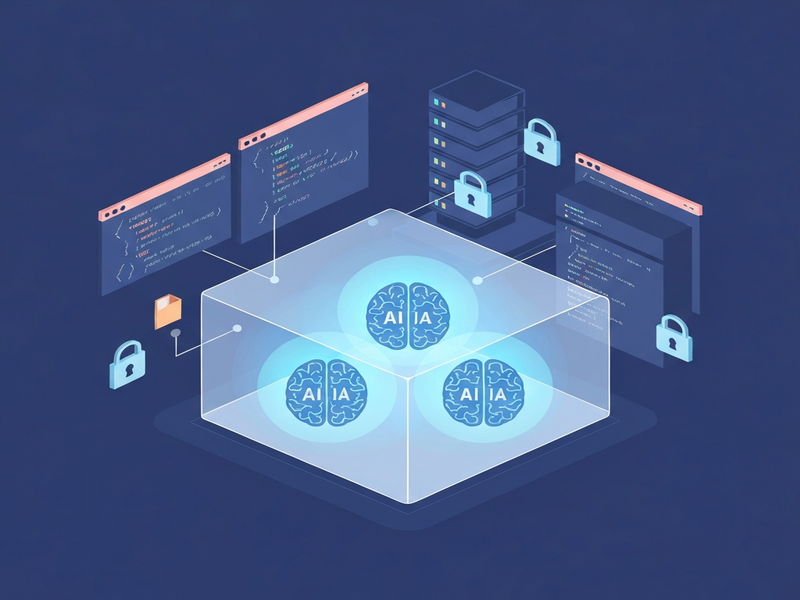
Sandboxing AI agents on Linux isolates them from the host system, restricting file‑system, network, and resource access to protect the environment and ensure safe AI deployment.
Why Linux Sandbox Matters for AI Agents
AI agents—especially large language models (LLMs) such as Claude, GPT‑4, or Gemini—are increasingly embedded in development pipelines, CI/CD workflows, and production services. While their capabilities accelerate coding, testing, and documentation, they also introduce new attack surfaces. An unrestricted agent can inadvertently read sensitive configuration files, exfiltrate API keys, or execute malicious commands.
For IT security professionals, DevOps engineers, and AI developers, the question is simple: How can we let an AI agent do its job without giving it a free pass to the entire host? The answer lies in Linux sandboxing, a lightweight yet powerful technique that leverages kernel namespaces, cgroups, and seccomp filters to create a controlled execution bubble.
Read the original deep‑dive on this topic here. Below we expand on the concepts, showcase practical tooling, and tie the approach into the broader AI security ecosystem offered by UBOS.
Linux Sandboxing: Core Concepts for AI Safety
Linux provides several isolation primitives that can be combined to form a sandbox:
- User namespaces: Run processes with a distinct UID/GID mapping, so the sandboxed process appears as root inside but has no privileges on the host.
- Mount namespaces: Create a private view of the filesystem, allowing selective bind‑mounts of only the directories the AI needs.
- Network namespaces: Give the agent its own network stack, limiting outbound connections to whitelisted endpoints.
- cgroups (control groups): Enforce CPU, memory, and I/O quotas, preventing runaway resource consumption.
- Seccomp filters: Block system calls that are unnecessary for the AI’s operation (e.g.,
ptrace,mount).
When combined, these mechanisms create a “jail” that feels like a full Linux environment but is tightly scoped. The result is a sandbox that is both secure enough for most production workloads and lightweight enough to run on a developer’s laptop.
Key Techniques & Tools: Bubblewrap in Action
Among the many sandboxing utilities, Bubblewrap (bwrap) stands out for its simplicity and low overhead. It directly wraps the kernel features listed above without requiring a full container runtime.
Sample Bubblewrap Script for an LLM Agent
#!/usr/bin/env bash
# Minimal Bubblewrap sandbox for Claude, GPT, or any CLI‑based AI agent

# Open the API‑key file descriptor (read‑only)
exec 3<$HOME/.ai‑keys.json

bwrap \
    --unshare-all \
    --uid 1000 --gid 1000 \
    --tmpfs /tmp \
    --dev /dev \
    --proc /proc \
    --ro-bind /bin /bin \
    --ro-bind /lib /lib \
    --ro-bind /lib64 /lib64 \
    --ro-bind /usr/bin /usr/bin \
    --ro-bind /usr/lib /usr/lib \
    --ro-bind /etc/resolv.conf /etc/resolv.conf \
    --ro-bind /etc/ssl/certs /etc/ssl/certs \
    --ro-bind $HOME/.config $HOME/.config \
    --bind $PWD $PWD \
    --file 3 $HOME/.ai‑keys.json \
    "$@"
This script demonstrates a MECE (Mutually Exclusive, Collectively Exhaustive) approach:
- Isolation:
--unshare-allcreates fresh namespaces for everything. - Read‑only system binaries: Core OS directories are mounted read‑only, preventing tampering.
- Project directory bind: The current working directory is bind‑mounted read‑write so the AI can read/write source files.
- Credential injection: The API‑key file is injected via a file descriptor, keeping the host copy untouched.
Alternative Tools
If you prefer a more feature‑rich environment, consider these options:
- Docker: Full containerization with image layering; ideal for CI pipelines.
- Podman: Daemon‑less alternative to Docker, compatible with OCI images.
- Firejail: Simple sandboxing with pre‑built profiles for many applications.
For many on‑premise AI workloads, Bubblewrap remains the sweet spot because it avoids the overhead of a full container engine while still offering granular control.
Security Implications & Best Practices
Even a well‑configured sandbox is not a silver bullet. Understanding its limits helps you design defense‑in‑depth strategies.
Threat Landscape
| Risk | Mitigation |
|---|---|
| Kernel zero‑day escape | Keep the host kernel patched; use Linux tools for automated updates. |
| Credential leakage | Inject secrets via file descriptors; rotate keys per project; store them in a vault. |
| Data exfiltration via network | Restrict network namespace to whitelisted endpoints; use egress firewalls. |
| Resource exhaustion | Apply cgroup limits on CPU and memory; monitor with systemd-cgtop. |
Best‑Practice Checklist
- Run the sandbox under a non‑root user on the host.
- Expose only the directories required for the current project.
- Use read‑only mounts for system libraries and binaries.
- Inject secrets at runtime, never store them in the sandbox’s file system.
- Limit network access to the AI provider’s endpoint (e.g.,
api.openai.com). - Apply strict seccomp profiles to block unnecessary syscalls.
- Log all sandbox activity and feed logs into a SIEM for anomaly detection.
Following these steps aligns with the AI security framework that UBOS promotes for enterprise‑grade AI deployments.
Practical Steps to Deploy a Secure AI Agent Sandbox
Below is a step‑by‑step guide you can copy‑paste into your CI/CD runner or local workstation.
1. Install Bubblewrap
sudo apt-get update && sudo apt-get install -y bubblewrap2. Create a Project‑Specific Credential File
cat > $HOME/.ai‑keys.json <<EOF
{
    "openai_api_key": "sk-****************",
    "anthropic_api_key": "sk-****************"
}
EOF
3. Write the Sandbox Wrapper
Save the earlier bwrap script as run‑ai.sh and make it executable:
chmod +x run‑ai.sh4. Execute Your AI Agent Inside the Sandbox
./run‑ai.sh claude --prompt "Generate a Terraform module for an S3 bucket"5. Tune the Environment
Use strace to discover missing mounts:
strace -e trace=open,openat,stat,statx -f -o /tmp/trace.log ./run‑ai.sh ...Inspect /tmp/trace.log and add any required --bind or --ro-bind flags to the script. This iterative approach ensures a minimal yet functional sandbox.
6. Integrate with UBOS Automation
UBOS’s Workflow automation studio can orchestrate the sandbox launch, monitor logs, and trigger alerts if a policy violation occurs. Pair this with the Web app editor on UBOS to build a UI that lets developers spin up sandboxed AI sessions on demand.
Real‑World Use Cases Powered by UBOS
Companies are already leveraging sandboxed AI agents to accelerate development while staying compliant.
- Code generation pipelines: An LLM writes code snippets inside a Bubblewrap container; the output is then reviewed by a static analysis tool before merging.
- Automated documentation: AI agents read source files (read‑only) and produce markdown docs, which are stored in a version‑controlled repository.
- Security testing: Prompt‑driven AI agents simulate penetration tests inside a sandbox, ensuring they cannot reach production secrets.
These patterns are showcased in the UBOS portfolio examples and can be jump‑started with UBOS templates for quick start. For instance, the AI SEO Analyzer template already includes a sandboxed execution environment for safe web‑scraping.
Conclusion: Secure AI, Faster Innovation
Sandboxing AI agents on Linux gives you the best of both worlds: the creative power of LLMs and the protection required for production environments. By combining kernel namespaces, cgroups, and tools like Bubblewrap, you can craft a lightweight jail that mirrors your development setup while keeping the host pristine.
Ready to adopt a secure AI workflow? Explore the AI security solutions on UBOS, try the Enterprise AI platform by UBOS, or start with a pre‑built sandbox template such as the AI Article Copywriter. Our About UBOS page explains how we help organizations balance innovation with risk.
Join the UBOS partner program to get dedicated support, custom sandbox configurations, and access to exclusive AI marketing agents that can be safely deployed across your enterprise.
Secure your AI agents today—sandbox them, monitor them, and let them accelerate your business without compromising safety.
Andrii Bidochko
CTO UBOS
Andrii Bidochko is an AI entrepreneur and researcher focused on AI agents, reinforcement learning, and autonomous systems. He writes about the technologies shaping the future of machine intelligence, from frontier models and agent architectures to real-world AI applications.