

- Updated: January 24, 2026
- 6 min read
Immich: A Self‑Hosted Google Photos Alternative for Seamless Photo Management
Immich: The Self‑Hosted Google Photos Alternative for Privacy‑First Photo Management
Immich is a self‑hosted, privacy‑first alternative to Google Photos that lets you store, organize, and share your images on your own server while keeping full control over your data.
What Android Police Discovered
In a recent Android Police article, the author set out to replace Google Photos with a self‑hosted solution, only to encounter unexpected hurdles. The piece highlighted the allure of privacy‑centric platforms, but also underscored the technical steepness many users face when moving away from Google’s turnkey service. This story sparked a wave of interest among tech‑savvy users who crave the convenience of Google Photos without surrendering their personal media to a corporate cloud.
Enter Immich, an open‑source project that promises to combine the best of Google Photos—automatic backup, facial recognition, albums, and sharing—with the security of a self‑hosted environment. Below, we dive deep into how Immich measures up, especially for those who read the Android Police narrative and are now looking for a practical, privacy‑respecting solution.
For startups and SMBs seeking a reliable infrastructure, the UBOS for startups program offers a ready‑made environment to spin up Immich without wrestling with Dockerfiles or Kubernetes clusters.
My Journey with Google Photos
Like millions of Android users, I relied on Google Photos for years. Its seamless backup from my phone, AI‑driven search, and effortless sharing made it the default photo manager. Over time, however, three pain points emerged:
- Data sovereignty: Every picture I took was stored on Google’s servers, subject to their terms of service and occasional policy changes.
- Cost escalation: The free tier capped at 15 GB, and once I exceeded it, the monthly subscription felt steep for a personal archive.
- Algorithmic bias: The automatic categorization sometimes mis‑tagged images, and I had limited control over the underlying AI models.
These frustrations motivated me to explore self‑hosted alternatives, leading me to the Android Police experiment and, ultimately, to Immich.
Why Large Photo Libraries Are Hard to Manage
When you accumulate thousands of photos over years, several technical challenges surface:
- Scalable storage: Media files quickly outgrow a single SSD, requiring RAID arrays or cloud buckets.
- Metadata indexing: Efficient search hinges on robust EXIF extraction, facial recognition, and object detection.
- Backup reliability: A single point of failure can erase years of memories; redundancy is non‑negotiable.
- Access control: You need granular sharing permissions for family, friends, and collaborators.
- Performance: Browsing a library of 50,000+ images should remain snappy on both mobile and desktop.
Any viable Google Photos alternative must address these issues without demanding a PhD in DevOps.
Immich in Detail: Features, Architecture, and Privacy
Immich is built on a modern stack: a Go backend, a TypeScript/React front‑end, and PostgreSQL for metadata. It leverages Chroma DB integration for vector search, enabling fast similarity queries. The platform also supports OpenAI ChatGPT integration for natural‑language queries, turning “show me pictures from my trip to Kyoto in 2019” into a one‑click filter.
Key capabilities include:
- Automatic backup: Mobile apps for Android and iOS push new photos to your server over Wi‑Fi.
- AI‑enhanced organization: Facial recognition, object detection, and location tagging run locally, preserving privacy.
- Album sharing: Share links with expiration dates, password protection, or read‑only access.
- Web UI & mobile UI: Responsive design ensures a smooth experience across devices.
- Extensible plugins: Add voice synthesis via ElevenLabs AI voice integration or custom workflows with the Workflow automation studio.
From a privacy standpoint, Immich stores all data on your premises or a VPS you control. No third‑party analytics are embedded, and you can encrypt the PostgreSQL database at rest. This aligns perfectly with the Enterprise AI platform by UBOS, which emphasizes data governance and compliance.
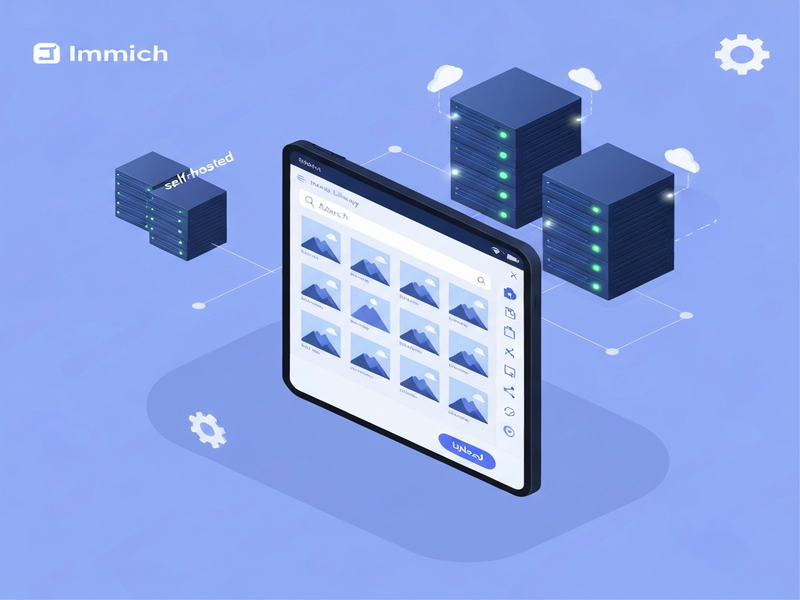
Overall, Immich delivers a Google‑Photos‑like experience while handing you the keys to your own data vault.
Pros and Cons of Using Immich
Pros
- Full control over data storage and retention.
- Open‑source community ensures rapid feature updates.
- Local AI processing protects privacy.
- Scalable architecture works from a Raspberry Pi to a multi‑node cluster.
- Seamless integration with UBOS tools for rapid deployment.
Cons
- Initial setup requires basic server knowledge.
- Mobile apps are still maturing compared to Google’s native client.
- Advanced AI features (e.g., custom models) may need extra compute.
- No built‑in unlimited cloud storage; you must provision hardware.
- Support relies on community forums unless you opt for a managed UBOS plan.
Step‑by‑Step Guide to Deploy Immich with UBOS
Setting up Immich is far less daunting when you leverage the UBOS platform. Follow these concise steps:
- Choose a host: Spin up a VPS (2 vCPU, 4 GB RAM) or use a local machine. UBOS supports both cloud and on‑premise deployments.
- Install UBOS: Follow the UBOS platform overview to provision a Docker‑based environment with a single command.
- Deploy Immich: In the UBOS dashboard, navigate to Marketplace and search for “Immich”. Click Deploy and configure storage paths (e.g., /data/photos).
- Configure backups: Use the Workflow automation studio to schedule nightly snapshots to an off‑site bucket.
- Set up mobile sync: Install the Immich Android app, point it to your server’s URL, and enable Wi‑Fi‑only uploads.
- Fine‑tune AI models: If you need custom object detection, integrate ChatGPT and Telegram integration to trigger model retraining via chat commands.
- Secure access: Enable HTTPS with Let’s Encrypt (UBOS automates certificate issuance) and configure two‑factor authentication for admin accounts.
For businesses, the UBOS partner program offers managed hosting, SLA guarantees, and priority support—ideal if you prefer a hands‑off approach.
Conclusion: Is Immich the Right Choice for You?
If you value privacy, want to avoid recurring cloud fees, and are comfortable managing a modest server, Immich stands out as a compelling Google Photos alternative. Its open‑source nature, AI‑powered organization, and seamless UBOS integration make it a future‑proof solution for both personal enthusiasts and growing businesses.
Ready to take control of your photo library? Explore the UBOS pricing plans to find a tier that matches your needs, or dive straight into the free community edition and start deploying Immich today.
For inspiration, check out the UBOS portfolio examples where other creators have built custom photo galleries, AI‑enhanced media portals, and more.
Join the conversation on privacy‑first photo management, and let us know how Immich reshapes your digital memories.
Related Tools You Might Find Useful
- AI Image Generator – create custom thumbnails for your albums.
- AI SEO Analyzer – optimize your public photo pages for search.
- AI Video Generator – turn photo collections into dynamic video slideshows.