

- Updated: January 6, 2026
- 5 min read
Dell UltraSharp 52‑inch 6K Monitor Review: Thunderbolt 4 Powerhouse for Professionals
The Dell UltraSharp 52‑inch Thunderbolt 4 monitor delivers a stunning 6K (6144 × 2560) resolution, up to 120 Hz refresh rate with VRR, and a full‑featured Thunderbolt 4 hub, positioning it as a premium, all‑in‑one workstation display for demanding professionals.
Dell Unveils a 52‑Inch 6K Powerhouse at CES 2026
At the CES 2026 showcase, Dell announced its first 52‑inch UltraSharp monitor, a device that blends ultra‑high‑resolution imaging with a versatile Thunderbolt 4 docking solution. The announcement has already sparked excitement among tech enthusiasts, designers, and engineers who crave a single screen that can replace multi‑monitor rigs while delivering crystal‑clear visuals.
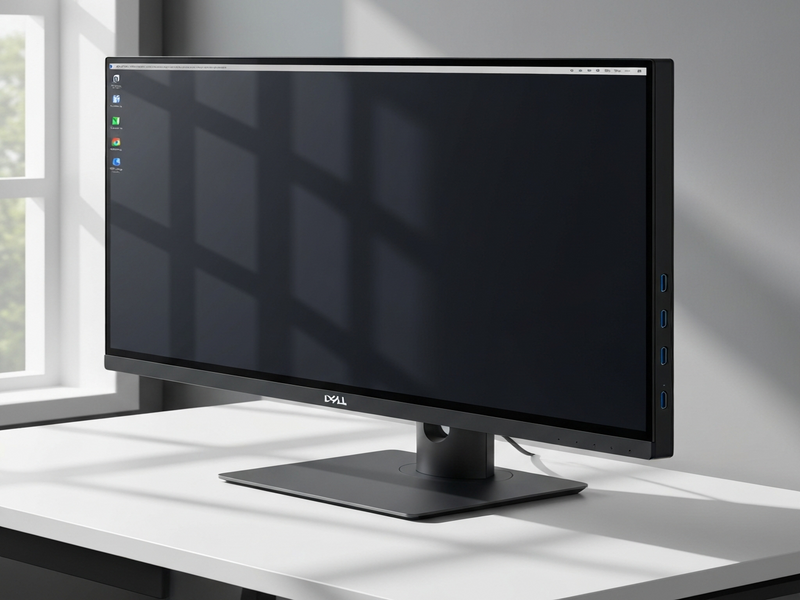
Beyond the eye‑catching size, Dell’s new monitor promises a suite of connectivity options that make it a true hub for modern workspaces, especially for those integrating AI‑driven workflows and cloud services.
Key Specifications of the Dell UltraSharp 52‑Inch Monitor
- Screen size & aspect ratio: 52‑inch, 21:9 ultra‑wide with a gentle 4200R curvature.
- Resolution & pixel density: 6,144 × 2,560 (6K) at 129 PPI, delivering razor‑sharp detail for design and data‑intensive tasks.
- Refresh rate & adaptive sync: Up to 120 Hz with Variable Refresh Rate (VRR) support for smooth motion.
- Panel technology: IPS Black, offering deeper blacks and higher contrast than conventional IPS panels.
- Brightness & color gamut: 400 nits peak brightness, 100% sRGB, 95% DCI‑P3 coverage.
- Audio: Integrated dual‑speaker system with Dolby Audio support.
Design and Connectivity: Thunderbolt 4 at the Core
The UltraSharp’s design is as functional as it is sleek. A minimalist stand provides ergonomic tilt, swivel, and height adjustments, while the back panel houses an impressive array of ports that turn the monitor into a full‑featured docking station.
Video & Data Ports
- 1 × Thunderbolt 4 (40 Gbps, video out, 140 W Power Delivery)
- 2 × HDMI 2.1 (up to 4K @ 120 Hz)
- 2 × DisplayPort 1.4 (up to 8K @ 60 Hz)
- 3 × USB‑C upstream ports (data & power)
- 2 × USB‑C downstream ports (10 Gbps)
- 5 × USB‑A downstream ports (5 Gbps)
- 2.5 Gbps Ethernet jack for wired networking
Why Thunderbolt 4 Matters
Thunderbolt 4 consolidates video, data, and power delivery into a single cable, simplifying desk clutter. With 140 W PD, you can charge a high‑performance laptop while simultaneously driving the monitor at 6K resolution. The built‑in KVM switch lets you toggle between up to four connected PCs, each displayed in separate screen partitions—a boon for multitaskers.
For teams that rely on AI‑enhanced workflows, the monitor’s high bandwidth and low latency make it ideal for real‑time model visualizations, large‑scale data dashboards, and collaborative design sessions.
Comparison and Market Context
When stacked against other premium displays, the Dell UltraSharp 52‑inch stands out in three key areas:
| Feature | Dell UltraSharp 52″ | LG UltraFine 38″ | Apple Pro Display XDR (27″) |
|---|---|---|---|
| Resolution | 6K (6144 × 2560) | 5K (5120 × 2160) | 6K (6016 × 3384) |
| Refresh Rate | 120 Hz (VRR) | 60 Hz | 60 Hz |
| Thunderbolt Ports | 1 × TB4 + 7 × USB‑C/USB‑A | 2 × TB3 | 1 × TB3 |
| Price (USD) | $2,899 (stand included) | $2,299 | $4,999 |
The combination of a 52‑inch 6K canvas, 120 Hz refresh, and a comprehensive Thunderbolt 4 hub makes the UltraSharp a unique proposition for professionals who need both visual fidelity and connectivity without a cluttered desk.
Who Benefits Most? Real‑World Use Cases
Dell markets the monitor toward engineers, financial analysts, and CAD designers—anyone who currently juggles multiple screens. Below are three scenarios where the UltraSharp shines:
- Engineering & Simulation: 6K resolution provides enough pixel real‑estate to view detailed schematics while running simulation software side‑by‑side. The built‑in KVM lets you switch between a workstation and a laptop without moving hardware.
- Financial Modeling: Traders can monitor multiple market feeds, charts, and spreadsheets simultaneously. The high refresh rate ensures smooth scrolling through large data sets.
- Creative & CAD Workflows: Designers benefit from the IPS Black panel’s color accuracy and the ability to split the screen into up to four independent windows, each fed by a different source.
For teams leveraging AI, the monitor’s bandwidth supports real‑time inference visualizations from platforms like the Enterprise AI platform by UBOS, enabling seamless integration of AI‑generated insights directly on the screen.
Boosting Productivity with AI: The UBOS Edge
While the monitor itself is a hardware marvel, pairing it with UBOS’s AI‑centric solutions unlocks even greater value:
- Use the AI marketing agents to generate on‑screen campaign dashboards that update in real time.
- Leverage the Workflow automation studio to create custom shortcuts that trigger AI‑driven actions directly from the monitor’s OSD menu.
- Build and deploy AI‑enhanced web apps with the Web app editor on UBOS, then display them at native 6K resolution for crisp interaction.
- Explore ready‑made templates like the AI SEO Analyzer or AI Video Generator to enrich your content creation pipeline.
Startups and SMBs can especially benefit from the UBOS for startups and UBOS solutions for SMBs, which provide affordable AI tooling that scales with the monitor’s capabilities.
Pricing, Availability, and Where to Buy
The Dell UltraSharp 52‑inch monitor is now available worldwide at a starting price of $2,899 with the ergonomic stand included, or $2,799 for the stand‑less configuration. Dell’s standard warranty covers three years, with optional on‑site service for enterprise customers.
For budget‑conscious buyers, consider the UBOS pricing plans that bundle AI services with hardware procurement assistance, helping you maximize ROI on high‑end displays.
Conclusion: A Future‑Ready Display for AI‑Driven Workflows
In a market saturated with incremental upgrades, Dell’s 52‑inch UltraSharp monitor breaks the mold by delivering true 6K clarity, a 120 Hz refresh rate, and a Thunderbolt 4 hub that consolidates power, data, and video. When paired with UBOS’s AI ecosystem—whether you’re a startup, an SMB, or an enterprise—you gain a unified platform that turns a single screen into a command center for data, design, and AI‑enhanced decision making.
Ready to experience the next level of visual productivity? Explore the UBOS homepage for AI‑powered solutions that complement your new monitor, or dive into the UBOS platform overview to see how seamless integration can accelerate your workflow.
For the original in‑depth review, read the article on The Verge: Dell UltraSharp 52‑inch Thunderbolt 4 monitor review.