- Updated: January 2, 2026
- 7 min read
Why Parental Controls Fail: Lessons from the Gabb Phone Incident
Why Parental Controls Keep Failing: Lessons from the Gabb Phone Scandal
Direct answer: Parental controls often fail because they are fragmented across devices, platforms, and apps, leaving gaps that strangers can exploit—as shown by the recent Gabb phone incident.
The Growing Concern Over Online Safety for Kids
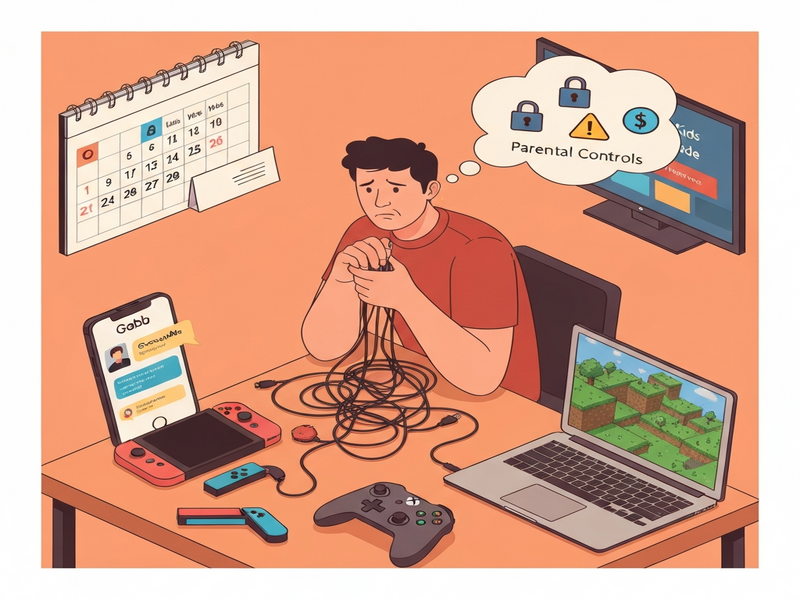
Parents today juggle a maze of smartphones, gaming consoles, streaming services, and educational apps, each promising “kid‑safe” environments. Yet, the reality is a patchwork of inconsistent parental control solutions that often miss critical threats. The recent Gabb phone incident starkly illustrates how a seemingly secure device can become a conduit for unwanted contact.
In this guide we’ll dissect the incident, explore why parental control ecosystems are fragmented, identify the core challenges families face, and present actionable solutions—many of which can be built on the UBOS platform overview to give parents a unified, AI‑enhanced safety net.
What Happened with the Gabb Phone?
On Christmas morning, a family unwrapped a Gabb phone—marketed as a “kid‑safe” device with a curated list of approved apps. Within minutes, a stranger began texting the 12‑year‑old son, asking for pictures of his gifts. The parents intervened, but the episode exposed a critical flaw: the approved‑apps list included GroupMe, an app that allows communication with unknown contacts.
Gabb’s own blog warned that GroupMe “opens the door to potential dangers,” yet it remained on the approved list. The tooltip on the app’s description read, “Allows contact and communication with people the child may not know,” but the classification of “high‑risk” was ambiguous. This inconsistency forced parents to hunt through 572 blog posts to discover the warning—an impossible task for most busy families.
The incident is a cautionary tale: marketing safety does not equal actual safety. When control panels are opaque, parents are left to decipher risk levels on their own, often missing crucial warnings.
Why Parental Controls Are So Fragmented
The modern digital ecosystem is split among hardware manufacturers, operating systems, and third‑party services. Each creates its own control layer, resulting in a disjointed experience for parents.
Device‑Specific Controls
- Smartphones (iOS, Android) – built‑in screen‑time and app‑restriction settings.
- Gaming consoles (Nintendo Switch, Xbox, PlayStation) – separate parental‑control apps and web portals.
- Smart speakers and AI assistants – voice‑activated permissions that are often overlooked.
Platform‑Specific Controls
- Microsoft Family Safety – dozens of overlapping settings for chat, friends, and purchases.
- Apple Family Sharing – requires multiple steps across devices and iCloud.
- Google Family Link – limited to Android and Chrome, leaving iOS devices unmanaged.
App‑Level Controls
Even when a device is locked down, individual apps (e.g., Discord, TikTok, GroupMe) often have their own privacy settings that can bypass system‑level restrictions. Parents must manually configure each app—a task that quickly becomes overwhelming.
The result is a maze of settings where a single misconfiguration can expose a child to unwanted contact, as the Gabb case demonstrated.
Top Challenges Parents Face
- Information Overload: Hundreds of apps and settings to review.
- Inconsistent Terminology: “High‑risk,” “communication with strangers,” and “approved” mean different things across platforms.
- Fragmented Management: Controls are split between mobile apps, web dashboards, and device firmware.
- Lack of Real‑Time Alerts: Most systems only notify after a breach has occurred.
- Cost and Subscription Traps: Enabling online play often forces parents into recurring fees (e.g., Nintendo Switch Online) that also unlock additional content.
These pain points create a sense of helplessness, pushing families toward either over‑restricting technology or, conversely, giving up on controls altogether.
How AI Can Consolidate Parental Controls
A unified AI‑driven platform can bridge the gaps between devices, apps, and services. UBOS homepage showcases an Enterprise AI platform by UBOS that integrates with popular tools, providing a single pane of glass for families.
Key Features of an AI‑Centric Control Hub
- Cross‑Platform Policy Engine: Define rules once and apply them to iOS, Android, consoles, and web apps.
- Real‑Time Threat Detection: Leverage OpenAI ChatGPT integration to analyze messages for suspicious language.
- Natural Language Alerts: Use ElevenLabs AI voice integration to send audible warnings to parents.
- Data Indexing with Vector Search: Chroma DB integration enables fast lookup of risky content across devices.
- Automation Workflows: The Workflow automation studio can auto‑lock a device when a threat is detected.
By centralizing control, parents no longer need to toggle between a dozen apps. Instead, a single dashboard—powered by AI—monitors, alerts, and enforces policies across the entire digital household.
Actionable Steps to Strengthen Your Child’s Online Safety
1. Consolidate Controls with a Unified Dashboard
Choose a platform that aggregates device‑level and app‑level settings. UBOS offers a Web app editor on UBOS that lets you build a custom parental‑control portal without coding.
2. Deploy AI‑Based Message Screening
Integrate ChatGPT and Telegram integration to scan incoming texts for red‑flag keywords. Set up automated alerts that trigger a voice notification via ElevenLabs.
3. Use Template Solutions for Quick Start
UBOS’s UBOS templates for quick start include pre‑built parental‑control workflows. For example, the AI SEO Analyzer template can be repurposed to monitor web browsing activity.
4. Leverage AI Content Generation for Education
Use the AI Article Copywriter to generate age‑appropriate guides that teach kids about digital etiquette and privacy.
5. Automate Routine Checks
Set up a recurring workflow in the Workflow automation studio that audits installed apps weekly and flags any new additions not on the approved list.
6. Monitor Spending and Subscriptions
Use the UBOS pricing plans to enable budget controls that prevent unauthorized in‑app purchases, especially on platforms that require recurring fees (e.g., Nintendo Switch Online).
By following these steps, parents can transform a chaotic set of controls into a coherent, AI‑enhanced safety strategy.
UBOS Portfolio Examples That Illustrate Safer Digital Homes
The UBOS portfolio examples showcase several applications that can be adapted for parental control:
- AI YouTube Comment Analysis tool: Detects harmful comments before a child sees them.
- AI Image Generator: Creates custom avatars for kids without exposing them to external image libraries.
- AI Video Generator: Produces educational videos with built‑in safety filters.
These solutions demonstrate how a single platform can serve multiple safety functions, reducing the need for disparate third‑party tools.
The Dream of an “Off Switch” for Kids’ Devices
Imagine a single toggle that instantly disables internet access, messaging, in‑app purchases, and content downloads across every device in the house. While such a button doesn’t exist yet, the convergence of AI, unified APIs, and low‑code platforms like UBOS brings us closer.
By combining Telegram integration on UBOS with real‑time policy enforcement, parents could send a “shutdown” command from any device, and the system would propagate the restriction instantly.
Until that perfect off switch arrives, the best practice is to centralize, automate, and continuously monitor—principles that underpin every recommendation in this article.
Take Control Today with UBOS
Ready to simplify parental controls and protect your family with AI? Explore the UBOS partner program for exclusive resources, or start a free trial on the UBOS homepage.
Whether you’re a startup, an SMB, or an enterprise, UBOS offers tailored solutions—from UBOS for startups to the Enterprise AI platform by UBOS. Empower your household with the same technology that powers leading businesses.
Protect your children, simplify your life, and stay ahead of emerging threats—starting now.