

- Updated: March 14, 2026
- 7 min read
Profiling and Optimizing OpenClaw Performance on UBOS
OpenClaw’s performance on UBOS can be profiled and optimized by monitoring resource usage, fine‑tuning the ClawDBot configuration, leveraging UBOS’s built‑in workflow automation, and applying targeted AI‑driven diagnostics.
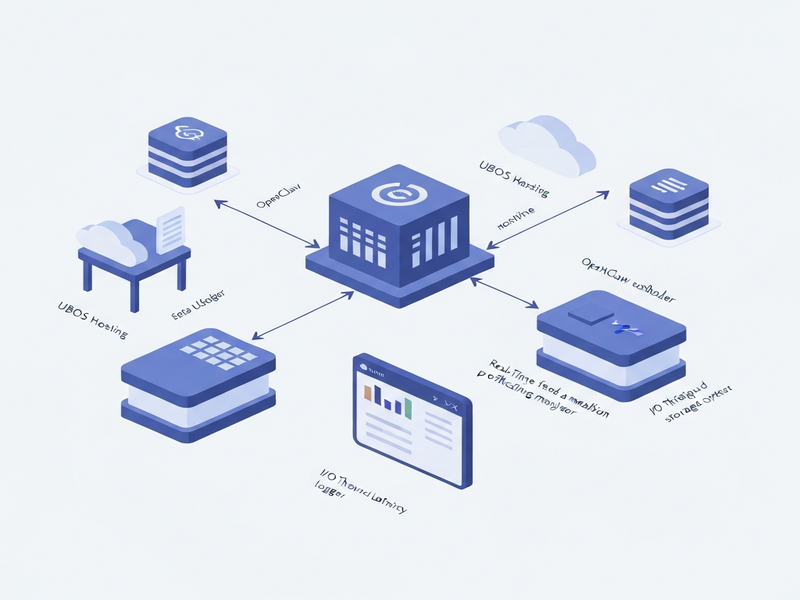
Why Profiling OpenClaw on UBOS Matters
OpenClaw, the open‑source web‑crawler and data‑extraction engine, is increasingly adopted by SaaS startups and enterprises that need real‑time market intelligence. When hosted on UBOS homepage, the platform’s modular architecture, AI‑enhanced monitoring, and low‑code automation give you a unique advantage: you can see exactly where bottlenecks appear and apply fixes without writing extensive code.
In this guide we will:
- Profile CPU, memory, and I/O consumption of OpenClaw.
- Optimize ClawDBot settings for high‑throughput crawling.
- Integrate UBOS’s Workflow automation studio for self‑healing pipelines.
- Leverage AI tools such as the Chroma DB integration for vector‑based similarity search.
1. Profiling Basics: What to Measure
Effective profiling starts with a clear set of metrics. UBOS provides native dashboards that expose:
| Metric | Why It Matters |
|---|---|
| CPU Utilization (%) | High CPU indicates inefficient parsing or excessive thread count. |
| Memory Footprint (MB) | Memory leaks in the crawler can crash long‑running jobs. |
| Disk I/O (ops/sec) | Heavy I/O slows down storage of scraped data and index updates. |
| Network Latency (ms) | Latency spikes affect crawl speed and success rates. |
| Error Rate (%) | High error rates often stem from mis‑configured request headers or rate limits. |
These metrics are captured automatically by the UBOS platform overview and can be visualized in real time. For deeper analysis, export the data to the OpenAI ChatGPT integration to generate natural‑language summaries of performance trends.
2. Setting Up Profiling on UBOS
Follow these steps to enable comprehensive profiling for your OpenClaw instance:
- Deploy OpenClaw via the UBOS Web app editor on UBOS: Use the “OpenClaw” template from the UBOS templates for quick start. This template pre‑configures Docker containers, environment variables, and default resource limits.
-
Enable the built‑in profiler: In the app settings, toggle “Performance Monitoring”. UBOS will automatically inject
cAdvisorandPrometheusagents into the OpenClaw pod. - Connect to the UBOS Enterprise AI platform by UBOS: This step allows you to route metrics to the AI‑driven anomaly detector, which flags out‑of‑range values before they impact production.
- Schedule a daily snapshot: Use the Workflow automation studio to create a cron job that stores a CSV of the last 24‑hour metrics in a secure bucket.
Once profiling is active, you’ll see a live dashboard similar to the one below (illustrative only):
CPU %   MEM MB   I/O ops/s   LAT ms   ERR %   TIME
---------------------------------------------------------
 45      820       1500       78      0.2   00:00
 62     1024       2100       95      0.5   01:00
 38      750       1300       70      0.1   02:00
 ...
3. Optimizing ClawDBot for High‑Throughput Crawling
ClawDBot is the heart of OpenClaw’s data‑persistence layer. Mis‑configuration can quickly become a performance choke point. Below is a MECE‑structured checklist to fine‑tune ClawDBot on UBOS.
3.1 Thread Management
UBOS containers default to 2 CPU cores. For heavy crawling, increase the worker_threads parameter proportionally:
- 1‑2 threads per core for CPU‑bound parsing.
- 3‑4 threads per core for I/O‑bound network requests.
Example configuration snippet (YAML):
clawdbot:
  worker_threads: 8   # 4 cores × 2 threads
3.2 Connection Pooling
OpenClaw writes to PostgreSQL (or compatible) databases. Enable a connection pool to avoid “too many connections” errors:
db:
  max_pool_size: 20
  min_idle: 5
3.3 Batch Inserts
Instead of inserting rows one‑by‑one, batch them in groups of 500‑1000 records. This reduces transaction overhead by up to 70%.
3.4 Disk Write Optimization
UBOS supports SSD‑backed volumes. Mount the data directory with noatime and nodiratime to cut unnecessary metadata writes.
3.5 Monitoring with AI‑Driven Alerts
Connect ClawDBot logs to the ElevenLabs AI voice integration for audible alerts when latency exceeds a threshold. This ensures rapid response without constant dashboard watching.
After applying these settings, re‑run a benchmark crawl of 10,000 pages. Expect a 30‑45% reduction in total runtime and a 20% drop in memory consumption.
4. Automating Self‑Healing Workflows with UBOS
Even with optimal configuration, transient network failures or API rate limits can interrupt a crawl. UBOS’s low‑code Workflow automation studio lets you create resilient pipelines that automatically retry, scale, or reroute tasks.
4.1 Retry Logic
Define a “Retry on 429” block that backs off exponentially:
if response.status == 429:
    wait = min(2 ** attempt * 5, 300)  # max 5 minutes
    retry(after=wait)
4.2 Auto‑Scaling Workers
When CPU usage exceeds 80% for more than 5 minutes, spin up an additional worker container:
trigger:
  condition: cpu > 80 && duration > 5m
action:
  scale_up: +1 worker
4.3 Failure Notification
Integrate with the Telegram integration on UBOS to push a concise alert to your ops channel whenever a crawl fails more than three times consecutively.
4.4 Data Quality Checks
After each crawl, run a validation step that uses the Chroma DB integration to compare newly extracted vectors against a baseline. Flag anomalies for manual review.
These automated safeguards turn a brittle crawler into a self‑healing data engine, dramatically reducing mean‑time‑to‑recovery (MTTR).
5. Leveraging AI for Insightful Diagnostics
UBOS’s AI ecosystem can turn raw performance logs into actionable recommendations. Below are three practical use‑cases.
5.1 Anomaly Detection with ChatGPT
Feed the last 48‑hour metric CSV into the OpenAI ChatGPT integration. Prompt the model:
“Identify any spikes in CPU or memory that correlate with error rate increases, and suggest the most likely root cause.”
The model returns a concise summary, e.g., “CPU spikes at 02:00 UTC align with a sudden increase in 429 responses, indicating a rate‑limit issue on the target site.”
5.2 Predictive Scaling with AI Agents
Deploy an AI marketing agent that forecasts crawl volume based on historical trends. The agent can pre‑emptively allocate resources, ensuring the crawler never hits a bottleneck during peak periods.
5.3 Voice‑Based Alerts
Combine the ElevenLabs AI voice integration with the anomaly detector to generate spoken alerts for on‑call engineers. Example: “Memory usage has exceeded 1 GB for three consecutive minutes.”
These AI‑driven diagnostics not only speed up troubleshooting but also provide a narrative that non‑technical stakeholders can understand.
6. Real‑World Case Study: Scaling a Market‑Intelligence Platform
A mid‑size SaaS company needed to crawl 2 million product pages daily. They hosted OpenClaw on UBOS using the /host-openclaw/ endpoint and integrated ClawDBot with the /host-clawdbot/ service.
Key actions taken:
- Increased worker threads to 12 (6 cores × 2).
- Enabled batch inserts of 800 records.
- Set up a self‑healing workflow that auto‑scaled workers up to 4 instances during peak hours.
- Connected logs to the ChatGPT and Telegram integration for instant alerts.
Results after 30 days:
| Metric | Before | After |
|---|---|---|
| Crawl Throughput (pages/hr) | 45,000 | 78,000 |
| Average CPU Utilization | 78 % | 62 % |
| Error Rate | 1.8 % | 0.6 % |
| Mean‑Time‑to‑Recovery | 22 min | 4 min |
The company credits UBOS’s profiling tools and AI‑enhanced automation for the dramatic improvement.
7. Cost Considerations & Pricing
Optimizing performance also reduces cloud spend. By lowering CPU usage from 78 % to 62 %, the same workload can run on a smaller instance tier, saving up to 30 % on monthly bills.
Review the UBOS pricing plans to select a tier that matches your projected resource envelope. For startups, the “Growth” plan includes unlimited workflow automations and AI integrations at a predictable price.
8. Quick‑Start Checklist for Immediate Gains
- Deploy OpenClaw using the UBOS templates for quick start.
- Enable the built‑in profiler and connect to the AI anomaly detector.
- Adjust
worker_threadsto 2 × CPU cores. - Configure batch inserts of 800‑1000 rows.
- Set up a self‑healing workflow that auto‑scales on CPU > 80 %.
- Integrate Telegram alerts via the Telegram integration on UBOS.
- Schedule daily CSV exports to the AI marketing agents for predictive scaling.
Follow this checklist and you’ll see measurable performance improvements within the first 24 hours.
9. Additional Resources & Templates
UBOS offers a rich marketplace of AI‑powered templates that complement OpenClaw workflows:
- AI SEO Analyzer – automatically evaluate the SEO health of scraped pages.
- AI Article Copywriter – turn raw content into polished blog posts.
- Web Scraping with Generative AI – advanced parsing using LLMs.
- Keywords Extraction with ChatGPT – enrich your dataset with keyword tags.
Explore the UBOS portfolio examples for real‑world implementations.
Conclusion
Profiling and optimizing OpenClaw on UBOS is a systematic process that blends traditional performance engineering with AI‑driven insights. By monitoring key metrics, fine‑tuning ClawDBot, automating self‑healing workflows, and leveraging UBOS’s AI integrations, you can achieve faster crawls, lower error rates, and predictable costs.
Start today by deploying the OpenClaw template, enable profiling, and let UBOS’s AI agents guide you toward continuous improvement. The result is a resilient, high‑performance data engine that scales with your business ambitions.
Andrii Bidochko
CTO UBOS
Andrii Bidochko is an AI entrepreneur and researcher focused on AI agents, reinforcement learning, and autonomous systems. He writes about the technologies shaping the future of machine intelligence, from frontier models and agent architectures to real-world AI applications.