

- Updated: March 14, 2026
- 5 min read
OpenClaw: Scalable Open‑Source Bot‑Hosting Platform
OpenClaw is a scalable, open‑source bot‑hosting platform that lets developers deploy, manage, and auto‑scale bots effortlessly on the UBOS cloud infrastructure.
1. Introduction to OpenClaw
In the era of real‑time digital interaction, bots have become the nervous system of customer support, social media monitoring, and workflow automation. OpenClaw answers the market’s demand for a reliable, flexible, and cost‑effective hosting solution that can grow from a single prototype to an enterprise‑grade deployment.
Built on the robust UBOS platform overview, OpenClaw leverages containerization, auto‑scaling, and built‑in observability to reduce operational overhead. Whether you are a solo developer, a fast‑growing startup, or an IT team in a multinational corporation, OpenClaw delivers the same core capabilities with a pricing model that scales with usage.
2. Key Benefits and Features
- Zero‑Config Deployment: Push code to Git and OpenClaw auto‑creates the runtime environment.
- Multi‑Channel Support: Native integrations for Telegram, Discord, Slack, and custom webhooks. See the Telegram integration on UBOS for a quick start.
- Automation Studio: Use the Workflow automation studio to chain bot actions with external APIs without writing extra code.
- Scalable Architecture: Horizontal scaling based on CPU, memory, or message‑queue length.
- Security First: End‑to‑end TLS, role‑based access control, and secret management.
- Observability: Real‑time logs, metrics, and alerting dashboards integrated with the UBOS monitoring stack.
- Cost Transparency: Detailed usage reports aligned with the UBOS pricing plans.
Developers also benefit from pre‑built UBOS templates for quick start, which include ready‑made bot skeletons such as the ChatGPT and Telegram integration and the OpenAI ChatGPT integration.
3. OpenClaw Architecture Diagram
The architecture follows a modular, micro‑service pattern that isolates each bot instance while sharing common services like authentication, logging, and the message broker.
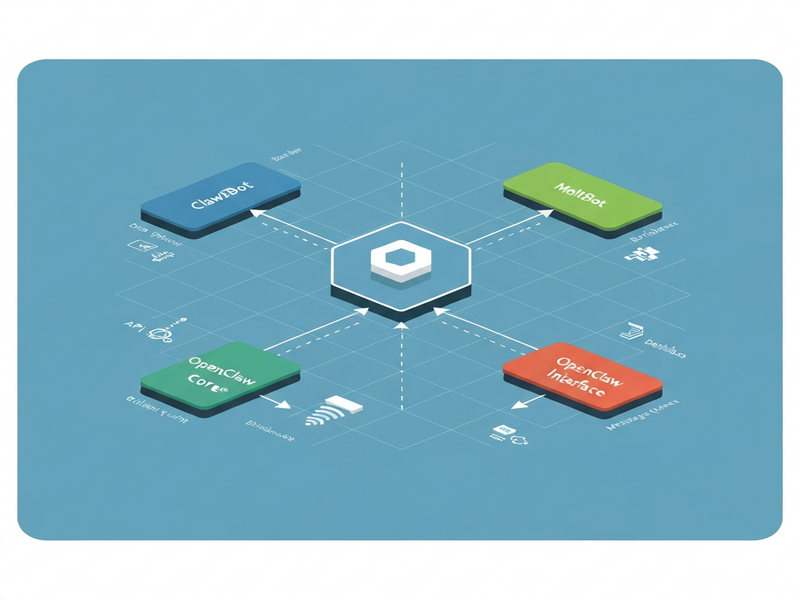
*Illustration: Core components – API Gateway, Bot Workers, Message Queue (RabbitMQ), and the UBOS Management Console.*
4. Real‑World Use Cases
Customer Support Automation
Acme Corp migrated its legacy ticketing system to a Customer Support with ChatGPT API bot hosted on OpenClaw. Within three months, first‑response time dropped from 12 minutes to under 30 seconds, and support costs fell by 27%.
Social Media Monitoring
The AI YouTube Comment Analysis tool processes millions of comments daily, surfacing sentiment trends for marketers. Hosted on OpenClaw, the solution auto‑scales during viral spikes, guaranteeing zero downtime.
Enterprise Workflow Orchestration
GlobalFin, a multinational bank, integrated OpenClaw with its internal Enterprise AI platform by UBOS to automate compliance checks. The bot triggers Slack alerts, logs events in an audit trail, and reduces manual review effort by 40%.
Startup Rapid Prototyping
Several SaaS startups leveraged the UBOS for startups program to spin up proof‑of‑concept bots within hours. The AI Article Copywriter template helped a content agency generate 10,000 articles in a week, showcasing the platform’s speed.
SMB Marketing Automation
Local retailers use the AI SEO Analyzer template to audit their websites daily. Hosted on OpenClaw, the bot scales during peak traffic periods, ensuring continuous SEO insights without extra infrastructure costs.
5. Step‑by‑Step Guide: Hosting OpenClaw on UBOS
Deploying OpenClaw on UBOS is a three‑step process designed for developers of any skill level.
Step 1 – Sign Up and Choose a Plan
Visit the UBOS homepage and create a free account. Review the UBOS pricing plans to select a tier that matches your expected traffic.
Step 2 – Deploy the OpenClaw Service
- Navigate to the OpenClaw hosting page (internal link).
- Click “Create New Bot” and select the “OpenClaw” template from the UBOS templates for quick start.
- Connect your Git repository (GitHub, GitLab, or Bitbucket). UBOS will automatically detect the Dockerfile or use the built‑in runtime.
- Configure environment variables (API keys, database URLs) using the secure secret manager.
- Press “Deploy”. UBOS provisions a container, attaches it to the internal message broker, and exposes a public endpoint.
Step 3 – Enable Monitoring & Auto‑Scaling
Open the Web app editor on UBOS to customize dashboards. Set auto‑scale rules based on CPU usage or queue length. The platform will spin up additional workers during peak loads and gracefully shut them down when traffic subsides.
For developers who need specialized bots, UBOS also offers pre‑hosted solutions:
6. Internal Resources to Accelerate Your Bot Projects
UBOS provides a rich ecosystem of tools, documentation, and community assets that help you move from idea to production faster.
About UBOS
Learn the mission, team, and technology stack behind the platform.
UBOS partner program
Join a network of technology partners and receive co‑marketing benefits.
AI marketing agents
Deploy AI‑driven agents that generate leads, write copy, and optimize campaigns.
UBOS portfolio examples
Explore real‑world implementations across industries.
Enterprise AI platform by UBOS
Scale AI workloads with enterprise‑grade security and compliance.
UBOS solutions for SMBs
Affordable, managed services tailored for small and medium businesses.
7. SEO‑Optimized Conclusion & Call‑to‑Action
OpenClaw delivers a production‑ready, auto‑scaling bot‑hosting environment that eliminates the traditional DevOps bottleneck. By leveraging UBOS’s unified platform, developers can focus on building intelligent interactions rather than managing infrastructure.
Ready to launch your next bot?
- Start with a free trial on the UBOS homepage.
- Explore ready‑made templates like the AI Chatbot template or the AI SEO Analyzer.
- Join the UBOS partner program for dedicated support and co‑selling opportunities.
For a deeper dive, read the original announcement on OpenClaw’s launch. Your next automation breakthrough is just a click away.
Andrii Bidochko
CTO UBOS
Andrii Bidochko is an AI entrepreneur and researcher focused on AI agents, reinforcement learning, and autonomous systems. He writes about the technologies shaping the future of machine intelligence, from frontier models and agent architectures to real-world AI applications.