
Full-stack real-time chat
- Data: PostgeSQL managed by Supabase @supabase_io (awsome real-time API).
- Front-end: React + Vite
- UI library: chakra-ui @chakra_ui
- Hosting: Netlify
- Country flags from Flagpedia
Install
npm install to setup dependencies
Supabase variables
Create a .env file with VITE_SUPABASE_URL and VITE_SUPABASE_KEY (see env.example)
Setup your Supabase project
The following database table is required:
| Field | Type |
|---|---|
| id | BIGINT |
| username | VARCHAR |
| text | TEXT |
| country | VARCHAR |
| is_authenticated | BOOLEAN |
| timestamp | timestamp |
SQL query if not using the Supabase interface:
CREATE TABLE messages (
  id bigint GENERATED BY DEFAULT AS IDENTITY PRIMARY KEY,
  username VARCHAR NOT NULL,
  text TEXT NOT NULL,
  country VARCHAR,
  is_authenticated BOOLEAN DEFAULT FALSE,
  timestamp timestamp default now() NOT NULL
);
Note: If you’re using Supabase interface, don’t forget to tick Enable Realtime setting after you created the table.
Setup GitHub authentication (optional)
Follow instrunction here
Dev
npm run dev to run server on port 3000
Build
npm run build to build the react client
Demo
https://random-chat.netlify.app
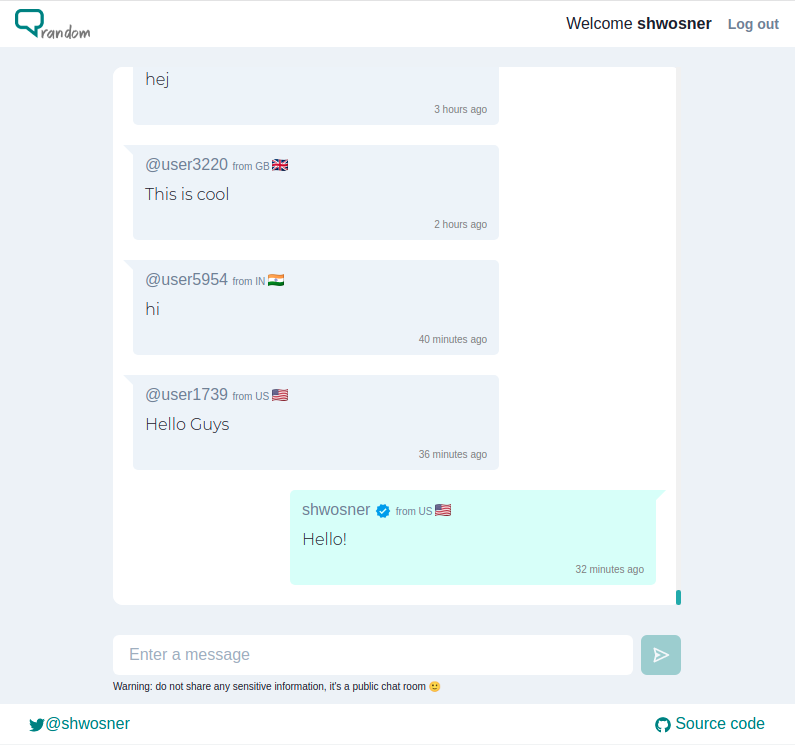
Real-time Chat Application
Project Details
- Mimo-Inverse/realtime-chat-supabase-react
- Apache License 2.0
- Last Updated: 3/20/2025
Recomended MCP Servers
Kick API MCP
MCP server for retrieval augmented thinking and problem solving
A Model Context Protocol (MCP) server for the Linear API
A MCP server which can query bus info, routes, eta, etc.
This is an MCP server that allows you to directly download transcripts of YouTube videos.
A MCP Server for the Plausible API
MCP server for interacting with cryptocurrency daemon RPC interfaces (BETA)
A powerful Model Context Protocol (MCP) server providing comprehensive Gmail integration with LLM processing capabilities.
A MCP server to interact with Hex projects
Featured Templates
View More





