
Postman MCP Server
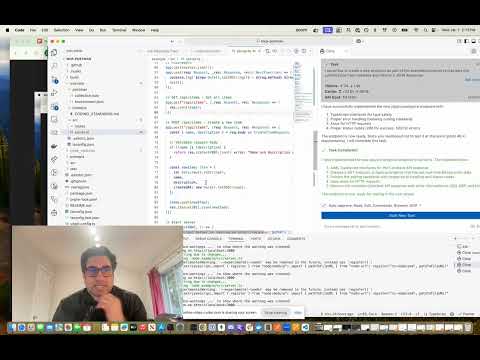
An MCP (Model Context Protocol) server that enables running Postman collections using Newman. This server allows LLMs to execute API tests and get detailed results through a standardized interface.
Features
- Run Postman collections using Newman
- Support for environment files
- Support for global variables
- Detailed test results including:
- Overall success/failure status
- Test summary (total, passed, failed)
- Detailed failure information
- Execution timings
Installation
Installing via Smithery
To install Postman Runner for Claude Desktop automatically via Smithery:
npx -y @smithery/cli install mcp-postman --client claude
Manual Installation
# Clone the repository
git clone <repository-url>
cd mcp-postman

# Install dependencies
pnpm install

# Build the project
pnpm build
Usage
Configuration
Add the server to your Claude desktop configuration file at ~/Library/Application Support/Claude/claude_desktop_config.json:
{
  "mcpServers": {
    "postman-runner": {
      "command": "node",
      "args": ["/absolute/path/to/mcp-postman/build/index.js"]
    }
  }
}
Available Tools
run-collection
Runs a Postman collection and returns the test results.
Parameters:
collection(required): Path or URL to the Postman collectionenvironment(optional): Path or URL to environment fileglobals(optional): Path or URL to globals fileiterationCount(optional): Number of iterations to run
Example Response:
{
  "success": true,
  "summary": {
    "total": 5,
    "failed": 0,
    "passed": 5
  },
  "failures": [],
  "timings": {
    "started": "2024-03-14T10:00:00.000Z",
    "completed": "2024-03-14T10:00:01.000Z",
    "duration": 1000
  }
}
Example Usage in Claude
You can use the server in Claude by asking it to run a Postman collection:
“Run the Postman collection at /path/to/collection.json and tell me if all tests passed”
Claude will:
- Use the run-collection tool
- Analyze the test results
- Provide a human-friendly summary of the execution
Development
Project Structure
src/
  ├── index.ts           # Entry point
  ├── server/
  │   ├── server.ts     # MCP Server implementation
  │   └── types.ts      # Type definitions
  └── newman/
      └── runner.ts     # Newman runner implementation
test/
  ├── server.test.ts    # Server tests
  ├── newman-runner.test.ts  # Runner tests
  └── fixtures/         # Test fixtures
      └── sample-collection.json
Running Tests
# Run tests
pnpm test

# Run tests with coverage
pnpm test:coverage
Building
# Build the project
pnpm build

# Clean build artifacts
pnpm clean
Contributing
- Fork the repository
- Create your feature branch (
git checkout -b feature/amazing-feature) - Commit your changes (
git commit -m 'Add some amazing feature') - Push to the branch (
git push origin feature/amazing-feature) - Open a Pull Request
License
ISC
Postman Runner

Project Details
- shannonlal/mcp-postman
- mcp-postman
- MIT License
- Last Updated: 4/20/2025
Recomended MCP Servers
Databutton MCP Server
一个能与Cursor集成的图片生成mcp server工具,实现调用即梦逆向接口
This is a TypeScript-based MCP server that provides database interaction capabilities through ArangoDB. It implements core database operations...
Make MCP Server
Model Context Protocol Server for Safely Executing Pre-approved Commands
Repository for MCP screenshot functionality
A Model Context Protocol (MCP) server providing tools to read, search, and manipulate OpenFGA stores programmatically via Large...
This repo is an extension of PostgreSQL MCP Server providing functionalities to create tables, insert entries, update entries,...
Query model running with Ollama from within Claude Desktop or other MCP clients
A MCP (Model Context Protocol) server that provides automated GUI testing and control capabilities through PyAutoGUI.
A Kubernetes MCP (Model Control Protocol) server that enables interaction with Kubernetes clusters through MCP tools.
An integration that allows LLMs to interact with Raindrop.io bookmarks using the Model Context Protocol (MCP).
Featured Templates
View More





