
What is this?
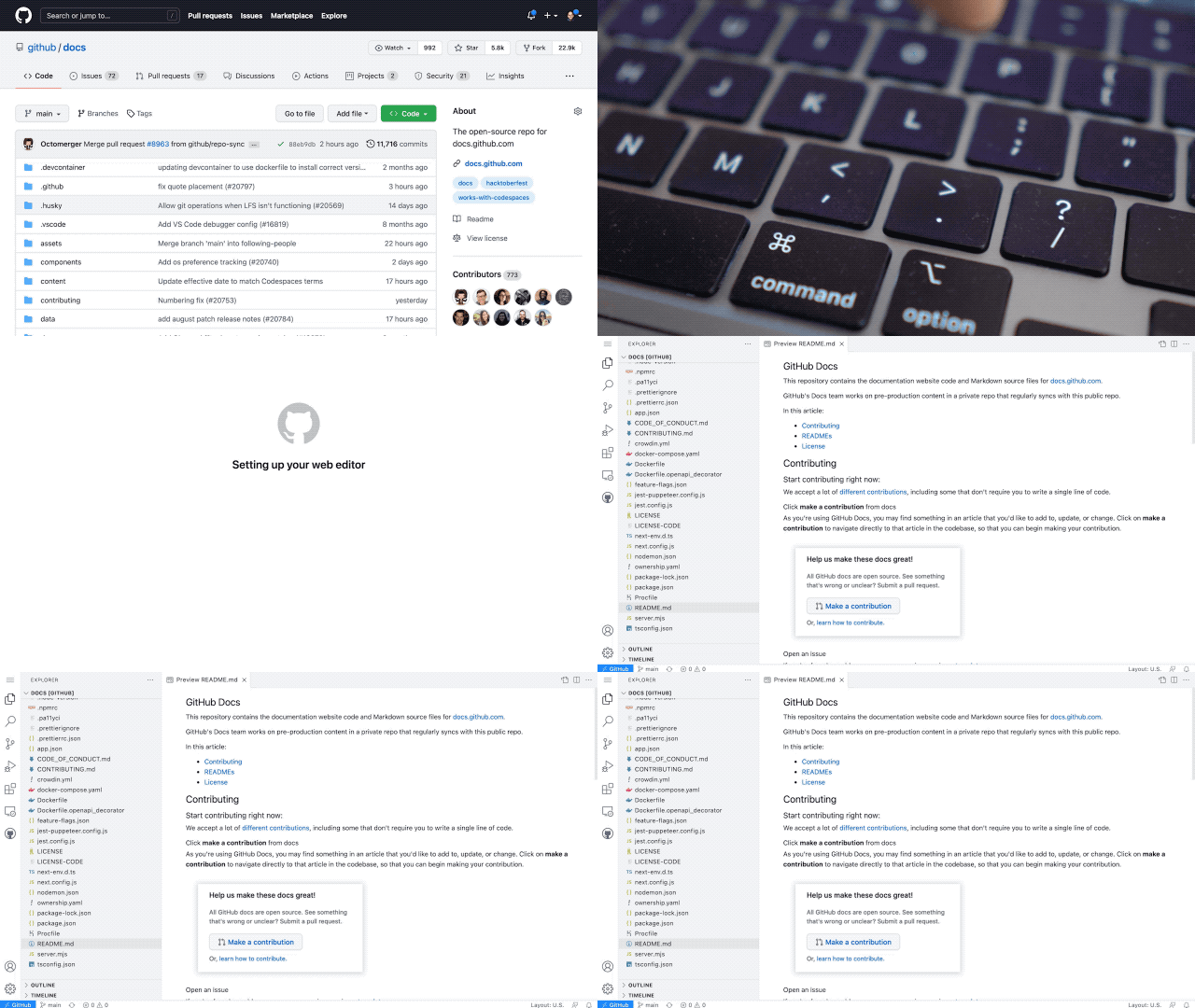
The github.dev web-based editor is a lightweight editing experience that runs entirely in your browser. You can navigate files and source code repositories from GitHub, and make and commit code changes.
There are two ways to go directly to a VS Code environment in your browser and start coding:
- Press the . key on any repository or pull request.
- Swap
.comwith.devin the URL. For example, this repo https://github.com/github/dev becomes http://github.dev/github/dev
Preview the gif below to get a quick demo of github.dev in action.
Why?
It’s a quick way to edit and navigate code. It’s especially useful if you want to edit multiple files at a time or take advantage of all the powerful code editing features of Visual Studio Code when making a quick change. For more information, see our documentation.
github.dev Web-Based Editor
Project Details
- exczzz/dev
- Last Updated: 4/22/2025
Recomended MCP Servers
An integration that allows LLMs to interact with Raindrop.io bookmarks using the Model Context Protocol (MCP).
A Redis MCP server (pushed to https://github.com/modelcontextprotocol/servers/tree/main/src/redis) implementation for interacting with Redis databases. This server enables LLMs to...
Lightweight MCP server to give your Cursor Agent access to the Neon API
Airtable integration for AI-powered applications via Anthropic's Model Context Protocol (MCP). Connect your AI tools directly to Airtable...
An MCP server that installs other MCP servers for you
Make MCP Server
A lightweight MCP Server for integrating Google Docs, Sheets, and Slides with custom applications. Enables seamless document management,...
MCP web research server (give Claude real-time info from the web)
Featured Templates
View More




