
🪐 MCP IPFS Server (storacha.network) 🛰️
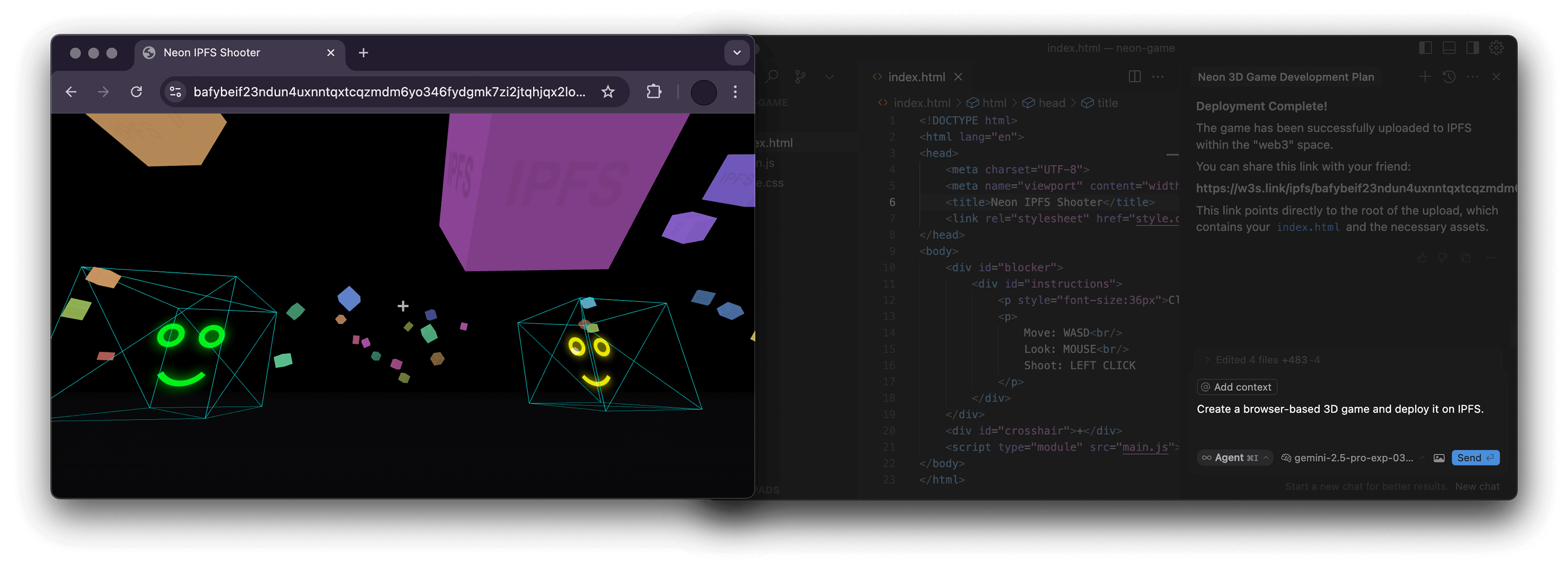



A Node.js server implementing the Model Context Protocol (MCP) for interacting with the storacha.network platform via the w3 command-line interface (@web3-storage/w3cli).
This server empowers language models 🤖 and other MCP clients to manage storacha.network spaces, upload/download data, manage delegations, and perform various other tasks by seamlessly wrapping w3 commands.
✨ Features
- Wraps the
w3CLI for native integration with storacha.network. - Provides MCP tools covering a wide range of
w3functionality:- 🔑 Authentication & Agent:
w3_login,w3_reset,w3_account_ls(for checking authorization) - 📦 Space Management:
w3_space_ls,w3_space_use,w3_space_info,w3_space_add,w3_space_provision(Note:w3_space_createmust be run manually due to interactive prompts) - 💾 Data Management:
w3_up,w3_ls,w3_rm - 🔗 Sharing:
w3_open(generates w3s.link URL) - 🤝 Delegations & Proofs:
w3_delegation_create,w3_delegation_ls,w3_delegation_revoke,w3_proof_add,w3_proof_ls - 🔐 Keys & Tokens:
w3_key_create,w3_bridge_generate_tokens - ⚙️ Advanced Storage (
w3 can ...): Blob, CAR, Upload, Index, Access Claim, Filecoin Info management - 💳 Account & Billing:
w3_plan_get,w3_coupon_create,w3_usage_report
- 🔑 Authentication & Agent:
🛠️ Prerequisites
- Node.js: Version 22.0.0 or higher (
node -v). w3CLI: The server executesw3commands directly. Ensure@web3-storage/w3cliis installed globally and configured:npm install -g @web3-storage/w3cli w3 login <your-email@example.com> # Follow email verification steps- Environment Variable: The
w3_logintool requires theW3_LOGIN_EMAILenvironment variable to be set to the same email used forw3 login.
🏗️ Project Structure
The codebase is organized as follows:
src/
├── index.ts          # Main server entry point, MCP setup, request routing
├── schemas.ts        # Zod schemas defining input arguments for each tool
├── tool_handlers.ts  # Implementation logic for each MCP tool
├── utils.ts          # Helper functions (e.g., running w3 commands, parsing JSON)
└── utils/
    └── logger.ts     # Basic logger configuration
🚀 Usage with MCP Clients
This server can be used with any MCP-compatible client. You need to configure your client to connect to this server.
Example: NPX (Recommended for simple local use)
This assumes npm and the prerequisites are met.
{
  "mcpServers": {
    "ipfs": {
      "command": "npx",
      "args": ["-y", "mcp-ipfs"],
      "env": {
        "W3_LOGIN_EMAIL": "your-email@example.com"
      }
    }
  }
}
Example: Docker
Build the image first (see Build section) or use the pre-built image alexbakers/mcp-ipfs.
{
  "mcpServers": {
    "mcp-ipfs": {
      "command": "docker",
      "args": [
        "run",
        "-i",
        "--rm",
        "-v",
        "/path/to/your/project:/path/to/your/project",
        "-e",
        "W3_LOGIN_EMAIL",
        "alexbakers/mcp-ipfs"
      ],
      "env": {
        "W3_LOGIN_EMAIL": "your-email@example.com"
      }
    }
  }
}
📝 Note on Paths:
Several w3 commands require absolute filesystem paths (e.g., w3_up, w3_delegation_create --output, w3_proof_add, w3_can_blob_add, w3_can_store_add).
- NPX: Provide absolute paths from your host machine.
- Docker: Provide absolute paths inside the container. If interacting with files from your host (e.g., uploading), you must mount the relevant host directory into the container using the
-vflag (e.g.,-v /Users/me/project:/Users/me/project) and then use the container path (e.g.,/Users/me/project/my_file.txt) in the tool arguments.
📦 Build
Clone the repository and install dependencies:
git clone https://github.com/alexbakers/mcp-ipfs.git
cd mcp-ipfs
npm install
Build the TypeScript code:
npm run build
You can then run the server directly:
# Ensure W3_LOGIN_EMAIL is set in your environment
export W3_LOGIN_EMAIL="your-email@example.com"
node dist/index.js
Or publish it (if you have the rights):
npm publish
🐳 Docker Build
Build the Docker image:
# Build locally (replace with your username/repo and desired tag)
docker build -t alexbakers/mcp-ipfs .
📜 License
This MCP server is licensed under the MIT License. See the LICENSE file for details.
IPFS Server

Project Details
- alexbakers/mcp-ipfs
- mcp-ipfs
- MIT License
- Last Updated: 4/19/2025
Categories
Recomended MCP Servers
MCP server interacts with the official Datadog API
Swagger to MCP server
Convert Any OpenAPI V3 API to MCP Server
Call another MCP client from your MCP client. Offload context windows, delegate tasks, split between models
This repository is for development of the Azure MCP Server, bringing the power of Azure to your agents.
A systematic reasoning MCP server implementation for Claude Desktop with beam search and thought evaluation.
An MCP (Model Context Protocol) server for interacting with a Paperless-NGX API server. This server provides tools for...
A Python-based MCP server that lets Claude run boto3 code to query and manage AWS resources. Execute powerful...
🌎 ✨ Earthdata MCP Server
MCP Server MetaMCP manages all your other MCPs in one MCP.
Featured Templates
View More




